
I've spent a lot of time inside UGC tools — building one, and stress-testing the competition on live accounts. So this isn't a generic overview. It's the practical version: what UGC is actually worth collecting, how to get permission in a way that holds up when someone challenges it, how to curate so the feed earns its place on your site, and how to embed it without dragging your page speed down. Where it matters, I'll flag the thing most guides skip.
What Is Instagram UGC and Why Does It Matter?
User-generated content — UGC — is any content created by your customers, followers, or fans rather than your own team. On Instagram, this typically means posts where someone tags your brand, uses your branded hashtag, mentions you in a caption, or simply posts about your product or experience without explicitly tagging you.
The reason UGC outperforms brand-created content in almost every social proof context is psychological: third-party endorsements carry more weight than self-promotion. We instinctively discount what brands say about themselves. We give much more credibility to what strangers — who have no commercial incentive — say and show. When someone posts a photo of your product on their own Instagram feed, to their own followers, they're staking their personal credibility on the endorsement. That's a fundamentally different signal than anything you can produce yourself.
You don't really need a study to feel this. You already discount what brands say about themselves and trust what a stranger with nothing to sell shows you — and that instinct is the entire engine of UGC. It's why a single genuine customer photo on a product page routinely out-earns the polished studio shot sitting right next to it. But there's a catch that most "add social proof" advice ignores: this only works while the content reads as real. The moment your UGC looks staged, cherry-picked, or over-produced, the borrowed trust evaporates and you're back to advertising. Everything below is about protecting that authenticity while still keeping real editorial control — and, just as importantly, doing it without exposing yourself to a copyright or privacy problem you didn't see coming.
sync
Where customer content ends up
The animation follows a customer's Instagram post out of their feed and onto a brand's website. The step it makes visible is the one most UGC programmes underestimate: the post has to be found, approved and given a home before it does any work — it does not travel on its own.
How to Set Up an Instagram UGC Feed on Your Website
The technical setup for a UGC-focused Instagram feed is the same as any other Instagram feed — but the curation approach and design choices should be tailored specifically to the UGC context.
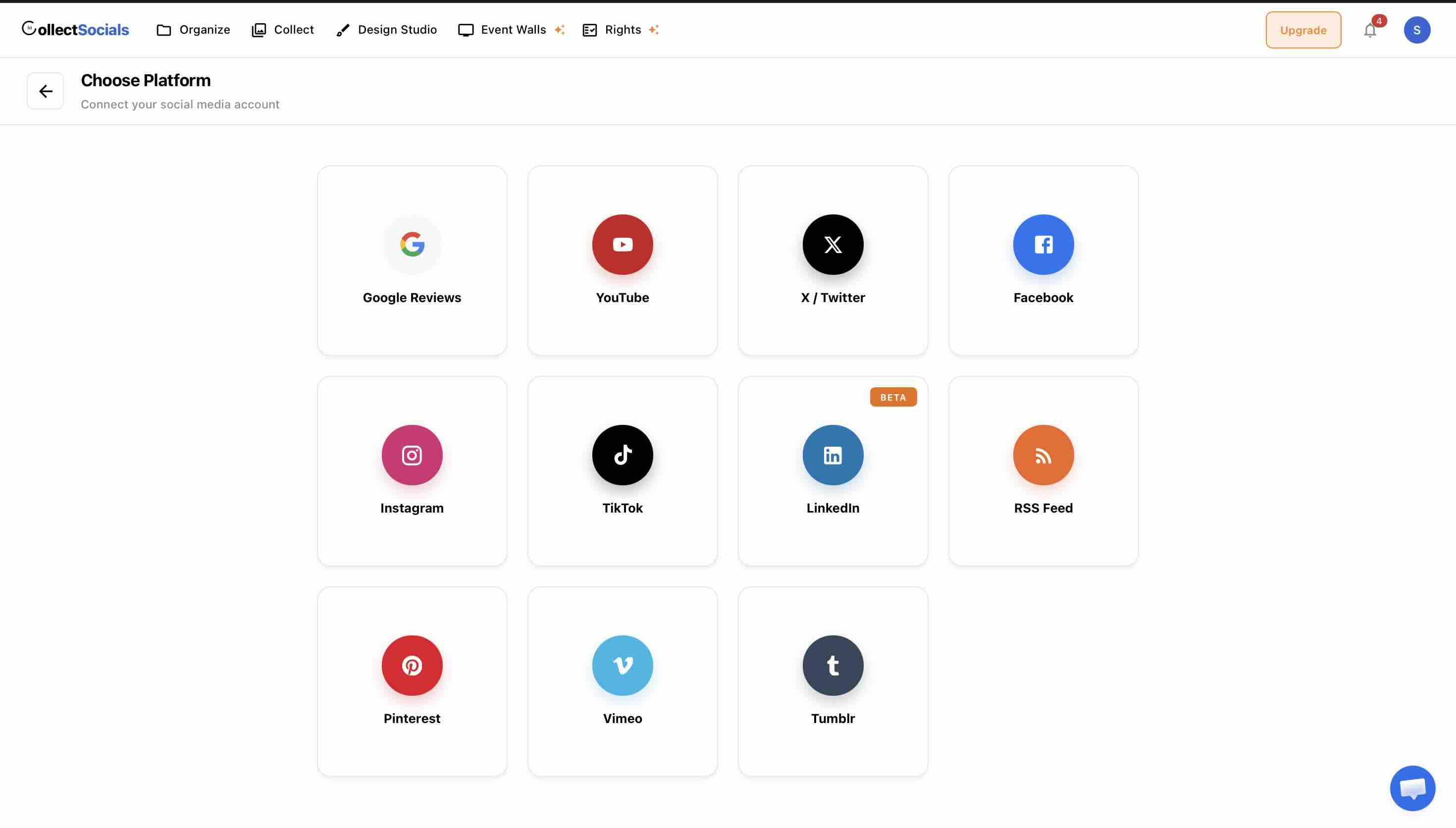
Step 1: Connect Your Instagram Business Account
Sign up for CollectSocials, create a new feed, and add Instagram as a source. You'll connect via Meta's OAuth flow. CollectSocials will pull in your posts, which for a Business account with an active tagged content strategy will include reposts and content you've already reshared to your account.
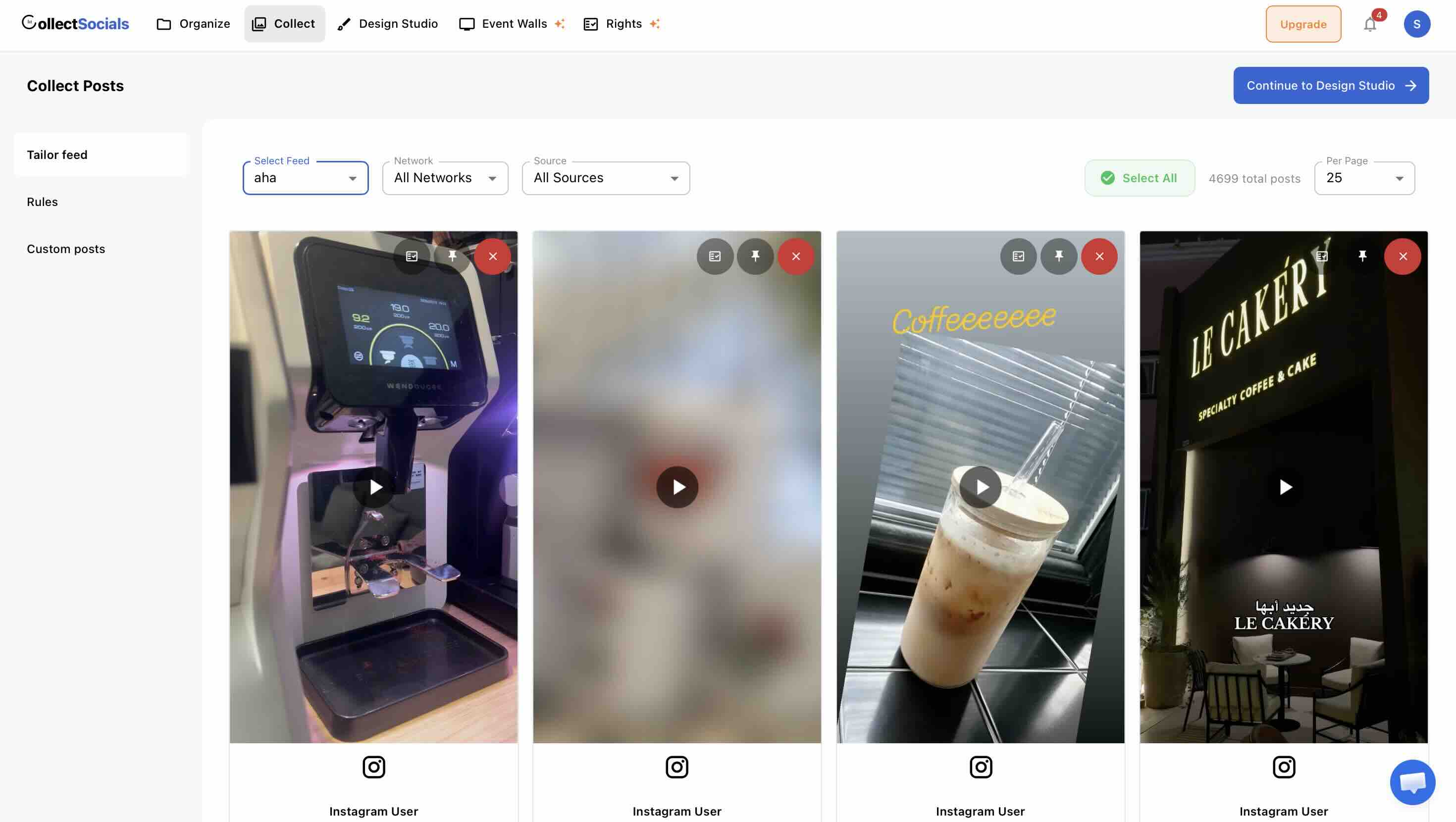
Step 2: Build Your UGC Curation
On the Collect page, apply your curation criteria rigorously. For a UGC-focused feed, prioritize posts from identifiable customers (real people, not brand accounts), posts that show the product or experience authentically, and posts with visual quality high enough to hold up alongside your brand design. Edit captions where needed — strip excess hashtags, remove off-topic text, keep the authentic voice but clean up the format.
Step 3: Design the Widget for UGC
UGC feeds benefit from design choices that emphasize authenticity over polish. Masonry and Grid are the most common layouts because they let the content speak for itself. Carousel works well when the UGC section is embedded in a product page context and shouldn't dominate the page.
Styling UGC so it still reads as real
The animation runs a UGC feed through layouts and themes. With customer content the design goal inverts the usual one: heavily styled cards start to look like advertising, and the slightly uneven, unpolished quality of real customer photography is the thing carrying the credibility.
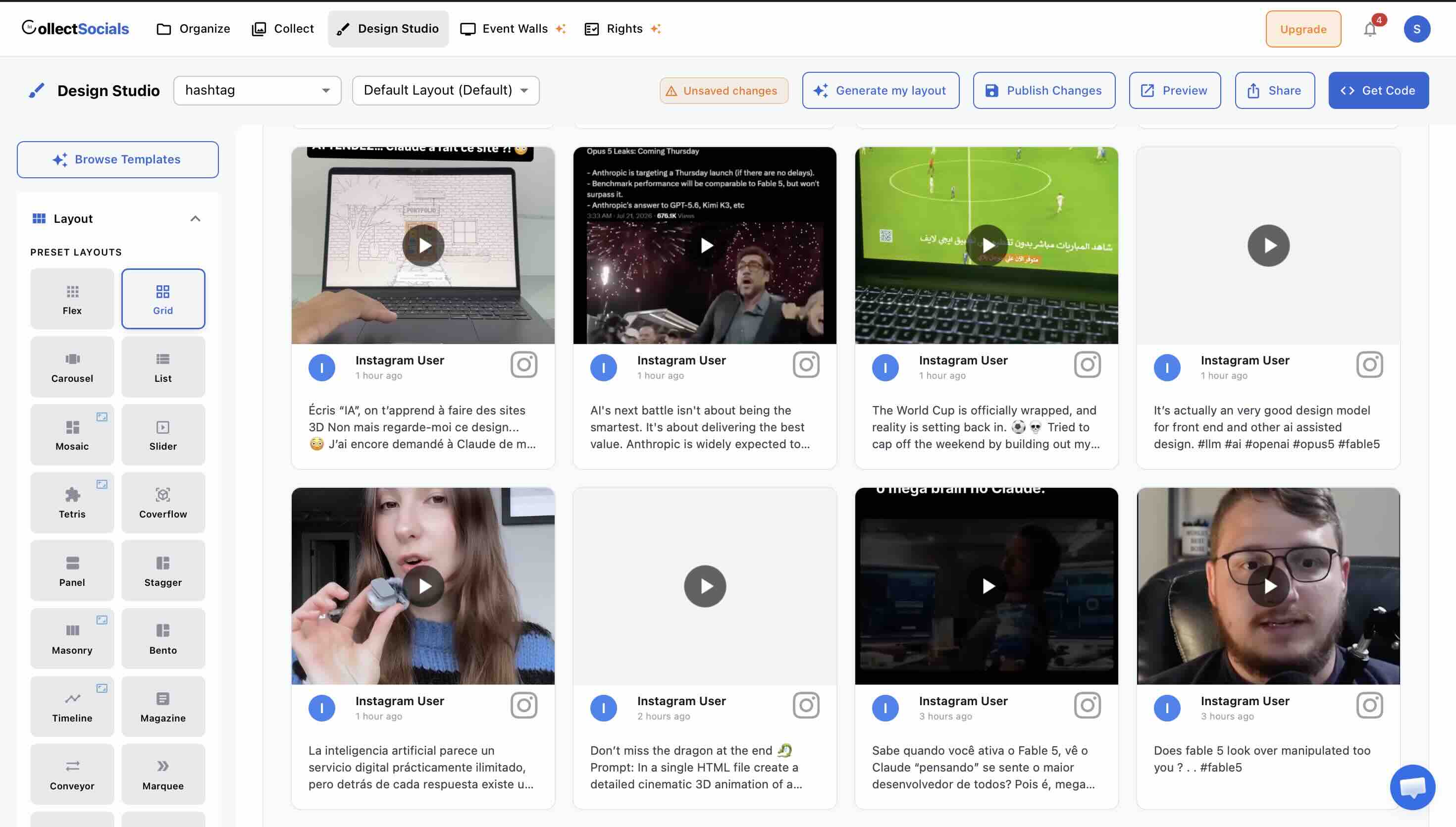
For UGC-specific feeds, consider enabling avatars — showing the profile picture of the person who posted creates a humanizing effect that reinforces the "real people" signal. Platform badges (the Instagram logo) are also worth keeping on — they remind visitors that these are real posts from a real platform, not fabricated testimonials.
Theme choice: Minimal and Elegant tend to let the UGC content itself be the visual hero. Bold and Neon can work for brands where the brand energy is part of what's being communicated.
Step 4: Embed and Place Strategically
Paste the generated <script> tag into the page where you want the feed. For e-commerce, product pages and the homepage are the highest-impact placements. For service businesses, the homepage and about page tend to work best. For restaurants and experience-based businesses, the homepage and a dedicated gallery page are both worth considering. See our detailed placement guide in our guide on making your Instagram feed work on your website.
Types of Instagram UGC Worth Collecting
UGC isn't a single category — it takes different forms, and different types serve different purposes on your website.
Product-in-use photos. The most straightforward and most valuable type. A customer photographing themselves using your product, wearing your clothing, cooking with your ingredients, using your software on their laptop. This content answers the most important question a prospective buyer has: "What will this actually look like in my life?"
Experience posts. For restaurants, hotels, salons, fitness studios, and other experience-based businesses, UGC of people actually at your location — enjoying a meal, during a workout class, in a hotel room — is enormously powerful. It's social proof of the experience itself, not just the product.
Review posts with photos. When customers post a review or recommendation alongside an image, you get the combination of verbal endorsement and visual evidence in one piece of content. This is UGC at its most persuasive.
Creator and influencer content. Content created by paid or gifted influencers technically occupies a middle ground between UGC and brand content. It carries more social proof than pure brand content (because a real person is showing the product in their own feed, to their own audience) but less than organic customer UGC (because the commercial relationship is known). Still, high-quality influencer content on your website is a legitimate and effective trust signal.
Community and cultural content. Posts from customers that show your brand as part of a larger lifestyle, community, or cultural moment. A fitness brand's customers showing their workouts. A music gear brand's customers at shows or recording sessions. This content builds brand identity and belonging in a way that pure product content can't.
How to Collect Instagram UGC for Your Brand
UGC collection is partly passive — content that comes to you — and partly active — content you encourage.
Passive Collection: Monitoring Brand Tags and Mentions
The most direct way customers share UGC is by tagging your brand account in their posts. Instagram's native interface lets you see these tags in your Tagged Photos section. This is the starting point for UGC collection — anything here is directly addressed to you by a customer.
Monitoring your mentions (where customers use your @handle in a caption) expands this further. Third-party tools can help track both tags and mentions across large volumes of content.
Tagged and Mentions Are Two Different Things — and One of Them Cannot Look Backwards
These get treated as synonyms and they are not, which matters because one of them will not give you any history at all.
Tagged is a post where someone attached your account to the photo itself. Those exist on your profile already, so a tagged feed can pull content that predates your setup.
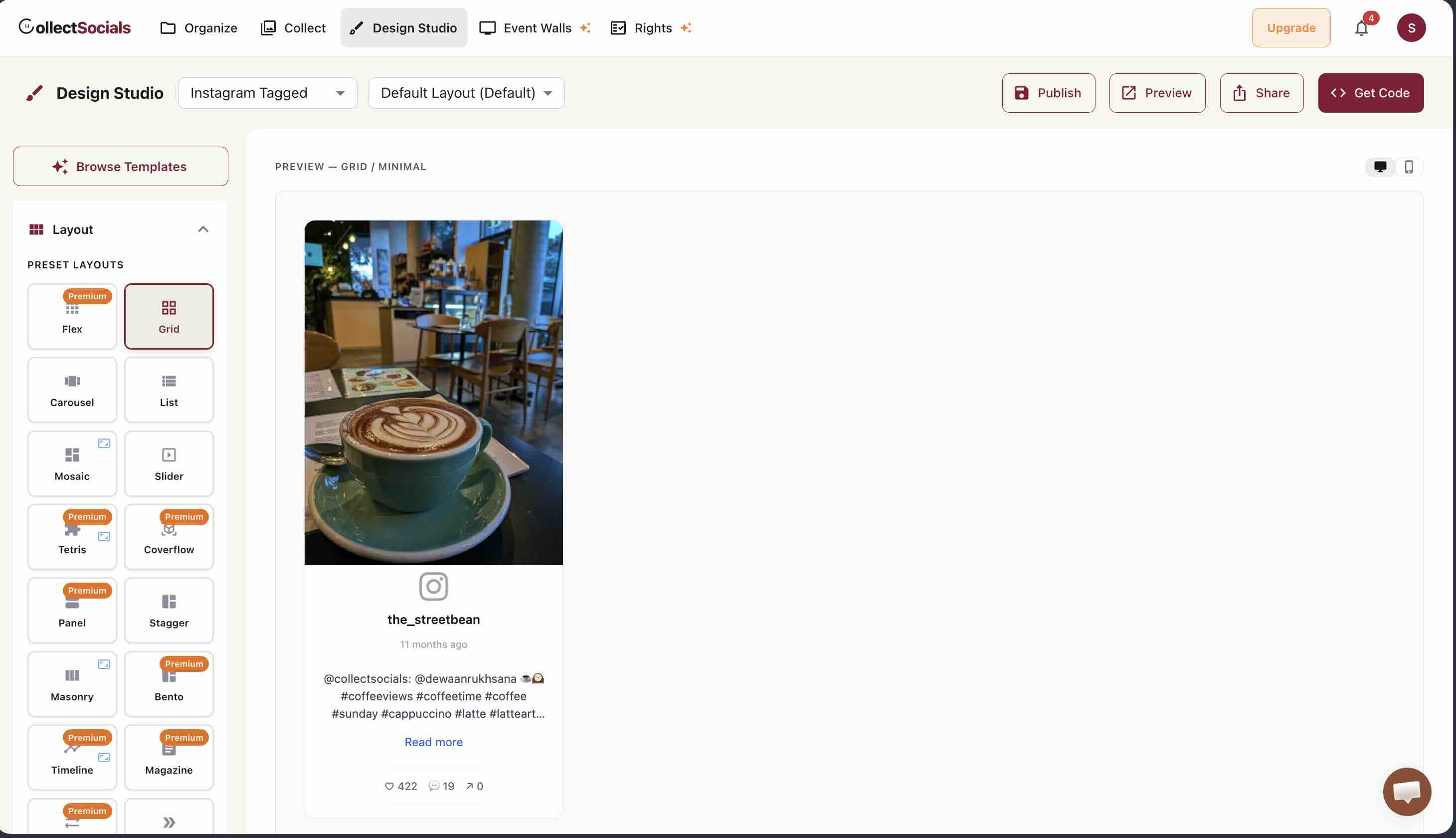
Mentions are @handle references in someone else's caption or comment. Meta delivers these by webhook, and the webhook only fires from the moment your connection exists. Connecting Instagram for mentions requires granting two specific permissions first.
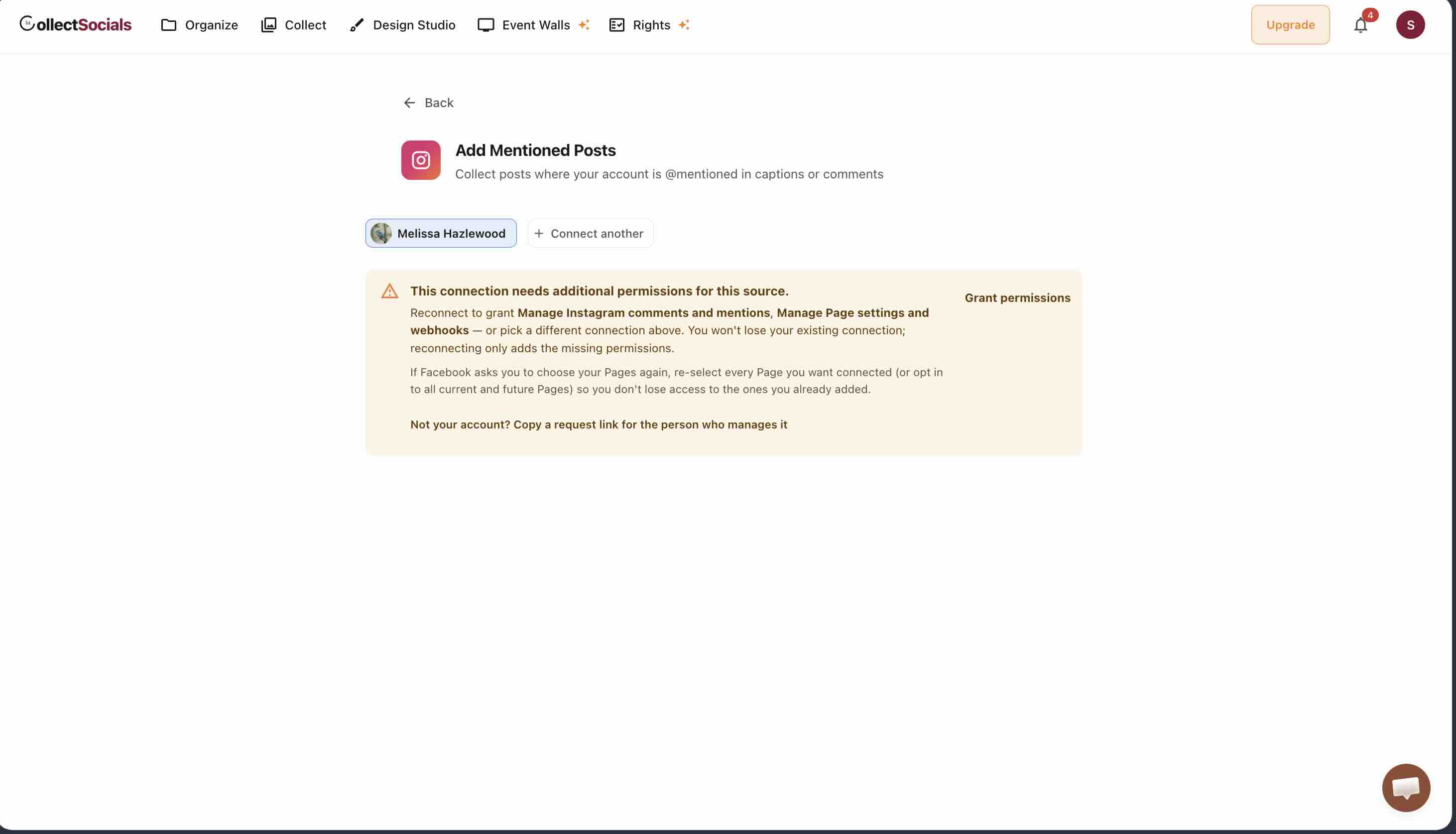
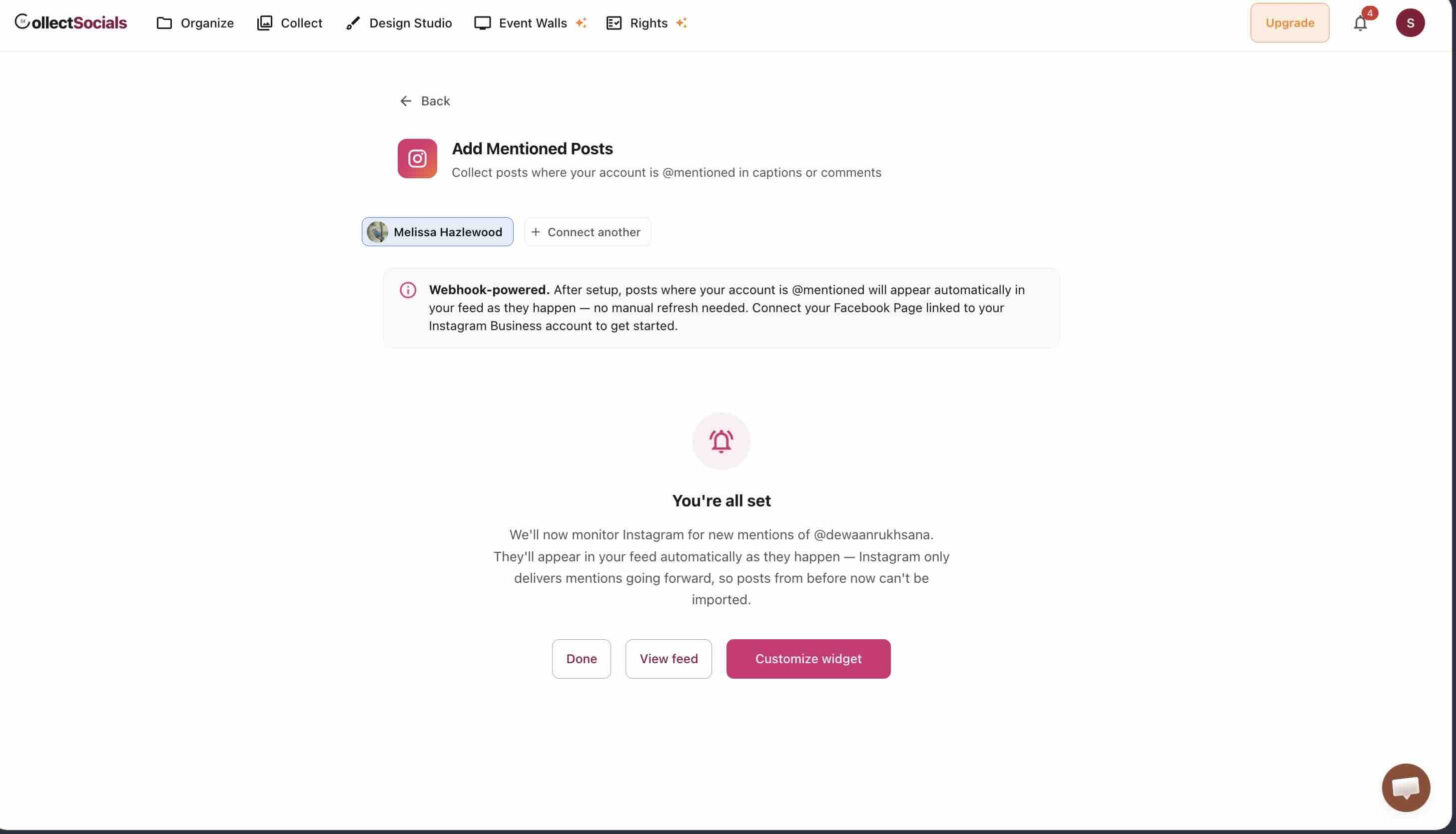
The practical consequence for a UGC programme is a sequencing one. If you are planning a campaign that depends on mentions, connect the source before you promote it, not after the posts start arriving — and expect the page to look sparse at first. If you need something on the page immediately, start with tagged content or a hashtag, both of which can pull existing posts, and let mentions accumulate alongside.
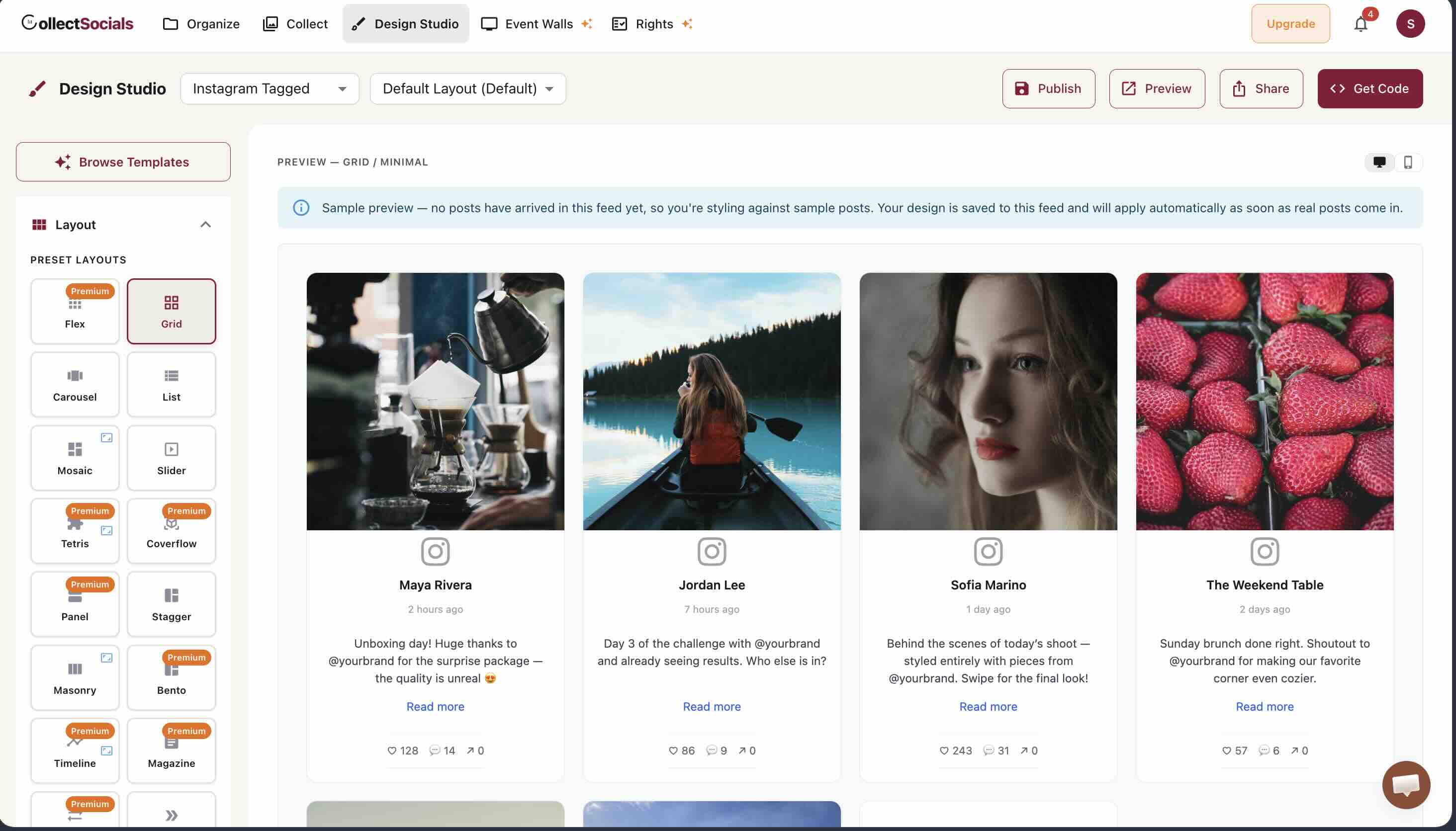
This is also why an empty feed early on is not a fault to debug. The design studio will style against placeholder posts so you can build the layout before any real content arrives.
Active Collection: Branded Hashtags
A branded hashtag gives your customers a way to categorize their content under your brand — and gives you a search term to find UGC at scale. A well-chosen hashtag becomes a community signal: #MyBrandLife, #BrandCommunity, #WearingBrand. Promote your hashtag in packaging inserts, email footers, Instagram bio, and post captions. The more consistently you reference it, the more customers will use it.
Campaigns with explicit UGC calls to action — "Share your [product] moment using #BrandHashtag for a chance to be featured on our website" — are especially effective. The promise of being featured on the brand's site is a genuine incentive for many customers. For a full playbook on structuring these, see our guide to running a hashtag campaign and displaying the UGC on your website.
Direct Requests
Don't underestimate the power of simply asking. A post-purchase email that says "We'd love to see how you're using [product] — share a photo and tag us on Instagram" can generate significant UGC from customers who would have been happy to share but just needed the prompt.
Rights and Permissions: What You Need Before Displaying UGC
This section is important and often skipped. Using someone's Instagram post on your website without permission is copyright infringement — the creator owns that content, and reposting it (even with credit) requires their authorization. If the person is identifiable and you operate in a GDPR jurisdiction, there's a second layer: they can withdraw that permission later, and you need to be able to honor it.
There are three common ways brands handle this, in rough order of how well they actually hold up.
1. Ask in the comments (informal). Reply to a post with "We love this — may we feature it on our website?" and treat a "yes" as your permission. It's the most common approach at low volume, and it beats doing nothing. But be honest about what the record actually is: a public comment. If the creator later deletes that comment — or the whole post — the evidence you were relying on is simply gone, and many tools built around this method won't even notice. We tested this end to end on live accounts, and the dashboard kept showing "Approved" after we deleted the consent comment. If you use this method, screenshot the exchange and store it somewhere you control.
2. Branded hashtag as implied consent. "Tag #BrandHashtag and you grant us permission to repost" is the industry norm for campaigns, and clearly communicated campaign rules make it reasonable. Just know the limits: the creator never actually reads any terms, the agreement is inferred rather than given, and there's no clean way for them to withdraw — which is exactly the weakness a privacy regulator or an unhappy creator will poke at. Put the terms in your campaign copy and your site's Terms of Service, and don't lean on this alone for high-stakes or high-visibility reuse.
3. A recorded, per-post consent. The sturdiest approach is to ask each creator directly, show them the actual terms they're agreeing to, and keep a durable record of the yes — one that survives a deleted comment and that captures a withdrawal as a real state rather than as silence. This is what a proper rights or consent feature is meant to do, and it's worth confirming that whatever tool you choose genuinely does it; many store little more than a reply string and a date.
Content from paid collaborators or influencers is a separate case again: put explicit usage rights in your written agreement with them, including the right to repurpose their content on your website.
Curating Instagram UGC for Your Website
Here's the part people rush: raw UGC is unfiltered, and not everything a customer posts about you belongs on your website. Curation is what turns a pile of mentions into a coherent, on-brand wall of proof — and it's where most of the value is won or lost. One genuinely great customer photo builds more trust than ten mediocre ones, and a single off-brand or unflattering post can quietly undercut the whole section.
My filter for each post is four fast questions: Does it represent the quality and values you want associated with your brand? Does it show the product or experience in a genuine, positive light? Would it hold its own sitting next to your own photography? And is the creator's aesthetic a reasonable fit for yours? If a post clears all four, it earns a spot.
And to be clear, you're not chasing perfection — a little imperfection is exactly what makes UGC read as real rather than staged. You're chasing quality, positivity, and relevance. A blurry shot in bad lighting, or a post that's only loosely about you, doesn't earn its place even when it's technically positive. When in doubt, leave it out; the feed is stronger for being selective.
In CollectSocials, the Collect page is where this curation happens. Every post imported from your connected Instagram account is displayed for review. Select the ones that pass your quality criteria. Deselect anything that doesn't. You can also edit post captions inline — useful if you want to clean up hashtag-heavy Instagram captions for a web context. Only selected posts appear in the live widget on your website.
Combining Instagram UGC With Other Social Proof Signals
Instagram UGC is powerful on its own. Combined with other social proof signals, it becomes part of a comprehensive trust architecture on your website.
The most effective combination for most businesses is Instagram UGC with Google Reviews. Instagram provides visual, emotional proof. Google Reviews provide verified, text-based, star-rated proof from real customers with a name attached. Together, they cover both the gut-feel and the rational verification that buyers need to feel confident.
UGC alongside reviews
Here Instagram customer photos and Google Reviews are combined into a single feed. The two signals answer different objections — the photos show what a product looks like in a real home, the reviews say whether it held up — which is why they are more persuasive adjacent than either is alone.
CollectSocials lets you combine both in a single feed. Add Google Reviews as a source alongside Instagram, and the feed will display a mix of Instagram posts and review cards. You can curate the mix — prioritize Instagram UGC in one area of the page and Google Reviews in another, or blend them in a single feed for a multi-signal section.
Adding YouTube testimonials or product review videos rounds out the approach further for brands where video social proof is relevant. All four content types — Instagram UGC, Facebook reviews, Google Reviews, and YouTube — can live in a single CollectSocials feed, displayed as one unified widget.
Maintaining Your UGC Feed Over Time
UGC is by nature a living category — new content is created by your customers on an ongoing basis. The value of a UGC feed is partly in its currency: a feed showing only content from 18 months ago doesn't carry the same trust signal as one with fresh customer posts.
Build a regular cadence of UGC review into your marketing workflow. Once a week or once every two weeks, check your CollectSocials Collect page for new posts, review them against your curation criteria, and select the best ones for display. Remove older content that's starting to feel dated — seasonal references, outdated product versions, or posts from accounts that no longer represent your customer community well.
The brands that get the most out of UGC treat their feed like editorial content, not a set-and-forget widget — regular attention, intentional curation, ongoing refinement. It's genuinely not a big commitment: 15–20 minutes a week is usually enough to keep the feed fresh and on-brand, and that small habit is the difference between a UGC section that quietly converts and one visitors scroll straight past. For specific e-commerce strategies, see our e-commerce guide; for a deeper look at selection, our curation guide; and for the widget itself, the Instagram feed widget overview covers all five source types and the setup flow.
If you take one thing from this, make it this: UGC earns its power from two things working together — content that reads as authentically real, and permission you can actually stand behind. Nail both and a stranger's photo on your product page will do work no ad ever could. Cut a corner on either and it's just a nice-looking liability. Get them right, and you've got the most persuasive, lowest-cost marketing asset on your entire website — created, for free, by the people you've already won over.
Start Using CollectSocials Today
One curated feed from 10+ platforms: on your website in a single line of code, or up on the big screen at your event.