
This guide treats curation as its own discipline. What to include, what to exclude, how to edit content for a web context, how to think about the brand-to-UGC ratio, how often to review, and the specific questions that make every curation decision easier and faster.
How to Curate an Instagram Feed, Step by Step
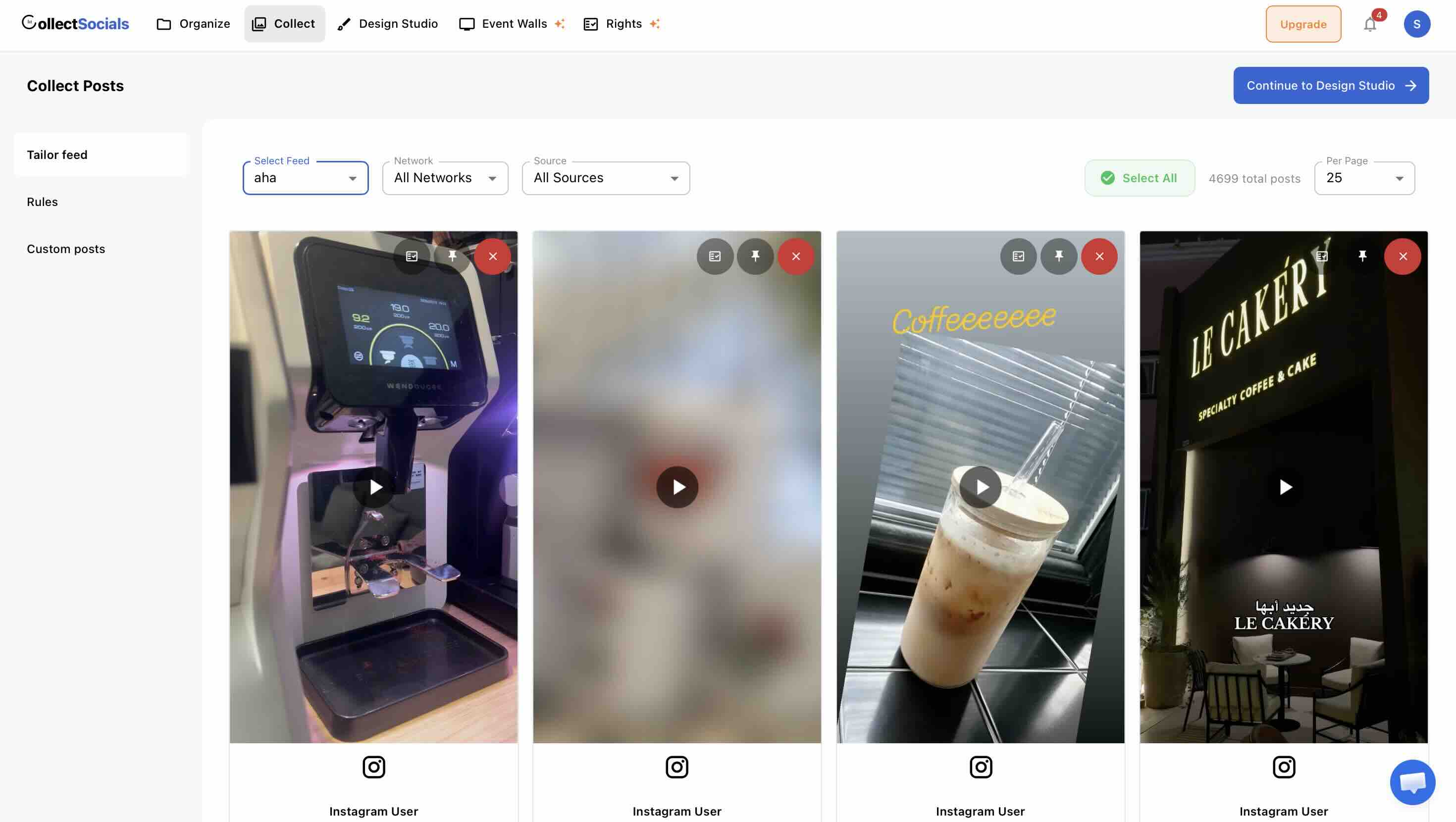
The judgement calls are the bulk of this article, but the mechanics take minutes and they decide whether the judgement ever gets applied. This is the workflow the rest of the guide plugs into.
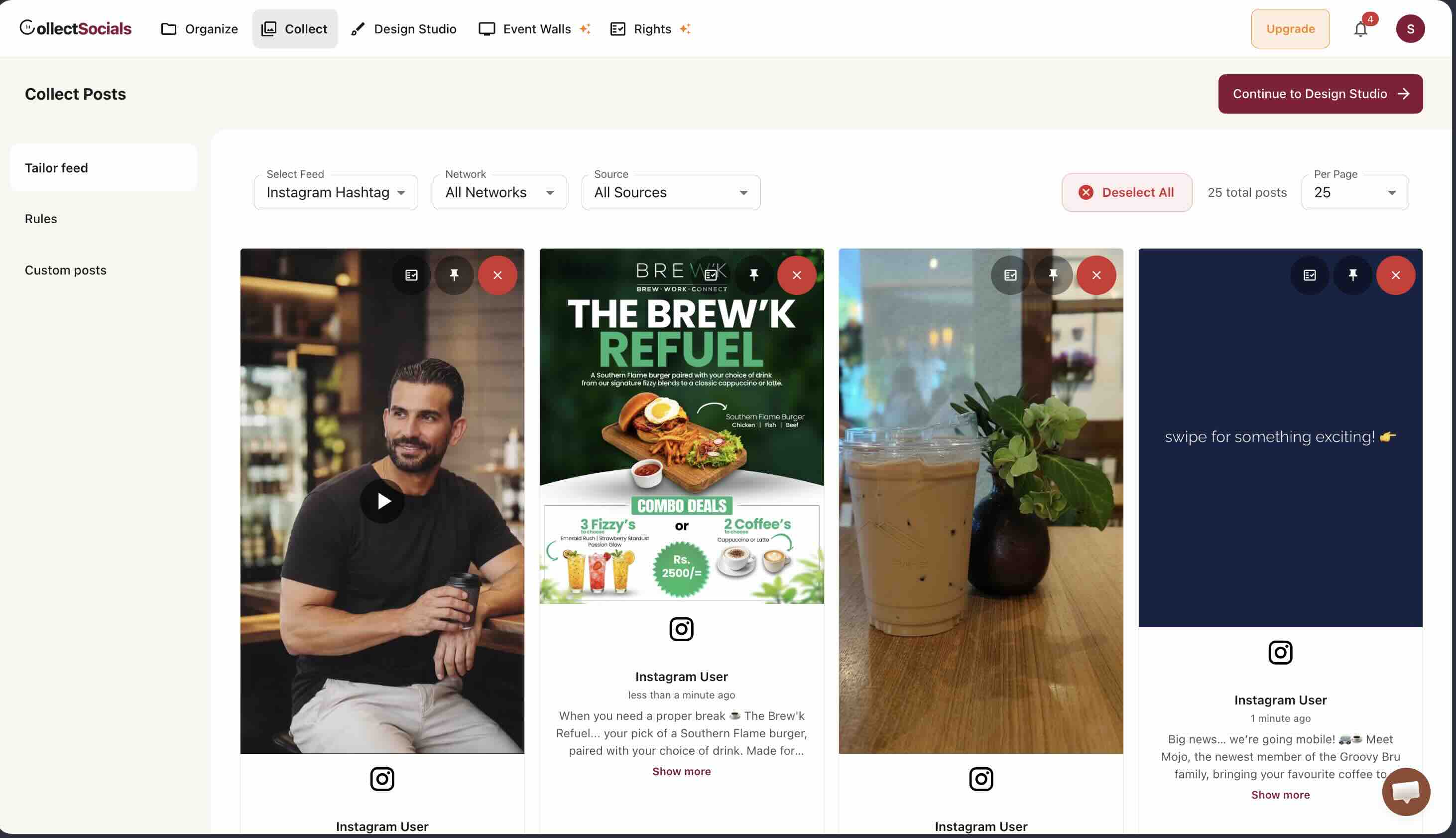
Two controls on those cards do most of the work and are worth distinguishing. Approve is the gate — it decides whether a post is eligible to appear at all. Pin is the editorial decision on top of it: a pinned post holds its position instead of being displaced as newer content arrives, which is how you keep a genuinely strong piece of social proof at the top of a product page rather than watching it sink.
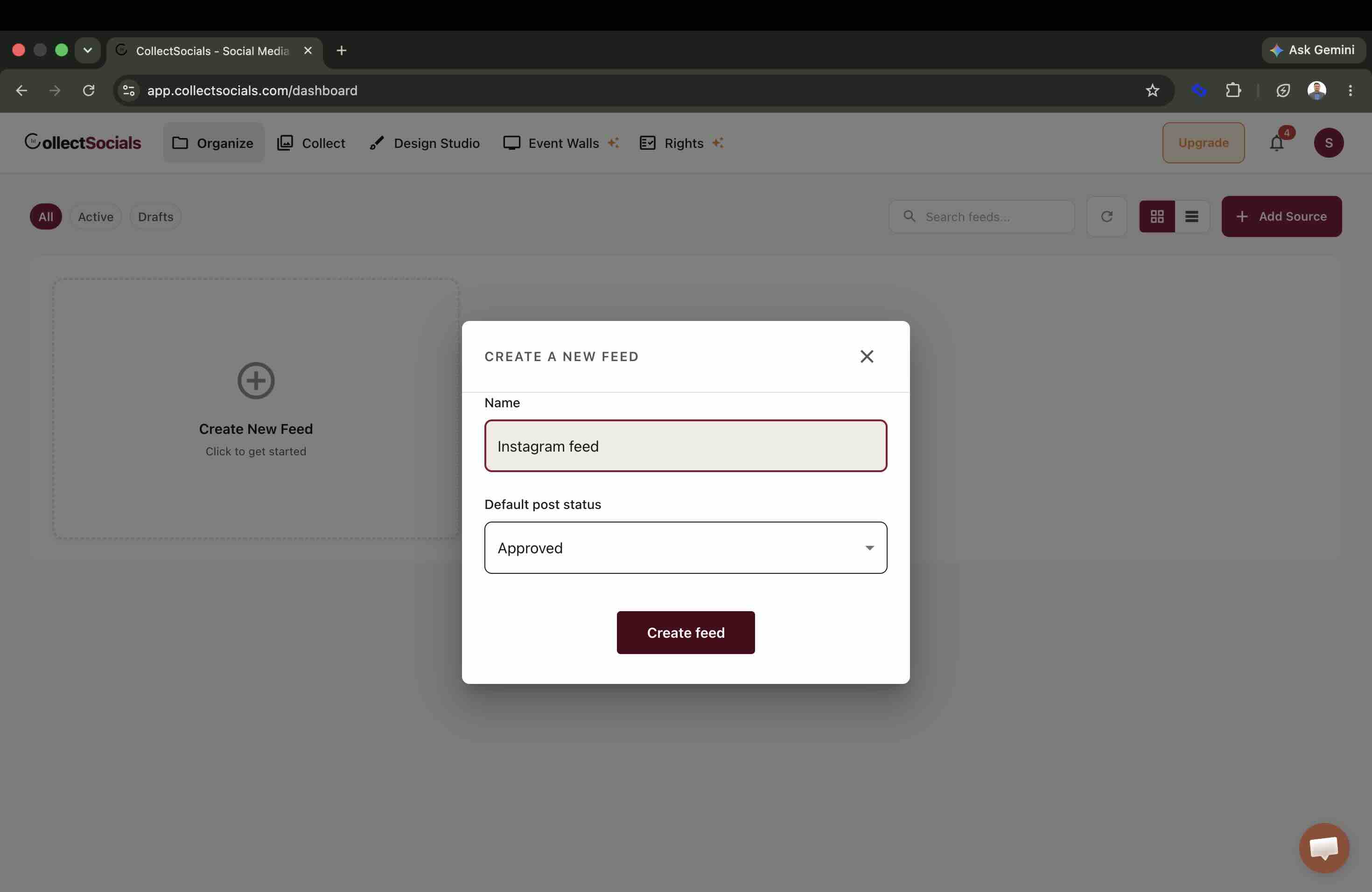
Automate the First Pass, Judge the Second
Manual curation does not scale past a certain volume, and it does not need to. The first pass — obvious profanity, spam patterns, competitor names, words you never want beside your brand — is rule-shaped, and keyword and profanity filters handle it on every plan, free included. Rules run before anything reaches your queue, so the queue you review is already the interesting part.
What rules cannot judge is an image. A post can be perfectly clean in its caption and still be something you would not put on a product page. AI vision moderation looks at the picture rather than the text and is available on Business plans and above. Between them, the human decision shrinks to the posts that genuinely need a person — which is the only version of curation anyone sustains for more than a month.
For the hashtag case specifically, where volume is highest and the content is not yours, the Instagram hashtag feed guide covers the collection side, and displaying Instagram UGC on your website covers rights and consent — which is a separate question from taste and one you cannot filter your way out of.
Why Instagram Feed Curation Changes What Visitors Think
When a visitor lands on your website and encounters your embedded Instagram feed, they're not consciously evaluating each post — they're forming a gestalt impression in about three seconds. The feed either reads as: "this is a real, active, quality brand" or it doesn't. That impression is almost entirely a function of curation.
A feed that mixes your best product photography with promotional announcements, text- heavy slides, old seasonal content, and posts that made sense as Instagram posts in the moment but look strange out of context — that feed creates a muddled impression. No individual post is necessarily bad. The collection fails to tell a coherent story.
Instagram curation for a website is a fundamentally different task from managing your Instagram presence for Instagram. On Instagram, variety and recency are virtues. For an embedded feed, coherence and quality are what matter. You are curating a permanent gallery that represents your brand to every website visitor, not a chronological social feed.
Start with a Curation Brief
Before you look at a single post, write two or three sentences describing your ideal feed. This is your curation brief — the standard every post is measured against. It forces you to be explicit about what the feed is for before you start making individual decisions.
A curation brief for a skincare brand might read: "The feed shows our products being used in real skin care routines, by real people with different skin types. It feels warm, authentic, and aspirational without being overly polished. Every post should make someone with skin concerns feel seen and hopeful."
A curation brief for a restaurant might read: "The feed makes people hungry and makes our restaurant feel like somewhere worth going. It shows our best dishes, our atmosphere, and genuine moments from our space. Nothing looks like a stock photo. Nothing looks staged."
A curation brief for a B2B software company might read: "The feed shows the people behind the product — our team, our culture, our events. It humanizes the brand without being unprofessional. Posts that feel like marketing speak are excluded; posts that feel like a real company's real life are included."
With your brief written, every subsequent curation decision becomes a question: does this post match the brief? If yes, include it. If not, exclude it regardless of how much you liked it when you originally posted it.
The Five Questions to Ask About Every Post
Run every imported post through this five-question filter. Posts that pass all five belong in your curated feed. Posts that fail any one of them need to earn their place through an exceptional performance on the others — and usually don't make it.
1. Does this post make visual sense without the context of when it was posted? Instagram posts are often tied to a moment — a holiday, a launch day, a trending moment, a caption that references something happening right now. Those contextual hooks disappear when the post is embedded on your website. A post that said "Happy New Year from our team!" made perfect sense on January 1st. On your website homepage in August, it just looks like old content. Any post where the caption's meaning depends on timing should be excluded or have its caption edited for evergreen context.
2. Does this post represent the brand at its best, not just accurately? Not every post you publish on Instagram is your best work. Some are good enough for the feed, not good enough to permanently represent your brand on your website. Your curated website feed should contain posts that you'd be proud to show anyone — a potential investor, a first-time customer, a journalist writing about your industry. Posts that were fine for Instagram but feel a bit rough, a bit casual, or a bit off-brand in this more considered context should be excluded.
3. Is the image or video quality high enough for a website context? Instagram forgives lower-quality images because of its social context — authenticity is part of the platform's culture. A website is a more formal context. Images that are blurry, poorly lit, awkwardly composed, or that look noticeably amateur next to your website's own photography should be excluded. This doesn't mean every post needs to be professionally shot. Excellent natural-light iPhone photography is perfectly acceptable. What you're excluding is content that looks significantly lower quality than the rest of the page it will appear on.
4. Does this post advance the specific goal of the page where the feed will live? If you're placing the feed on a product page, does this post show the product or closely related content? If you're placing it on an about page, does it show the human side of your business? A post that would be fine on the homepage feed might not belong in the product page feed. If you're maintaining feeds for multiple pages, this question is where you sort posts into the right feeds rather than just the right overall quality level.
5. Will this post age well? Your curated feed isn't refreshed daily — it's a relatively stable selection that you update periodically. Posts that reference specific timeframes ("this summer"), prices that may change, promotions that have ended, or products you might discontinue will age badly. Prioritize posts whose content is genuinely evergreen: product imagery, brand aesthetic, customer moments, team culture.
The filter, applied to a real queue
The animation shows raw Instagram posts entering the review queue and only a subset reaching the live site. The proportion is the honest part: on most accounts a majority of posts fail at least one of the five questions, and a feed that shows everything is a feed nobody curated.
Which Instagram Posts to Show and Which to Leave Out
Not all Instagram content types perform equally as website social proof. Here is a realistic ranking of which content categories to prioritize in your curated feed.
Prioritize: User-Generated Content
If you have it, UGC belongs at the top of your curation priority list. Posts from real customers using or enjoying your product or service carry more social proof weight than anything your own brand account can produce. The psychological mechanism is simple: third-party endorsements are inherently more credible than self-promotion, and visual UGC makes that endorsement visceral rather than just verbal.
For a deeper guide on sourcing and curating UGC specifically, see our complete Instagram UGC guide. You can also read more about making your Instagram feed work for your website.
Prioritize: High-Quality Product and Service Imagery in Context
Not studio shots — contextual imagery. Your product being used, your service being experienced, your food being eaten. The "in context" part is what makes it work. A product on a white background is a product shot. A product in a real home, on a real kitchen counter, being held by real hands — that's social proof.
Prioritize: Behind-the-Scenes and People Content
Content that shows the humans behind the brand: your team, your process, your workspace, your events. This category is especially valuable on about pages and for service businesses where trust in the people is as important as trust in the product.
Use Sparingly: Pure Brand Photography
Highly produced brand photography — beautiful but clearly controlled and brand-produced — belongs in your curated feed in moderation. Too much of it and the feed starts to feel like a marketing brochure rather than an authentic social presence. Mix it with more candid content to maintain the authenticity signal.
Exclude: Promotional and Announcement Posts
Sale announcements, discount codes, limited-time offers, product launch announcements, collaboration announcements — these posts are time-sensitive by nature and typically feature heavy text overlay or caption-dependent messaging. They look like marketing on Instagram; they look like clutter on a website. Exclude them from your curated feed unless you're using the Custom Posts feature to inject a current, live promotion directly into the feed.
Exclude: Text-Heavy and Infographic Posts
Posts whose value lives almost entirely in the text — quotes, tips, statistics, carousels of advice slides — rarely work in a website feed context. The text is too small to read at the size posts render in a feed widget. The post loses its whole point. Exclude these unless the visual itself is strong enough to stand alone without being read.
Exclude: Trending Audio and Reel-Specific Content
Reels that were built around a trending audio clip, a viral format, or a platform- specific meme work on Instagram because of the cultural context of the moment. Embedded on a website, without that context, they often look odd, feel random, or simply fail to play in the way the widget renders them. Unless the visual content of the Reel is genuinely compelling without the audio and trending context, leave them on Instagram.
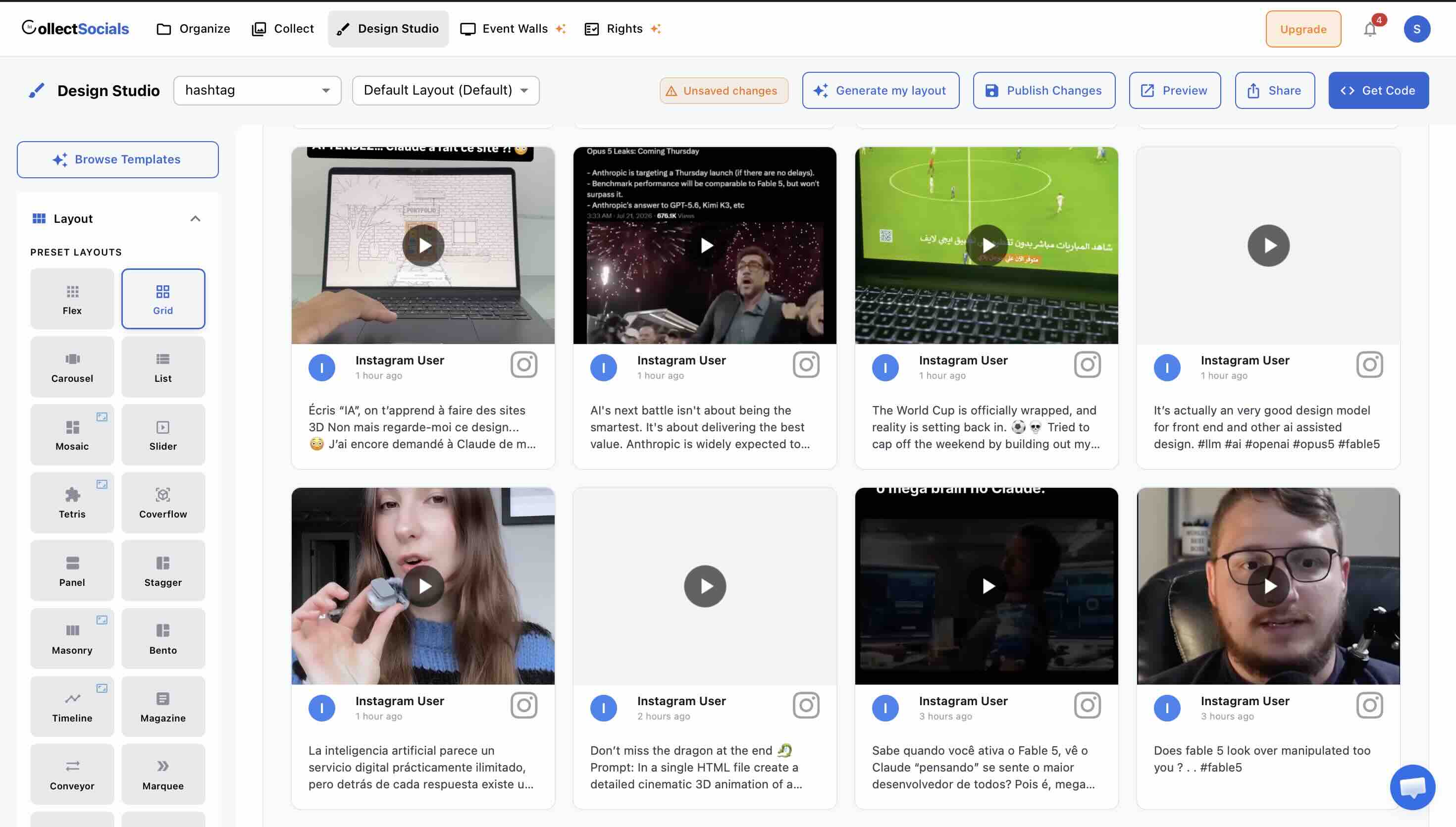
How to Edit Instagram Captions for a Website
Instagram captions are written for Instagram. They're designed to be read in a feed where people are scrolling, where hashtags are functional navigation tools, where emoji are part of the visual language, and where a long caption signals engagement and depth. That same caption on your website — 300 words, twenty hashtags, five lines of emoji — looks like spam.
When your widget displays post captions, they're displayed in a web context where different norms apply. Most curated website feeds benefit from edited captions. Here is what to do with each element:
Hashtags: Remove all of them. Hashtags serve zero purpose on a website embed — there's nowhere to navigate to by clicking them in most widget contexts, and a caption ending in fifteen hashtags looks like keyword stuffing to a website visitor. If your caption's meaningful content is buried under the hashtag block, edit the caption to surface just the meaningful text.
Emoji: Use sparingly, or not at all. One or two relevant emoji within the body of a caption can work. A caption that opens with five emoji line breaks, or that uses emoji as bullet points throughout, reads as unprofessional in a website context even if it felt native on Instagram.
Line breaks and call-to-action formatting: Instagram captions often end with explicit CTAs — "link in bio," "comment below," "save this for later." These are meaningless on a website and make the caption feel unfinished. Remove them. If the caption referred to a link that's no longer the bio link, remove or update that reference.
Time-specific language: "This week," "this summer," "today only" — all of these become inaccurate the moment the moment passes. Edit them out and replace with evergreen language, or remove the caption element referencing timing entirely.
The goal of caption editing is not to rewrite the post. It's to strip the Instagram-specific scaffolding away and leave the content that works in a web context. Most captions need three to five edits, not a full rewrite.
How Many Instagram Posts Should a Feed Show?
There is no universal right answer, but there are useful guidelines based on what the feed is for and where it lives.
For a homepage social proof section, 9 to 18 posts is the effective range. Fewer than nine and the feed doesn't achieve the "active, populous brand" impression. More than 18 and you're asking visitors to scroll through more social content than most homepage visitors will engage with.
For a product page feed, 4 to 9 posts is the appropriate range. The product page has a primary conversion goal; the Instagram feed is supporting evidence. Keep it compact and curated rather than expansive.
For a dedicated gallery or community page, no upper limit is meaningful — the page is designed for browsing, and depth is a feature rather than a concern.
The general principle: show as few posts as you need to create the impression you want, and no more. A smaller, tighter curation of excellent posts outperforms a larger collection of good-to-excellent posts every time. Quality compounds; mediocrity averages down.
How Often Should You Review Your Instagram Feed?
One of the most common failures with embedded Instagram feeds is the "set it and forget it" approach. The feed goes live, looks great for the first few weeks while the curation is fresh, and then slowly deteriorates as new posts accumulate in the queue unreviewed and old posts remain even as they age out of relevance.
Build a curation cadence into your content calendar, not your maintenance schedule. Curation is a content decision, not a technical task.
Weekly (10–15 minutes): Review new posts that have been imported since your last review. Apply your five-question filter. Select the keepers; leave the rest unselected. This keeps new content flowing into the feed and ensures nothing awkward goes live without review.
Monthly (20–30 minutes): Look at the full active selection. Are there posts that made sense a month ago but have aged out of relevance? Any seasonal content that has passed? Any captions that reference past events? Remove them. Are there newer posts in the selected set that are clearly stronger than older ones you kept out of habit? Swap them in.
Quarterly (45–60 minutes): Revisit your curation brief. Has the brand evolved? Has the website's purpose shifted? Has the page where the feed lives changed its primary goal? Update the brief if needed, then re-evaluate the full selected set against the updated brief. This is also the time to review caption edits and check that no post contains information that has become inaccurate (prices, contacts, offers).
Start From Zero, Not From Everything
Most people approach Instagram curation for their website the same way they approach moderation: they're looking for posts to remove. The question they ask is "what should I hide?" rather than "what should I show?"
Flip it. Start with nothing selected and deliberately choose the posts that earn a place. When you start from zero and build up, you apply much higher standards than when you start from everything and pare down. You end up with a tighter, stronger, more intentional feed — one where every post is there for a reason, not just because you didn't actively exclude it.
It takes a few more minutes upfront. It produces a significantly better result. And it makes every subsequent curation review easier because you've already established that your default answer is "no" and your active decision is "yes."
Once you have a well-curated feed, the next question is where to put it. See our dedicated guide on where to place your Instagram feed on your website for placement strategy by page type. And for platform-specific setup instructions, see our guides for WordPress, Wix, and Squarespace. For the widget itself, see the Instagram feed widget overview.
Start Using CollectSocials Today
One curated feed from 10+ platforms: on your website in a single line of code, or up on the big screen at your event.