
This guide covers the strategy, the placement decisions, the technical setup, and the ongoing management of Instagram feeds for e-commerce — whether you're on Shopify, Wix, WooCommerce, or any other platform.
Why Instagram Content Converts on Product Pages
Studio photography is expected. Every product comes with it. It's necessary but not sufficient — because buyers have learned to view it with the same skepticism they apply to all brand-produced marketing materials. It's the idealized version. They want the real version.
Instagram content — whether it's your own brand posts shot in authentic settings or user-generated content from actual customers — provides something studio photography can't: proof. Proof that the product exists in the real world, that people use it and enjoy it, that it looks the way it looks in contexts that aren't a white seamless backdrop.
This matters in measurable ways. Research from multiple e-commerce studies consistently finds that product pages featuring authentic social content — especially UGC — outperform those without it on conversion rate, average order value, and time on page. The mechanism isn't complicated: when we see other people using something, we trust it more. That trust translates directly into purchases.
Why one feed per store is the wrong shape
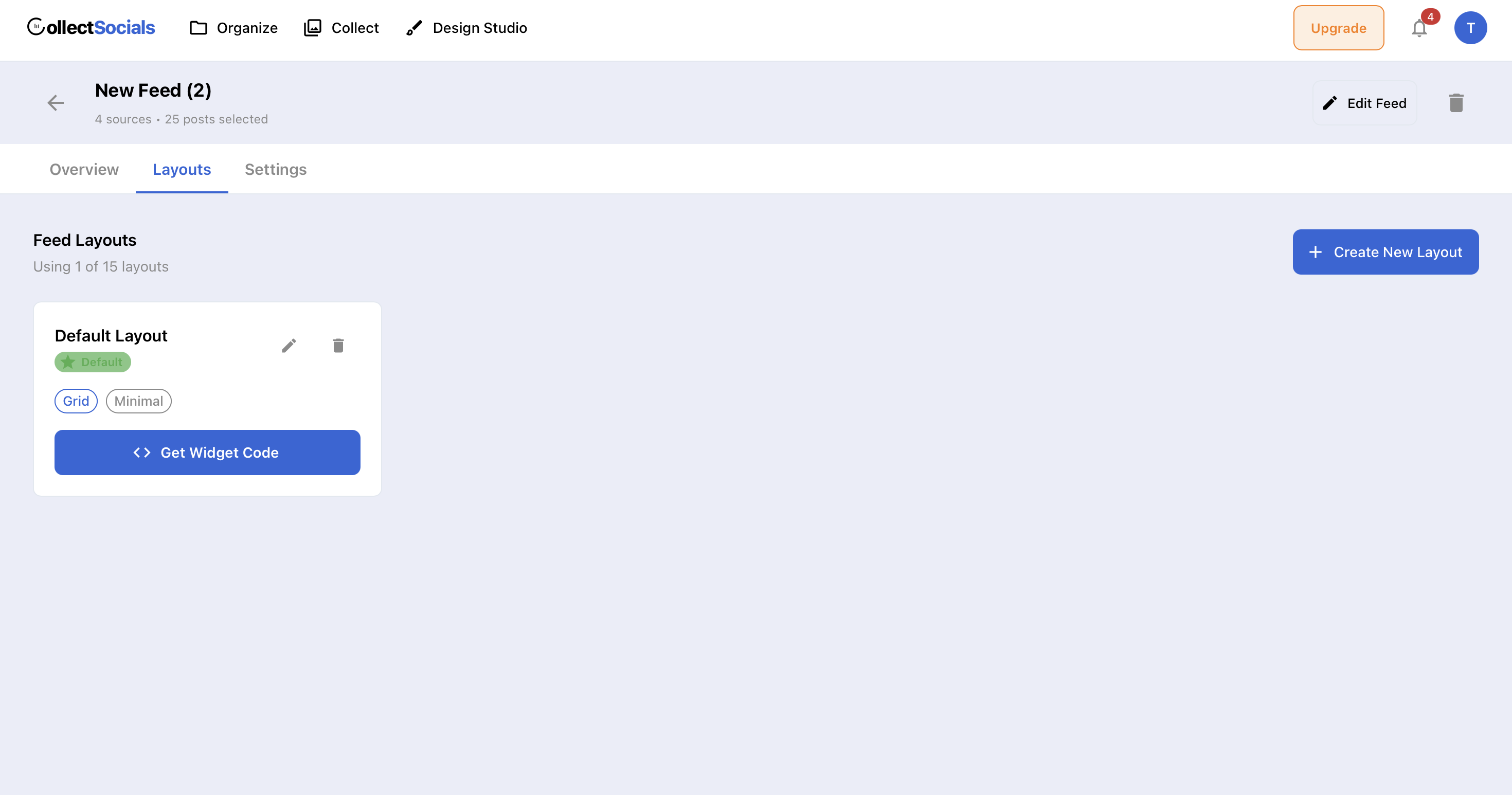
The animation shows a store hitting a cap on how many separate feeds it can run. It matters for e-commerce more than for most sites because a store rarely wants one feed — it wants a different set of posts on each collection and product page, which means several feeds drawn from the same connected account.
How to Add an Instagram Feed to Your Online Store
The setup is straightforward on every e-commerce platform, though not quite identical on each. Most take a single embed script. Store builders that sandbox third-party JavaScript take an iframe instead, and the embed dialog picks the right one once you tell it where you are installing — so the difference costs you a dropdown selection rather than any real work.
If you are on Shopify specifically, the walkthrough with screenshots of the admin, the theme editor and the published storefront is in connect Instagram to Shopify — it goes in as a Custom Liquid section and installs no app, so nothing gains access to your orders or customer data.
Step 1: Connect Your Instagram Business Account
Sign up for CollectSocials and create a new feed. Add Instagram as a source — you'll authenticate via Meta's official OAuth using your Facebook account. Your posts, reels, and carousels will import immediately. If you also have Google Reviews or Facebook Page content you want to include, add those as additional sources to the same feed.
Step 2: Curate for eCommerce
In the Collect page, review every imported post. For an e-commerce feed, you're looking for content that does three things: shows the product in use, shows the product in an authentic context, and reflects quality that matches your brand positioning. Be ruthless about what you exclude — a single low-quality or off-brand post in the feed can undermine the social proof you're trying to build.
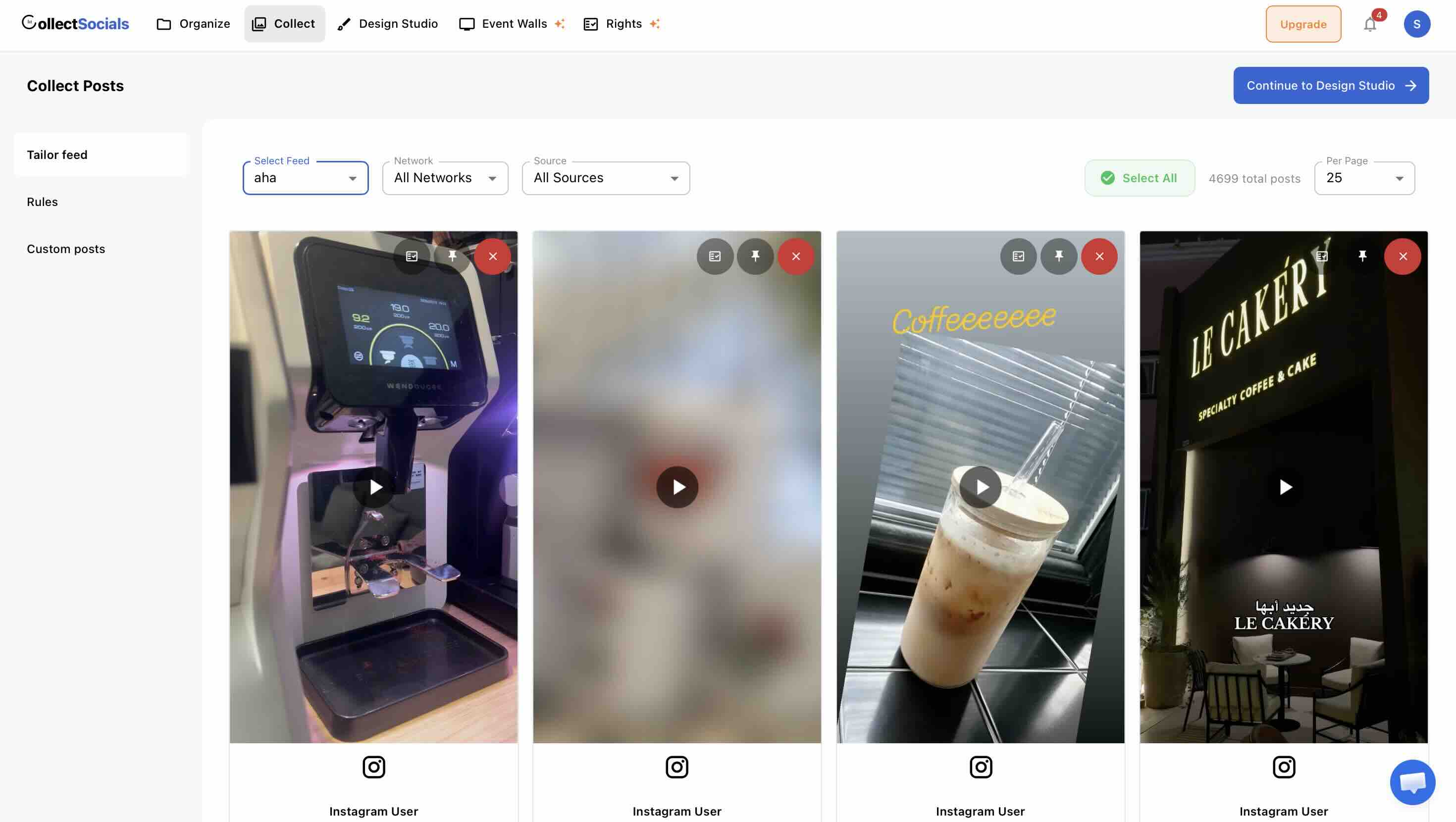
If you have UGC from customer reposts, this is where it earns its place. Prioritize customer content over brand content wherever possible — it carries more social proof weight even when the brand photography is technically superior.
Step 3: Design for Your Platform's Aesthetic
Match your widget to your store's design language. For clean, minimal e-commerce designs (common in fashion and beauty), the Minimal or Mono themes work well. For lifestyle-forward stores with bold visual identities, try Bold, Neon, or Midnight. For premium product brands, Elegant or Shadow creates the right register.
Designing a feed that sells rather than decorates
The animation cycles the same product feed through layouts and themes. On a store the decision is driven by proximity to the buy button: a feed directly under a product needs to stay compact enough that it does not push price and delivery information off the screen.
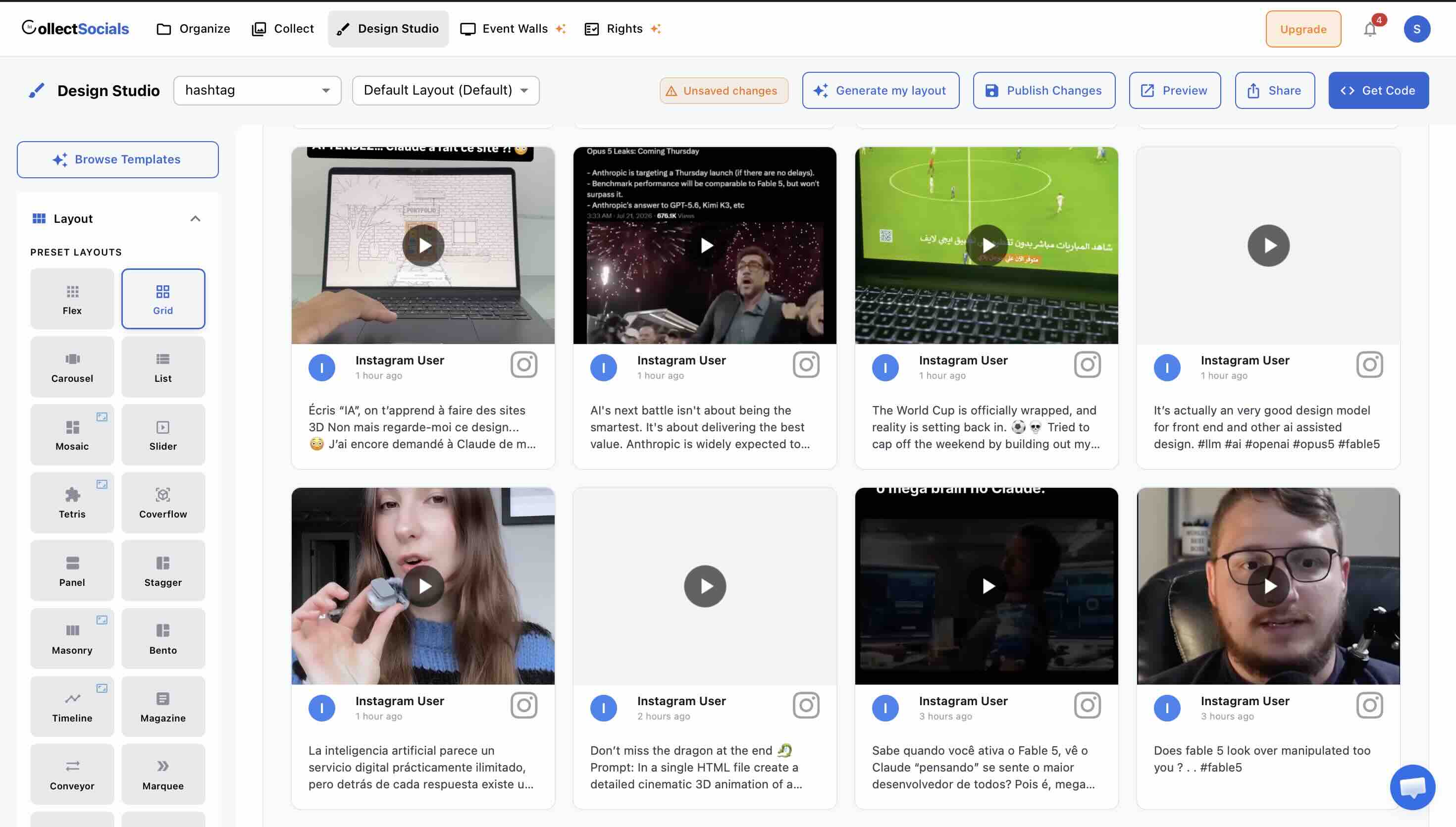
Toggle off platform badges and post dates for a cleaner product page look — on a conversion-focused page, less UI clutter is usually better. Avatars can be useful for UGC feeds where showing that these are real customers matters, but may be irrelevant for brand-only content.
Step 4: Embed on Your Store
Copy the <script> tag from CollectSocials and paste it into your platform's HTML editor. For Shopify, this means using the theme editor's Custom HTML section — see our detailed guide to embedding Instagram on Shopify for step-by-step instructions. For WordPress and WooCommerce, use a Custom HTML block in Gutenberg.
The widget renders in a Shadow DOM, so it won't conflict with your store theme's CSS. It's fully responsive across desktop, tablet, and mobile — no separate mobile configuration needed.
Three Types of Instagram Content That Work on Product Pages
Not all Instagram content works equally well as an e-commerce trust signal. The posts that perform best tend to fall into one of three categories.
Lifestyle imagery. Posts that show your products in authentic, aspirational contexts — not posed, not over-produced. A skincare brand showing morning routines. An outdoor gear company showing actual hikes. A home goods brand showing real living rooms. The key is that the environment looks real even if the composition is beautiful. This content shows the buyer not just the product but the life the product belongs to.
User-generated content (UGC). Posts from customers who have bought your product and shared it. This is the most powerful category because it represents a third party endorsing your product with their own content. UGC on a product page is the digital equivalent of a friend recommending something to you. The social proof signal is significantly stronger than brand-produced content. See our complete guide on embedding Instagram UGC on your website for more on collecting and displaying this type of content.
Behind-the-scenes and process content. Posts that show how products are made, where they come from, or the people behind the brand. This category works especially well for artisan products, sustainable brands, and any business where provenance and craftsmanship are part of the value proposition. Buyers who know the story behind a product are more likely to buy it and less likely to return it.
Where to Place Your Instagram Feed in an eCommerce Store
Placement strategy varies by store type and by what the feed is meant to accomplish on each page. Here are the highest-impact placements for e-commerce specifically.
Product Pages: The Highest-Value Placement
Product pages are where buying decisions are made. Adding an Instagram feed — curated specifically to show that product in use — directly below or alongside the product description and buy button is one of the most impactful things you can do for conversion.
The critical detail here is curation. The feed on a product page should show content specifically relevant to that product — not a generic stream of all your recent Instagram posts. This means either creating a separate feed per product category (practical for stores with distinct product lines) or curating a single feed that shows your best lifestyle and UGC content regardless of specific product, which still provides genuine value even if it's not hyper-targeted.
In terms of layout, Carousel and Masonry tend to work best on product pages. Carousel is compact and non-distracting — it sits below the product content without competing with the primary conversion action. Masonry has more visual weight and works well when the Instagram section is a meaningful part of the page design rather than an afterthought.
Homepage: Brand Story and Social Proof
The homepage is where visitors form first impressions. An Instagram feed on the homepage serves a different function than on a product page — it's brand story rather than product-specific social proof. Show your brand's visual world: the aesthetic, the community, the culture.
Placement typically works best in the lower third of the homepage — after your hero section, value propositions, and featured products, but before the footer. Frame it as "Our Community" or "See the World We're Building" rather than just "Follow Us on Instagram." The framing signals that the content is curated and meaningful, not just a social media block.
Collection and Category Pages
If you run Instagram campaigns or hashtag collections tied to specific product lines or seasons, embedding relevant Instagram content on collection pages creates a cohesive brand experience. A "Summer Collection" page with an embedded Instagram feed of your summer campaign content feels editorially intentional. It also increases time on page, which matters for both SEO and conversion rate.
Cart and Checkout Pages
Cart abandonment is one of the most painful problems in e-commerce. A compact Instagram or social proof widget near the cart or checkout page — especially one showing Google Reviews or customer photos alongside Instagram content — can provide the final reassurance that makes a wavering buyer commit. The visual evidence that other people have bought and loved your products is exactly what a hesitant cart-stager needs to see.
A Dedicated UGC or Community Gallery Page
Some brands benefit from a standalone page dedicated entirely to customer content and social media highlights. This works best for brands with an active community around them — outdoor and adventure brands, fitness companies, fashion and lifestyle brands, food and beverage businesses with passionate followings. A "Community Gallery" page becomes a destination in itself, a piece of social proof infrastructure that can be linked from product pages, email campaigns, and social media.
Using Custom Posts to Inject Promotions Into Your Feed
One underused feature for e-commerce: Custom Posts. Available on every paid plan including Pro, Custom Posts let you inject promotional cards into your Instagram feed at configurable intervals — every 5 posts, every 8 posts, whatever cadence makes sense.
For e-commerce, this means you can insert a "Get 20% Off Your First Order" card, a "Free Shipping on Orders Over $75" notice, or a seasonal promotion directly within your social feed. The promotional card appears in the visual flow of the Instagram content, which is far less intrusive than a separate banner or pop-up — and far more likely to be seen.
This is especially effective on homepage feeds where the Instagram section is doing dual duty as both social proof and a conversion driver. The feed builds trust; the custom card closes with an offer.
Combining Instagram With Google Reviews for Maximum Conversion
Instagram provides visual social proof. Google Reviews provide text-based, star-rated credibility from verified customers. Together, they cover both dimensions of what buyers need to feel confident: the emotional (this looks like a brand I can trust) and the rational (here are real customer experiences, rated and reviewed).
Two proof types answering two objections
Here Instagram posts and Google Reviews are merged into one feed. The pairing works because the objections are different: photographs settle what the product actually looks like, while star-rated reviews settle whether other buyers were satisfied after the box arrived.
CollectSocials lets you combine both in a single feed. Add Google Reviews as a source alongside Instagram, and your widget will show a mix of visual Instagram posts and review cards in whatever layout you've chosen. For e-commerce stores where both visual appeal and verified reviews are part of the buying equation, this combined approach is consistently more effective than either in isolation.
How to Measure Whether the Feed Is Selling Anything
How do you know if your Instagram feed is actually moving the needle? The clearest signals are conversion rate on pages where the feed appears, time on page, and bounce rate. If you have the ability to run A/B tests — showing the Instagram feed to 50% of visitors and hiding it from the other 50% — that's the cleanest measurement.
For most stores, the easier approach is to look at trends before and after implementing the feed. Check your analytics for the pages where the feed lives and watch for changes in average session duration and conversion rate over the 30 days following implementation. Factor out any other changes you made during that period.
Qualitative signals matter too. If you're getting more direct-to-product-page traffic and seeing visitors spend more time on those pages, the feed is doing its job — it's making your store more worth staying in.
How Much Upkeep Does an Ecommerce Instagram Feed Need?
An Instagram feed on your e-commerce store is not a set-it-and-forget-it asset. It requires periodic attention to stay effective.
As you post new content to Instagram, new posts will appear in your CollectSocials Collect page for curation. Check it weekly — a few minutes of curation keeps your store feed current and intentional. Seasonally, do a deeper review: remove posts that reference outdated promotions, products you no longer carry, or seasons that have passed.
The stores that get the most from embedded Instagram feeds are the ones that treat them as living editorial content rather than a one-time technical implementation. The technical work is easy. The editorial discipline is what makes the difference. For more on specific curation strategies, see our curation guide. If you're collecting user-generated content from customers, our UGC guide covers rights, permissions, and best practices.
For the platform walkthroughs with screenshots, see connecting Instagram to Shopify, adding an Instagram feed to WordPress for WooCommerce stores, and the Instagram feed on Wix. Placement on a store is covered in where to place an Instagram feed, and if the feed does not render after you paste it, Instagram feed not showing is the checklist. The full method comparison is in our guide to embedding an Instagram feed on your website.
Instagram is one lever among several. Social proof with social feeds for ecommerce makes the broader conversion case, and embedding a TikTok feed covers the video format that increasingly drives product discovery.
Start Using CollectSocials Today
One curated feed from 10+ platforms: on your website in a single line of code, or up on the big screen at your event.