
How to Embed a TikTok Feed on Your Website
- Create a free CollectSocials account and create a feed to hold your videos.
- Add TikTok as a source. Either connect your TikTok account over OAuth to sync your own videos, or use the Custom Feed option to paste individual video links with no account connection at all.
- Review the videos that come back in Collect, and drop any you do not want on your site.
- Pick a layout in Design Studio. Vertical video keeps its full height in a masonry, mosaic or column layout; the sideways strips show the whole cover inside a square box instead.
- Publish, copy the embed snippet, and paste it into your page. It is one script tag on most platforms, and an iframe on Wix and Squarespace.
Below, those five steps broken into the nine screens you actually click through, each with a shot of the real thing. If you want the specification rather than the walkthrough, our TikTok feed widget page states what TikTok's API hands over and what it withholds, up front.
Step by Step: Building the TikTok Feed
From a standing start to a live widget, with every screen shown. Two routes reach the same place once you get to TikTok itself, and which one you want depends on whose videos you are embedding.
The shape of the setup, before the TikTok specifics
The animation is the generic six-step outline this site reuses across platform articles, so it reads goals, feed type, connect, moderation, layout, then embed and test on mobile, rather than anything TikTok-specific. The nine screenshots below are the TikTok version of those steps, and none of them involves touching TikTok's own embed code.
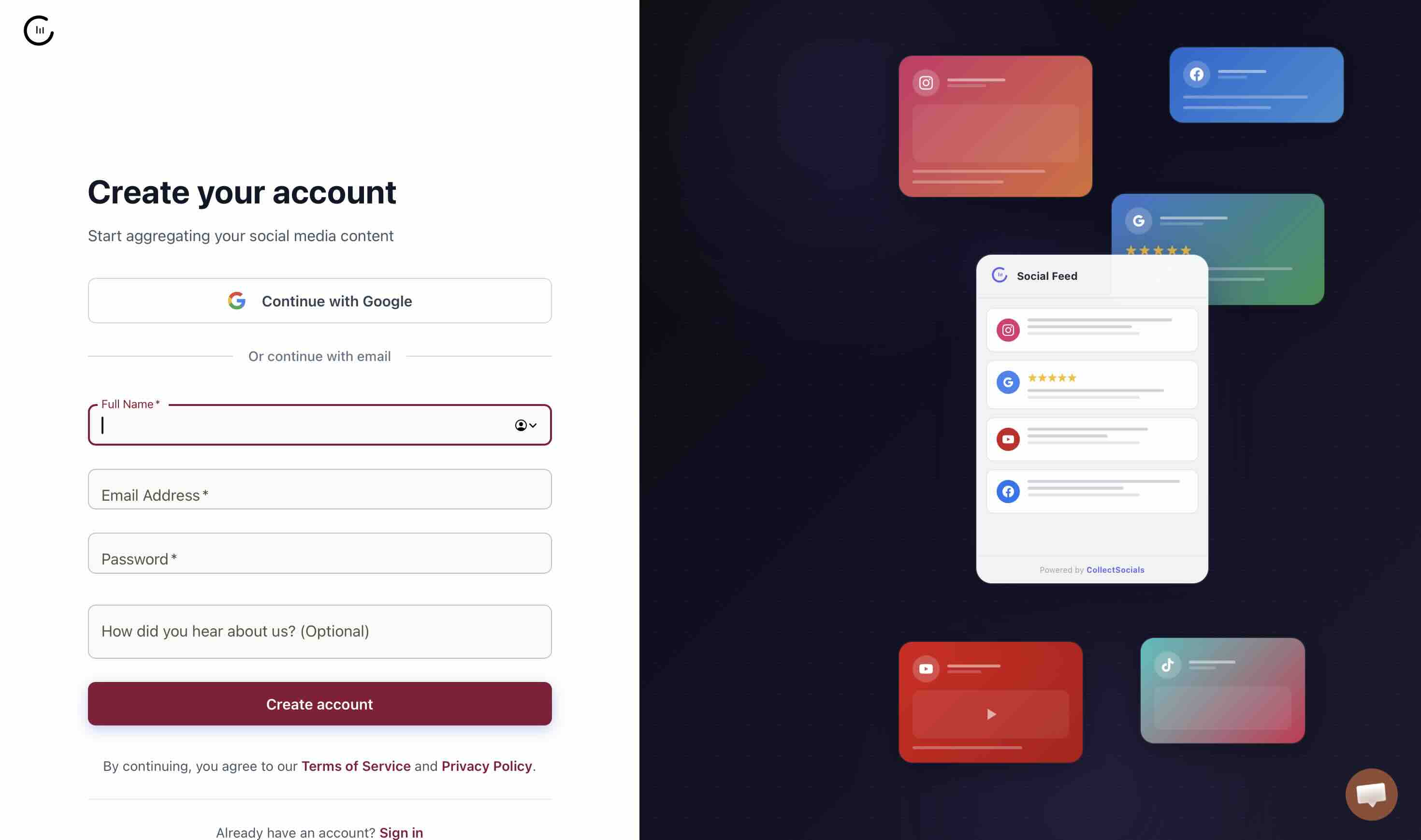
Step 1: Create your account
Start on the homepage and take either Start free or Get Started Free. Both land on the same signup screen. The free plan is what you want for this: it carries every theme and the theme builder, so you can get a TikTok wall looking right before you decide whether to pay for anything.

Step 2: Create a feed to hold the videos
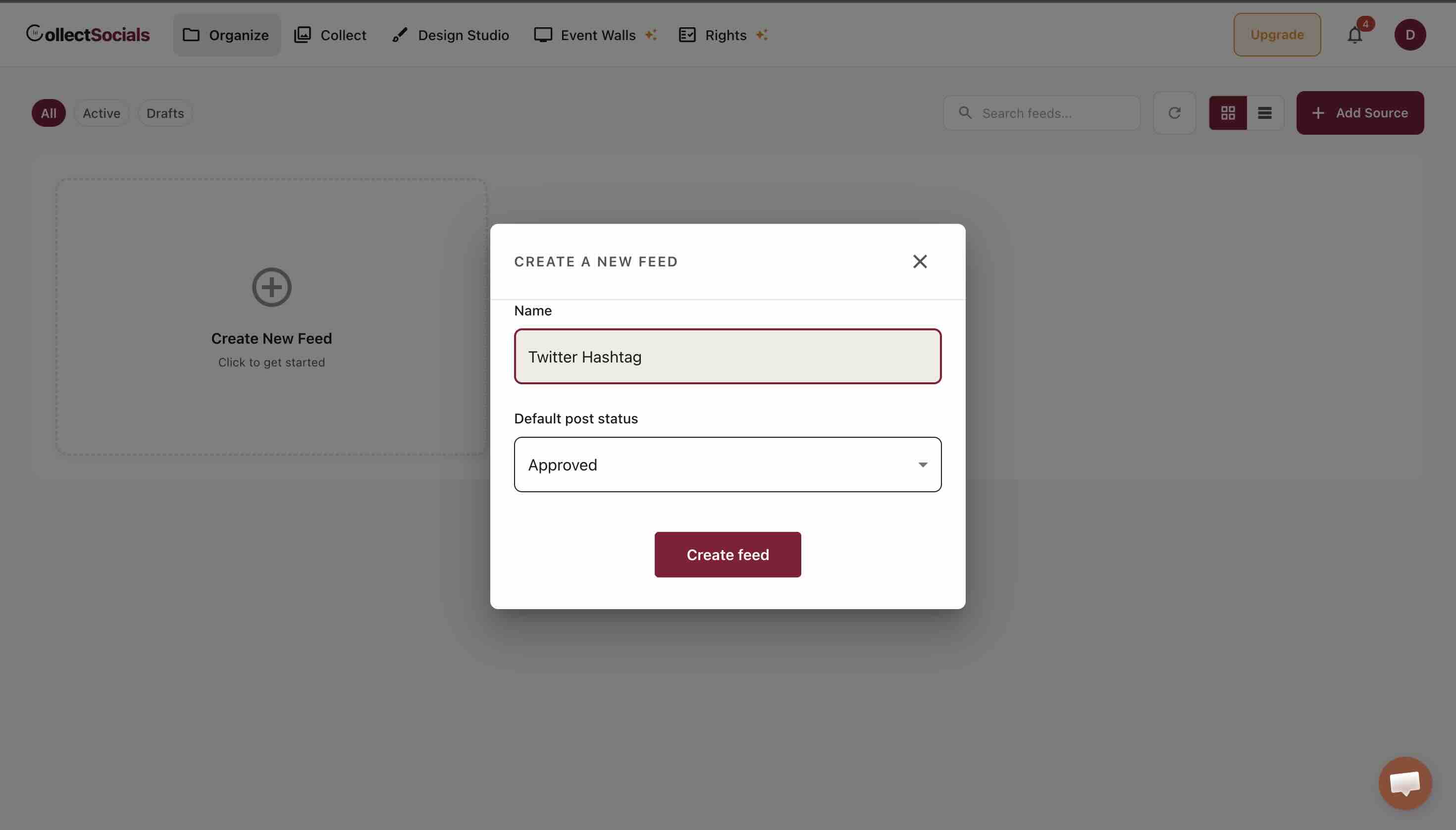
A feed is the container. Sources pour videos into it, and the widget renders it. Name it something you will recognise in six months, because this is the label you will be picking from a dropdown every time you edit the design. Leave the default post status on Approved unless you want to vet each video before it reaches the page.
Step 3: Choose TikTok from the source list
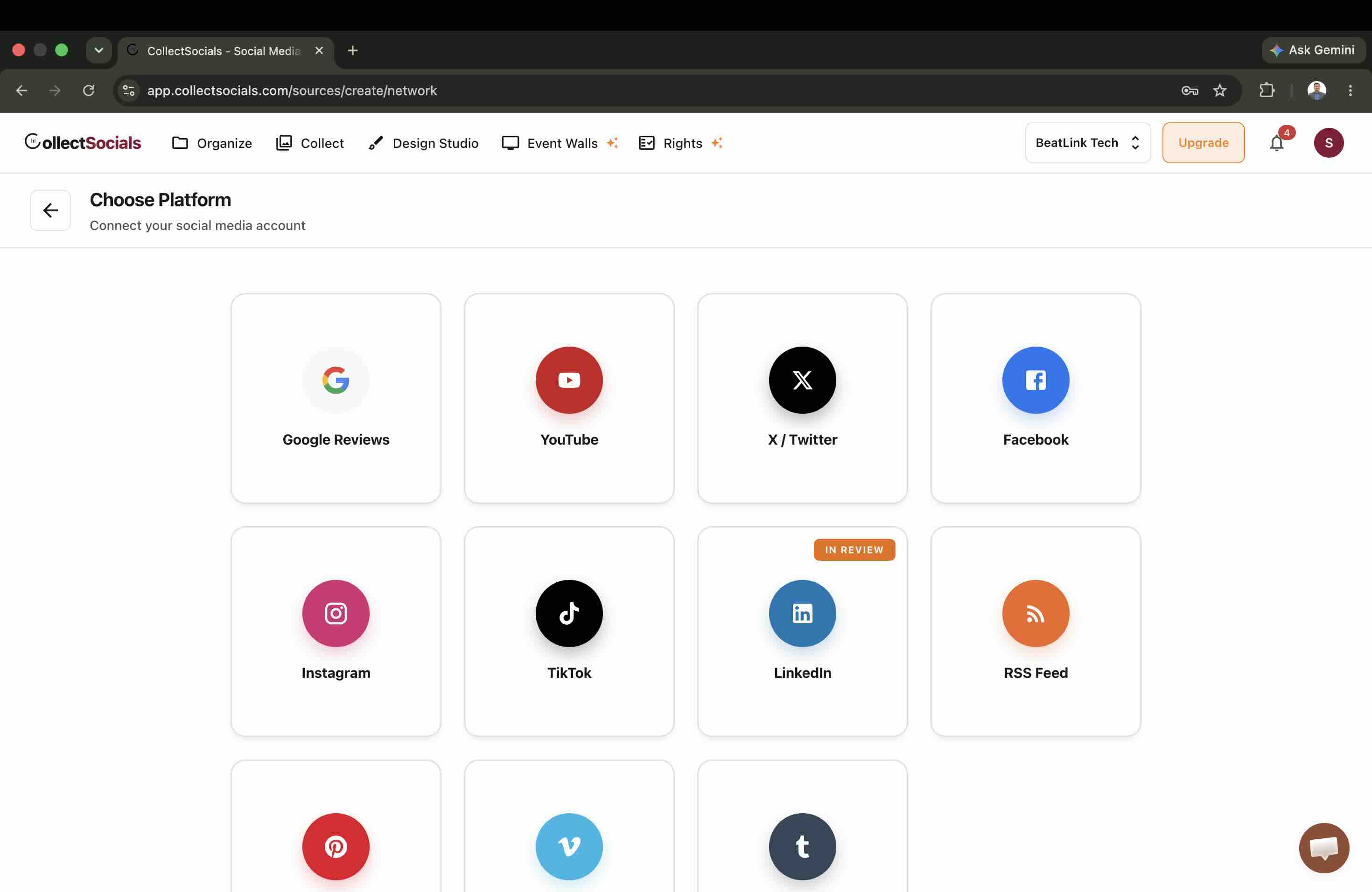
Add Source opens the platform chooser. TikTok sits alongside Instagram, YouTube, Google Reviews, X, Facebook, Pinterest, Tumblr, RSS and Vimeo, and you can point several of them at the same feed if you want a mixed wall rather than a TikTok-only one.
Step 4: Choose what kind of TikTok content you want
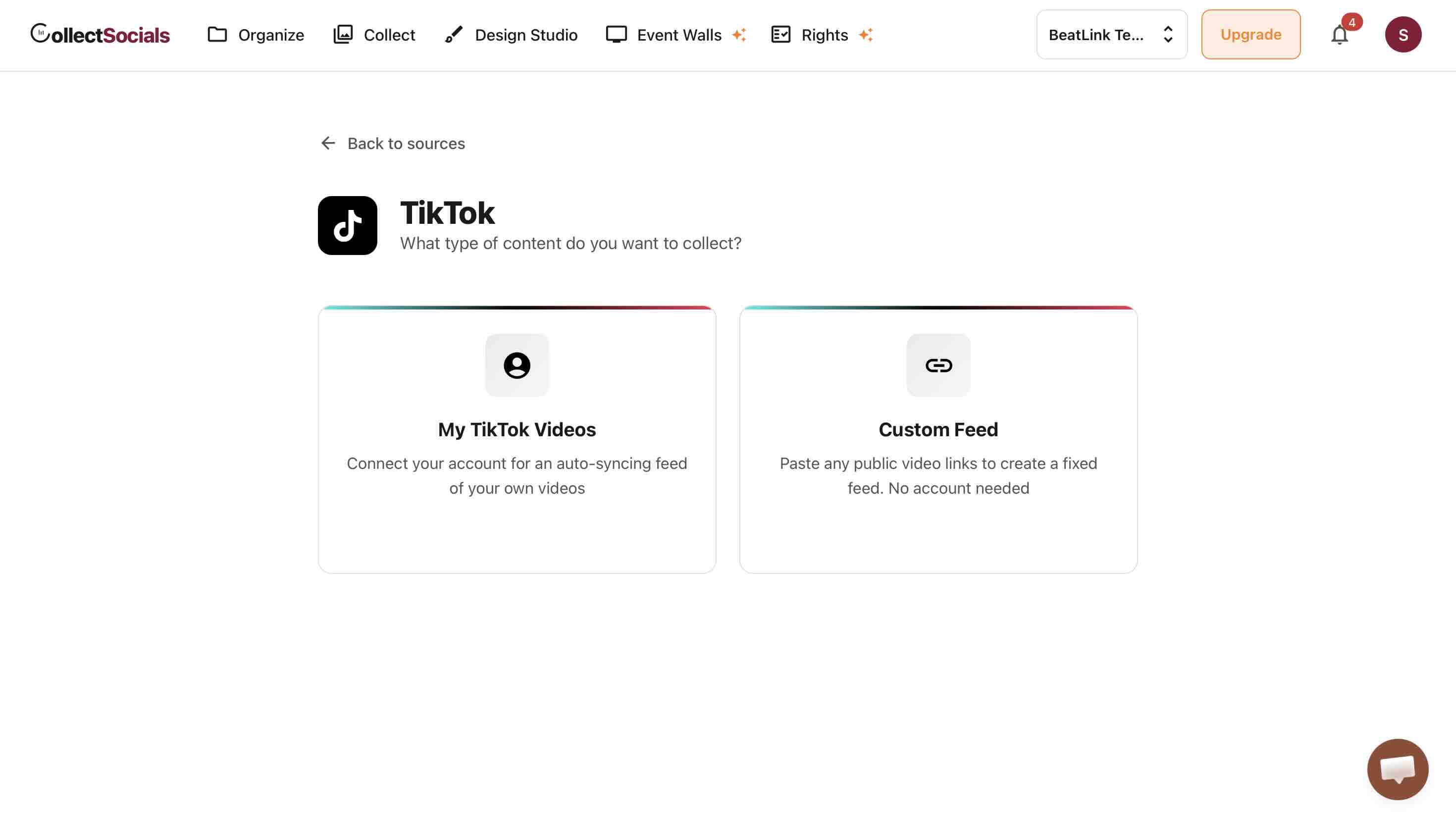
Picking TikTok asks a question before it asks for anything else, and the second card is the one worth reading properly.
Step 5: Connect your account
Connecting your TikTok account over OAuth is the route for your own videos. CollectSocials requests two scopes, user.info.basic and video.list, which is your display name and avatar plus your public videos. No posting permission is requested, because nothing in the product posts to TikTok.
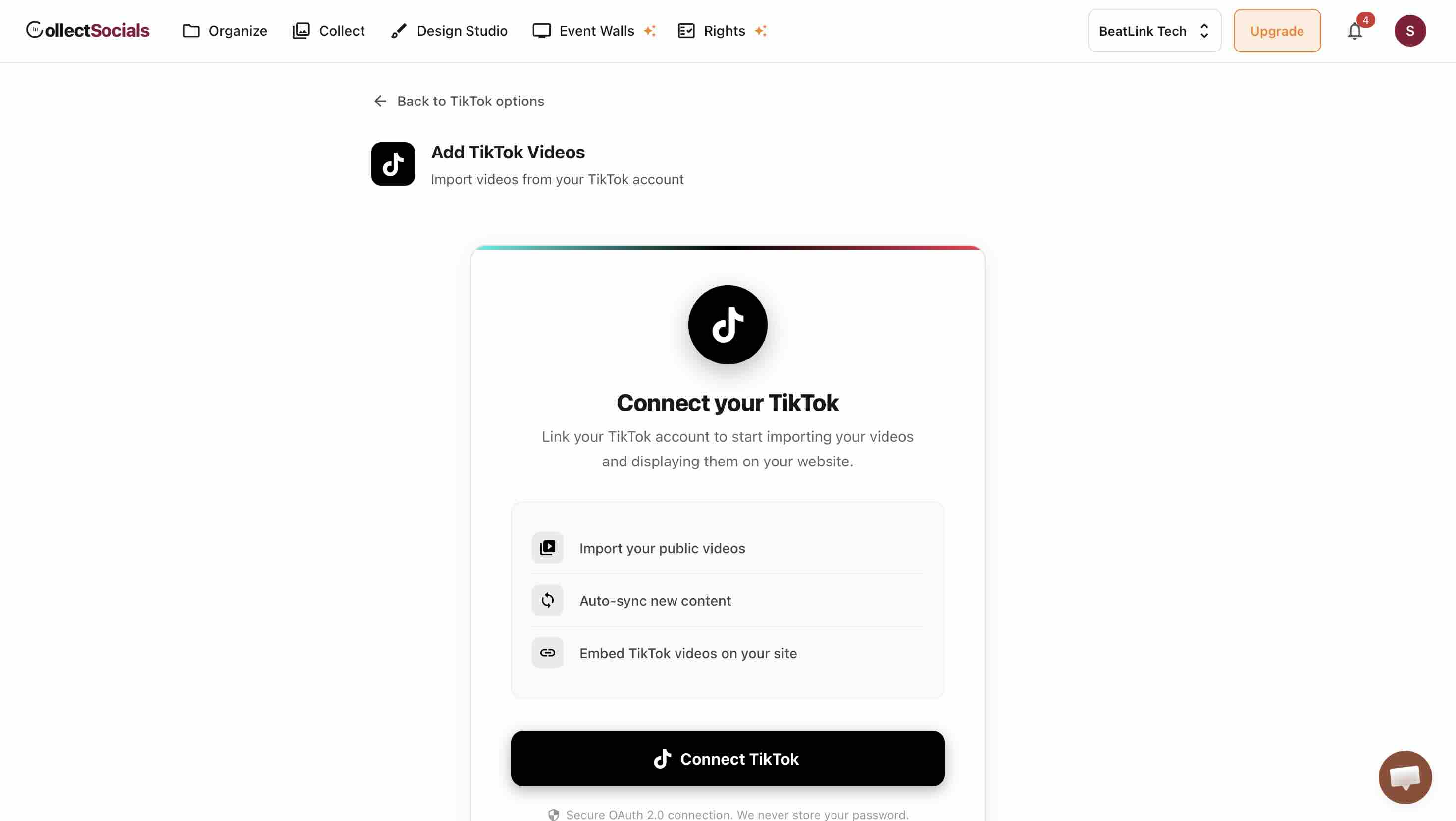
Step 6: Or paste links instead, with no account
The second route matters more than its placement suggests. Custom Feed lets you paste individual TikTok video links with no account connection at all. That is the route for embedding a creator's video you have permission to feature, a campaign clip posted from an account you do not control, or a fixed hand-picked set that should never change on its own. It is also the honest answer to "can I embed someone else's TikToks": you can, one link at a time, with permission, and not by pointing a scraper at their profile.
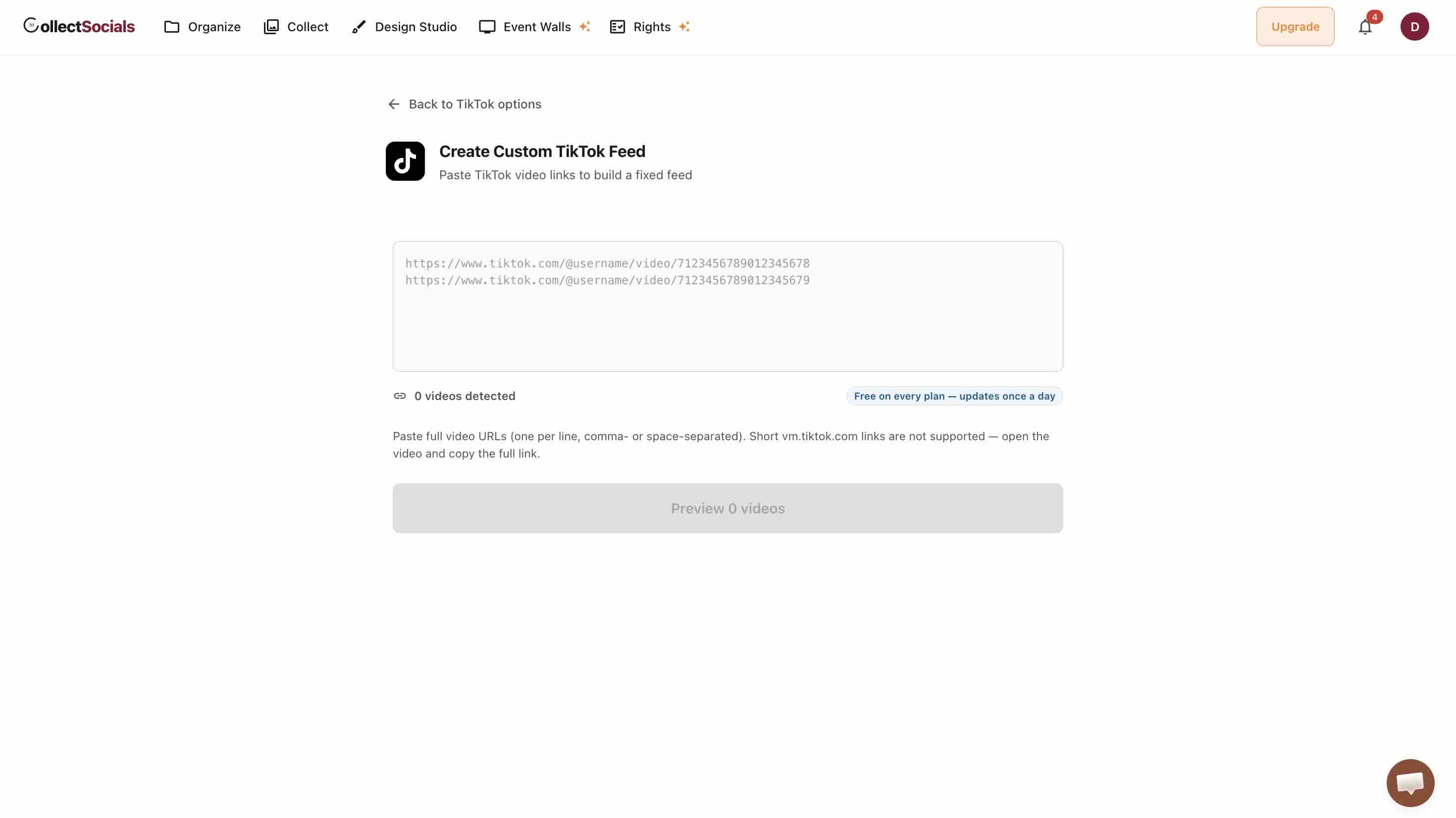
Step 7: Review what came back
Collect shows every video the sync pulled. Drop anything that does not belong on your site. Even for your own profile this is worth a pass, because the videos that perform on TikTok and the videos that suit your homepage are not always the same ones.
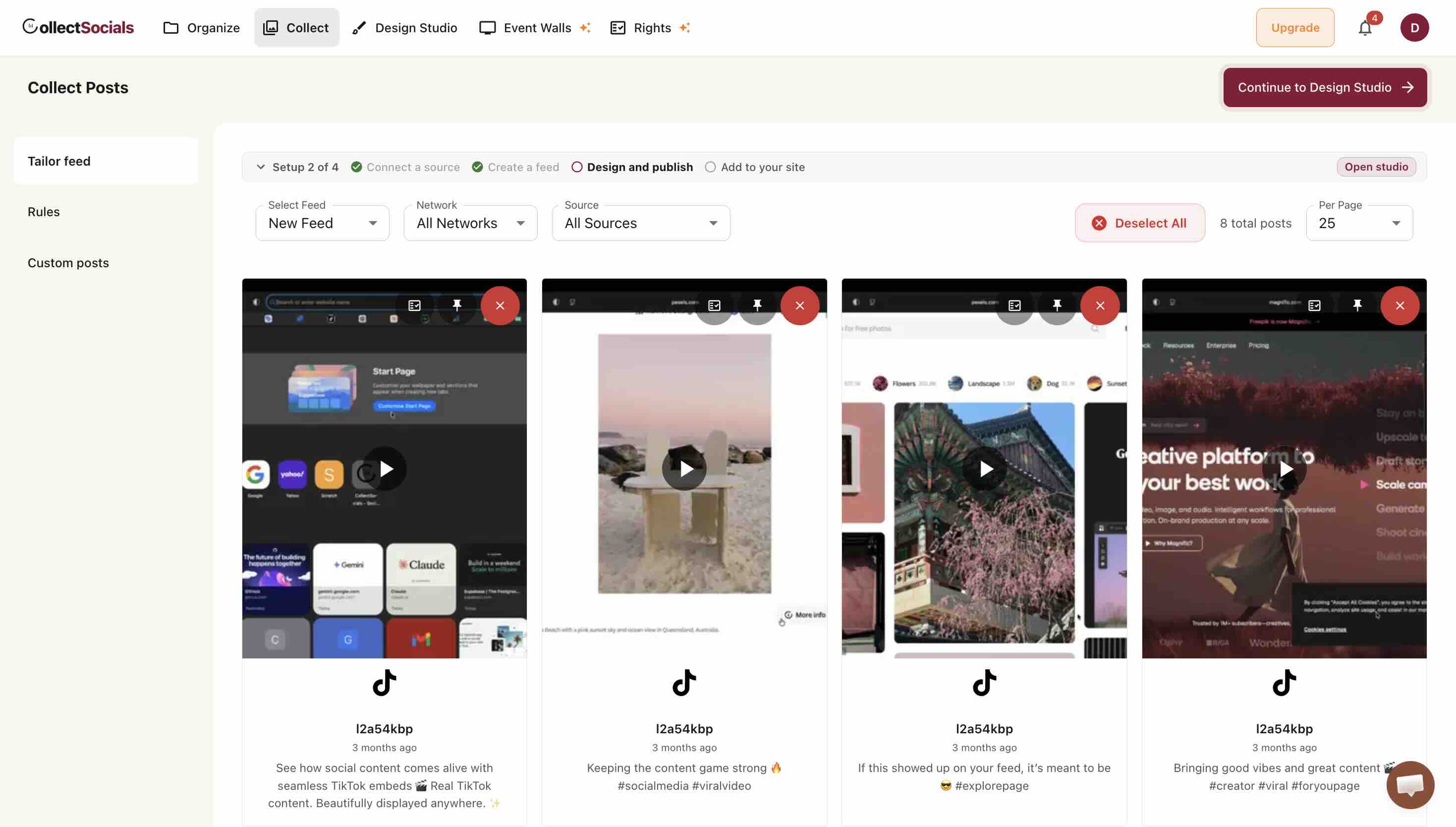
Step 8: Style it for vertical video
This is where a TikTok wall is won or lost, and the reason is geometry. TikTok is 9:16. Most widget layouts were designed for square photos. Drop vertical video into a square grid and you get letterboxing or a crop that cuts the subject's head off.
Reach for masonry, mosaic or column layouts, which give a tall tile its natural shape, and treat masonry as the option for mixed feeds where TikTok videos sit next to landscape YouTube thumbnails. The sideways scrolling strips are the exception, and worth knowing before you pick one: carousel, marquee, conveyor, coverflow, slider, ribbon, slideshow and platform feed scale a cover to fit a square box, so a vertical video keeps every pixel but carries bars down the sides. The cards in those layouts share their rows, so a card whose height nobody knows until the photo arrives would shove your page down while somebody is reading it. CollectSocials ships 40 layouts and 16 themes, and the free plan includes 7 layouts plus every theme and the theme builder, which is enough to find a vertical arrangement that fits without paying first.
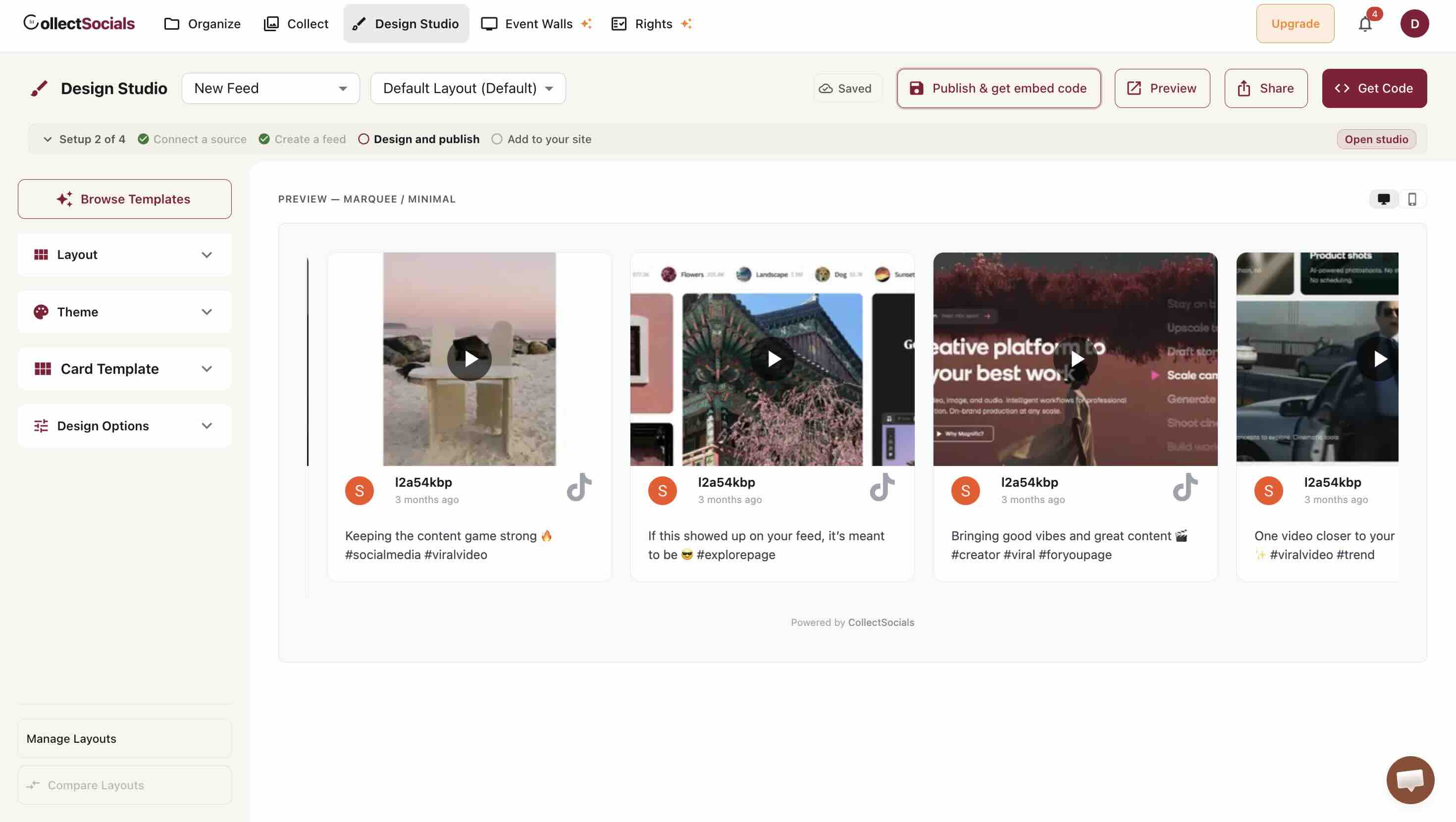
Layout and theme are two separate dials
The animation is a schematic of the Design Studio rather than a TikTok preview: it cycles five layout and theme pairings (Grid with Minimal, Masonry with Bold, Carousel with Glass, List with Elegant, Marquee with Neon) over generic placeholder cards, so what it shows is that the two controls move independently. For TikTok the dial that decides the cover's shape is the layout: a grid, wall or list keeps the cover at its own 9:16, while the two sideways strips in that cycle, Carousel and Marquee, fit the whole cover inside a square box with bars down the sides. The screenshot above is the real thing with real videos in it.
Step 9: Publish and paste the snippet
Publishing gives you the embed code. The snippet is not identical everywhere: most platforms take a single script tag, Wix and Squarespace take an iframe, and Shopify takes the script wrapped in a Custom Liquid section. Use the snippet the dashboard hands you for your platform rather than copying one from another tutorial.
On WordPress it goes in a Custom HTML block, or you skip the snippet entirely with our WordPress plugin, which is worth the swap on a page that takes traffic: it copies the videos and the published design into your own WordPress database and renders from your domain, so once a feed has synced its page views are not metered on any plan, free included. On Webflow, an Embed element. On both, the widget renders inside a Shadow DOM, so your site's CSS cannot leak in and break the tiles, and the widget's CSS cannot leak out and break your theme.
What About Autoplay on Your Own Site?
Autoplay is the best thing about TikTok's own embed, so it is worth knowing where you can and cannot have it back on your own page.
CollectSocials has a Live video previews toggle in Design Studio, under Design Options. It is included on every paid plan and free to try during your trial. With it on, video cards play muted and looping once they scroll into view, capped at two at a time, and armed only after the window load event so it can never touch your Largest Contentful Paint. Clicking still opens the full modal with sound.
TikTok cards are not currently part of that. The toggle drives in-card playback from a direct video file, or from YouTube and Vimeo's own muted players. What TikTok's API returns is an embed URL rather than a playable file, so a TikTok tile stays a cover image with a play button whether the toggle is on or off. I would rather write that down than let you switch a setting and wonder why one platform ignored it.
So on TikTok the choice is a real one: TikTok's player with TikTok's autoplay and TikTok's recommendations, or your own tile that waits for a click. The second half of this article is the measurement that should decide it for you.
What TikTok's API Actually Hands Over
Every TikTok widget on the market is built on the same Display API, so they all inherit the same limits. Knowing them saves you from shopping for a feature that does not exist anywhere.
| What you get | What you do not |
|---|---|
| Your own account's public videos, over OAuth | Anyone else's videos by account name |
| Your latest 100 videos when you connect, then up to 20 per sync | An unlimited backfill of your whole history in one call |
| Cover image, description, timestamp, permalink | Hashtag search across other people's posts |
| Like, comment, share and view counts in the payload | Any right to scrape what the API will not give you |
Two of those deserve expanding, because they are the ones people are surprised by.
There is no TikTok hashtag feed. On Instagram you can build a wall from a branded hashtag. On TikTok you cannot, because the Display API scopes a connected account to its own content and offers no public hashtag search. If a tool promises you a TikTok hashtag wall, ask which endpoint it uses. For a UGC campaign that genuinely needs other people's posts, Instagram remains the platform that supports it, and our complete Instagram feed guide covers how that works.
The view count arrives but we do not draw it. TikTok returns view_count and duration in the video payload, and CollectSocials stores both. Nothing in the widget renders them today. That is a deliberate note rather than a boast: if you are comparing widgets on whether tiles show view counts, ours do not, and I would rather tell you here than have you find out after you have built the page.
The 20-video ceiling is TikTok's, not ours, and it is per request rather than per account. Their List Videos documentation puts it in one line: "Default is 10. Maximum is 20." The same endpoint hands back a cursor for the next page, so when you first connect we walk five pages and import your latest 100 videos, which matches the most an embedded feed loads at once. After that, sources re-sync on your plan's schedule, each sync brings the newest 20, and new videos accumulate in the feed over time. How many of them are displayed is a Design Studio setting, not an import limit.
Where to Place a TikTok Wall
Placement decides whether the feed earns its page weight, and the measurement further down is also a placement argument: a widget that defers the player is cheap enough to sit on a homepage, and a stack of native embeds is not.
Placement decides whether the wall earns its space
The animation maps the page positions discussed below onto a typical site so the trade-offs are visible at a glance. For TikTok specifically the product page and About page slots do the most work, because short-form video answers "show me this thing in use" and "who actually makes this" better than copy does.
Product pages, below the description. This is the strongest slot for TikTok. Demos, unboxings and customer clips answer the objection a product photo cannot: what it looks like in someone's hands. Place it after the buy button, before related products.
About and team pages. Behind-the-scenes video does more for credibility than a stock photo of an office. This is one of the few places where high placement is justified, because visitors arriving here want exactly this.
Homepage, below the fold. Social proof and personality, after your value proposition has landed. It should not compete with your primary message.
Landing pages, carefully. A focused landing page has one job. A TikTok wall gives visitors somewhere else to go. If it appears at all, it should be testimonial or demo content that reinforces the offer.
Measuring Whether the TikTok Feed Is Working
Impressions on the widget are not the metric. The question is whether visitors who engage with the feed behave differently from those who do not.
Interaction rate tells you whether the content resonates at all: what share of people who scroll the feed into view click a video. Session depth tells you whether it holds attention or just sends people to TikTok, which is a real risk worth watching for. Conversion by segment is the one that decides whether it stays: compare visitors who touched the feed against those who did not, on whatever your site counts as success.
That last one needs analytics tagging rather than widget stats. Our guide to social feed analytics that actually matter covers how to set the segment up.
There Is No Official TikTok Feed Embed
This is the part that sends most people looking for a TikTok aggregator in the first place, and it is worth stating plainly. TikTok's embed documentation covers one thing: embedding an individual video. There is no documented official embed for a profile feed, a hashtag feed, or any other collection. The oEmbed response carries a single data-video-id, singular, and that is the whole surface.
So when someone tells you to "embed your TikTok feed" using TikTok's own tools, what they are actually describing is pasting the single-video embed code once per video and stacking them up. My three-embed test is exactly that, and it costs 236 requests and 8 MB in twelve seconds before anyone touches anything. Twelve videos built that way is not a design decision, it is a page-weight incident.
The oEmbed thumbnail expires, so you cannot just cache it
There is a tempting shortcut here: skip the embed, call the public oEmbed endpoint, save the thumbnail_url it returns, and render your own grid of images linking out to TikTok. It works for about two days.
Every thumbnail_url TikTok returns is a signed CDN URL carrying an x-expires parameter. When I pulled oEmbed data for three unrelated videos from three different accounts, all three thumbnails carried the identical expiry timestamp, roughly two days out. TikTok signs them in a fixed short window. Store those URLs in your database and your entire wall turns into broken images by the weekend, which is precisely the failure mode people report when a hand-rolled TikTok grid "just stopped showing pictures".
Anything durable has to re-resolve the thumbnail on a schedule, and defend itself in the gap. Our sources re-sync on your plan's schedule, which refreshes the cover URLs, and the widget reads x-expires before it renders: a cover that has already expired is skipped so the card paints its true no-image state immediately, instead of showing a broken image and reflowing the tile after first paint. That is unglamorous plumbing, and it is most of what you are actually buying when you pay for a TikTok feed widget rather than building one.
sync
From a per-video embed to an actual feed
The animation shows the shift this article is about: instead of pasting TikTok's single-video embed code once per clip, your videos sync into one feed you control and render as a single widget on your site. The videos stay yours, the styling becomes yours, and the page stops loading TikTok's player once per tile.
Original Research: What TikTok's Official Embed Actually Costs
Every "how to embed TikTok" guide tells you to hit Share, then Embed, then paste the code. None of them say what that code does to your page. So I measured it.
I took the exact markup TikTok's own oEmbed endpoint returns, put it on a blank local page, loaded it in a fresh Chromium profile with an empty cookie jar, and recorded every byte that crossed the wire. Nothing was ever clicked. Every number below is what a visitor pays for simply having the embed sitting on the page.
| Measured at 12 seconds, nothing clicked | Blank page | 1 TikTok embed | 3 TikTok embeds |
|---|---|---|---|
| Network requests (median) | 1 | 84 | 236 |
| Transferred (median) | ~0 MB | 4.46 MB | 7.98 MB |
| Of which video file | 0 MB | 3.08 MB | 6.08 MB |
| Runs that fetched video with no click | 0 of 5 | 5 of 5 | 4 of 5 |
| Distinct TikTok hosts contacted | 0 | 10 | 11 |
| Cookies set without interaction | 0 | 2 | 2 |
The video is not preloading. It is playing.
My first reading of this data was wrong, and the correction makes TikTok's embed look better rather than worse. The reason megabytes of MP4 arrive without a click is that the embed autoplays. It is not speculatively preloading something nobody asked for. It is doing the thing TikTok is for: the video starts, muted, the way it does in the app. That is a genuine feature, and it is most of why an embedded TikTok feels alive on a page while a static image does not.
It also means the byte count is a function of how long the visitor stays, not a fixed cost you can quote in one number. Watch what happens as the dwell window widens on the same single embed:
| One embed, still nothing clicked | Requests | Transferred |
|---|---|---|
| At 12 seconds (headless, median of 5 runs) | 84 | 4.46 MB |
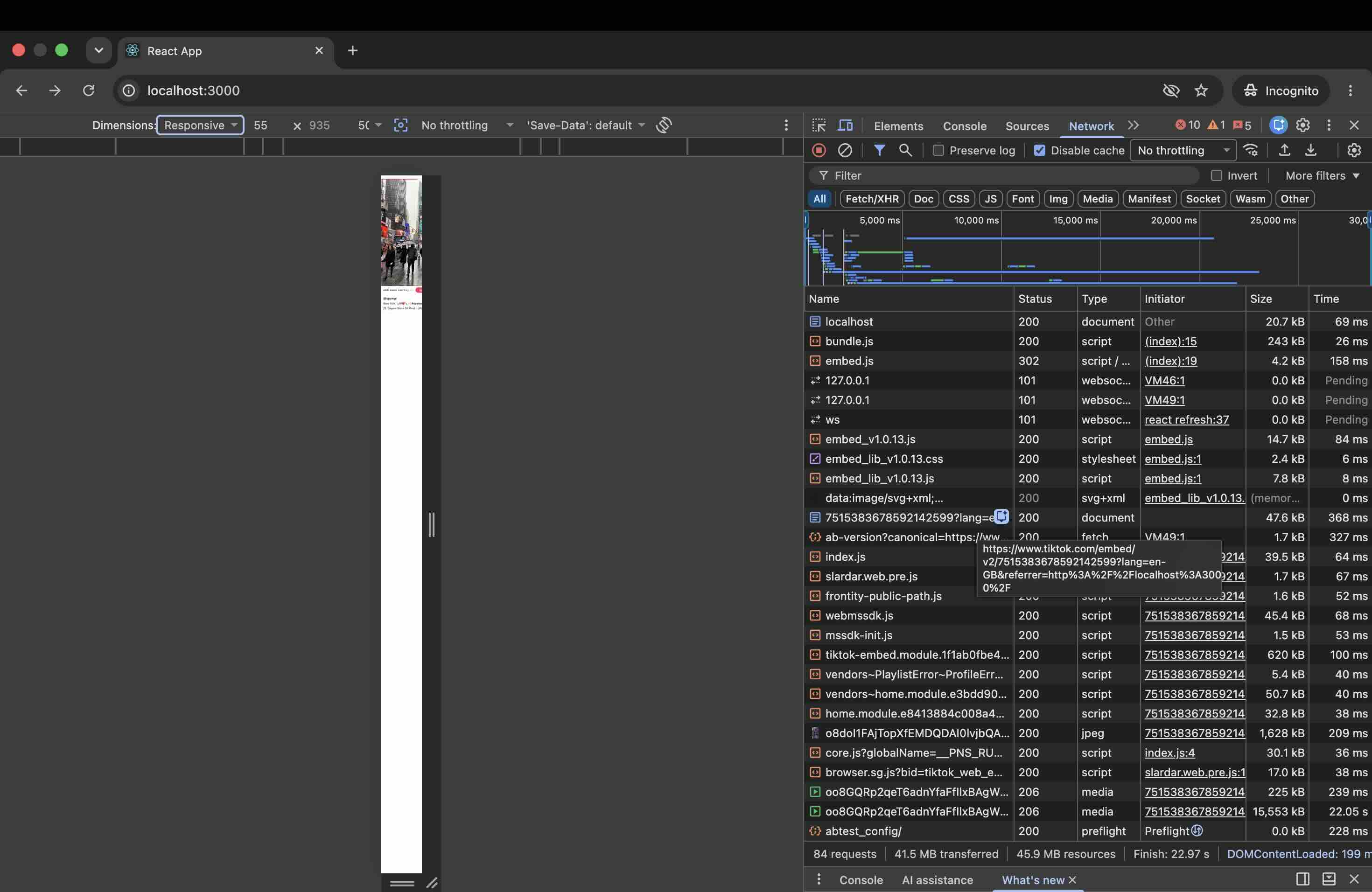
| At 23 seconds (real Chrome, desktop) | 84 | 41.5 MB |
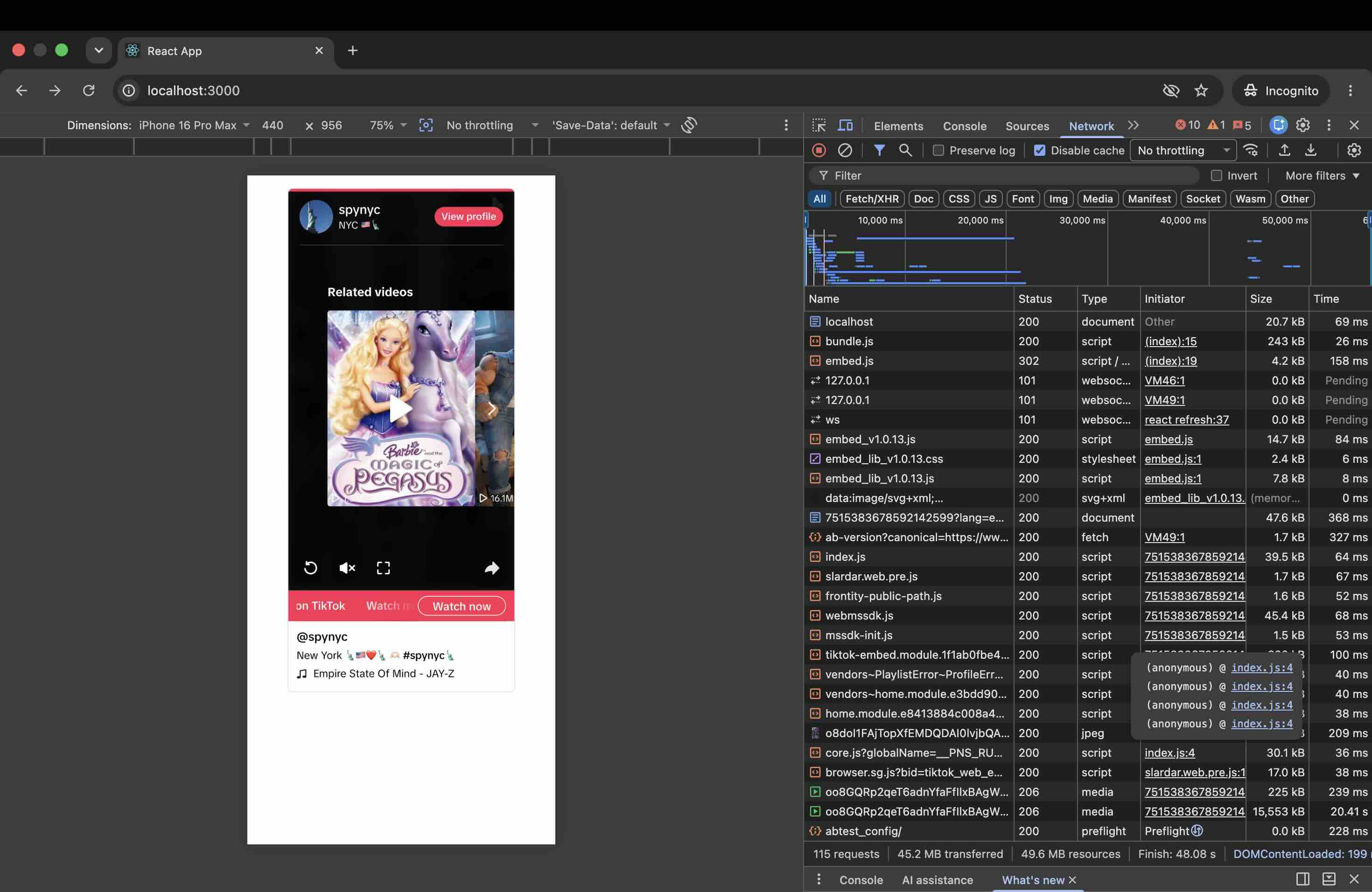
| At 48 seconds (real Chrome, iPhone 16 Pro Max viewport) | 115 | 45.2 MB |
The request count barely moves. The transfer figure grows by an order of magnitude, because a playing video keeps streaming for as long as your page is open. In the desktop run a single media response accounted for 15,553 kB on its own, still arriving 22 seconds in. So the honest way to state the cost is per unit of attention: about 4.5 MB in the first twelve seconds, ten times that if someone leaves the tab open while they read.
Method, so you can check it
- Five runs per case, each in a fresh browser with a fresh cookie jar, because the behaviour is racy and one run is not evidence.
- Byte counts come from Chrome DevTools Protocol
Network.loadingFinished.encodedDataLength, which is what actually crossed the wire. My first pass usedContent-Lengthheaders and over-reported badly, because ranged media responses get counted twice that way. - Medians are quoted because the spread is wide. One embed ranged from 3.77 MB to 7.94 MB across the twelve-second runs, and 80 to 118 requests.
- In one of the five three-embed runs the embeds failed to render at all, producing 11 requests and no video. That may be my own repeated automated requests being throttled rather than something a real visitor would hit, so treat it as an observation rather than a reliability claim.
What the Embed Puts on Your Page Besides Your Video
The page weight is the measurable cost. This one is the editorial cost, and I think it matters more.
TikTok's embed is not a video element. It is a piece of TikTok, and it behaves like one. Along with your clip it renders a View profile button, a pink Watch now call to action, and a Related videos carousel populated with other creators' content. You do not choose what appears in that carousel and it is not your content.
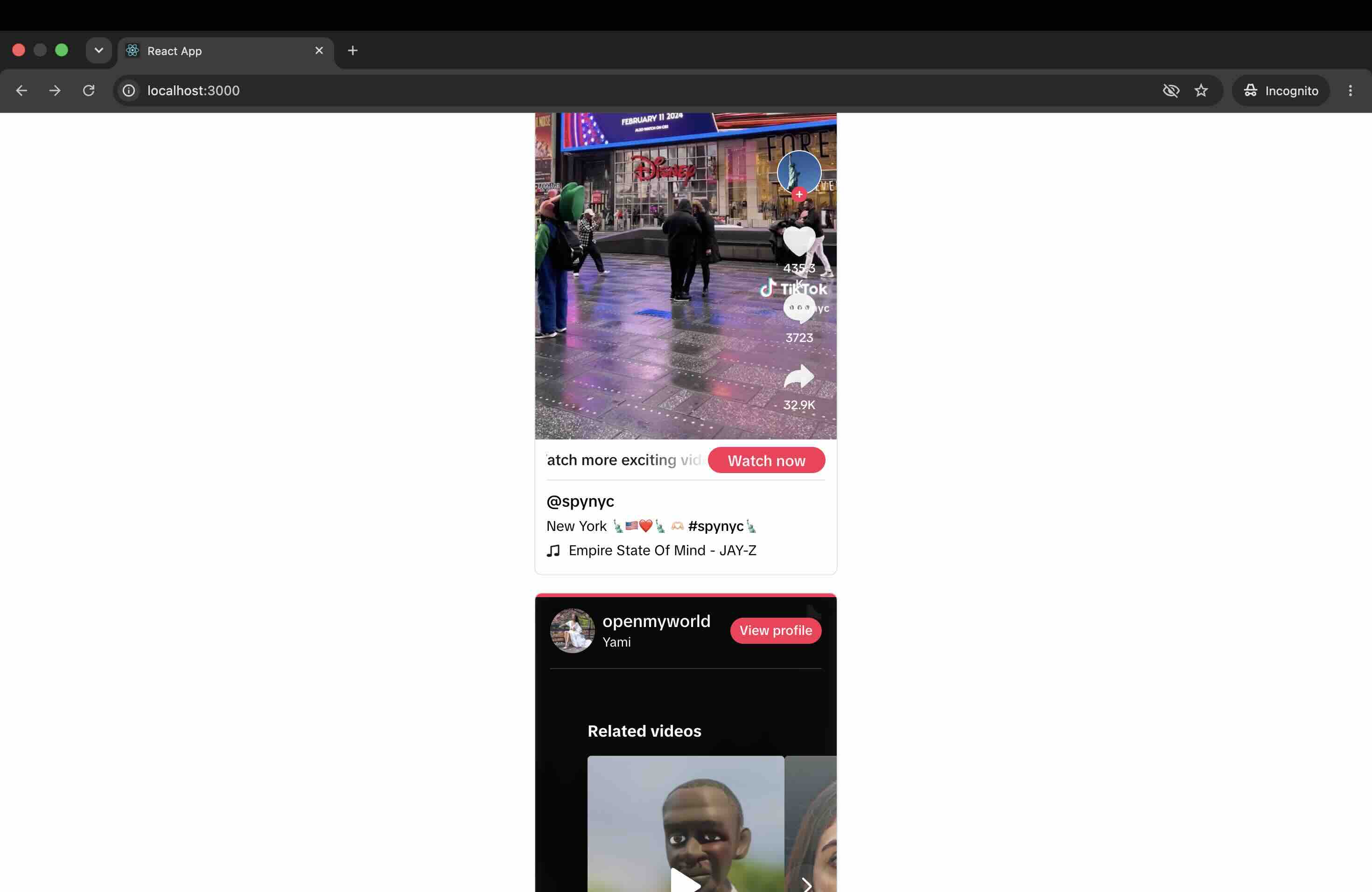
On a narrow viewport this stops being a footnote. At an iPhone 16 Pro Max width the related-video panel is the first thing in the embed with any visual weight, and in my run it was a promo for a children's film with 16.1M views, sitting on a page that had nothing to do with either.
This is the trade the file-count arguments miss. An embed that is really TikTok will always work in TikTok's interest first, and TikTok's interest is returning the visitor to TikTok. That is a perfectly reasonable thing for them to build. It is just worth knowing you are installing it on a product page whose job is the opposite.
It sets TikTok's cookies, and that is a consent question
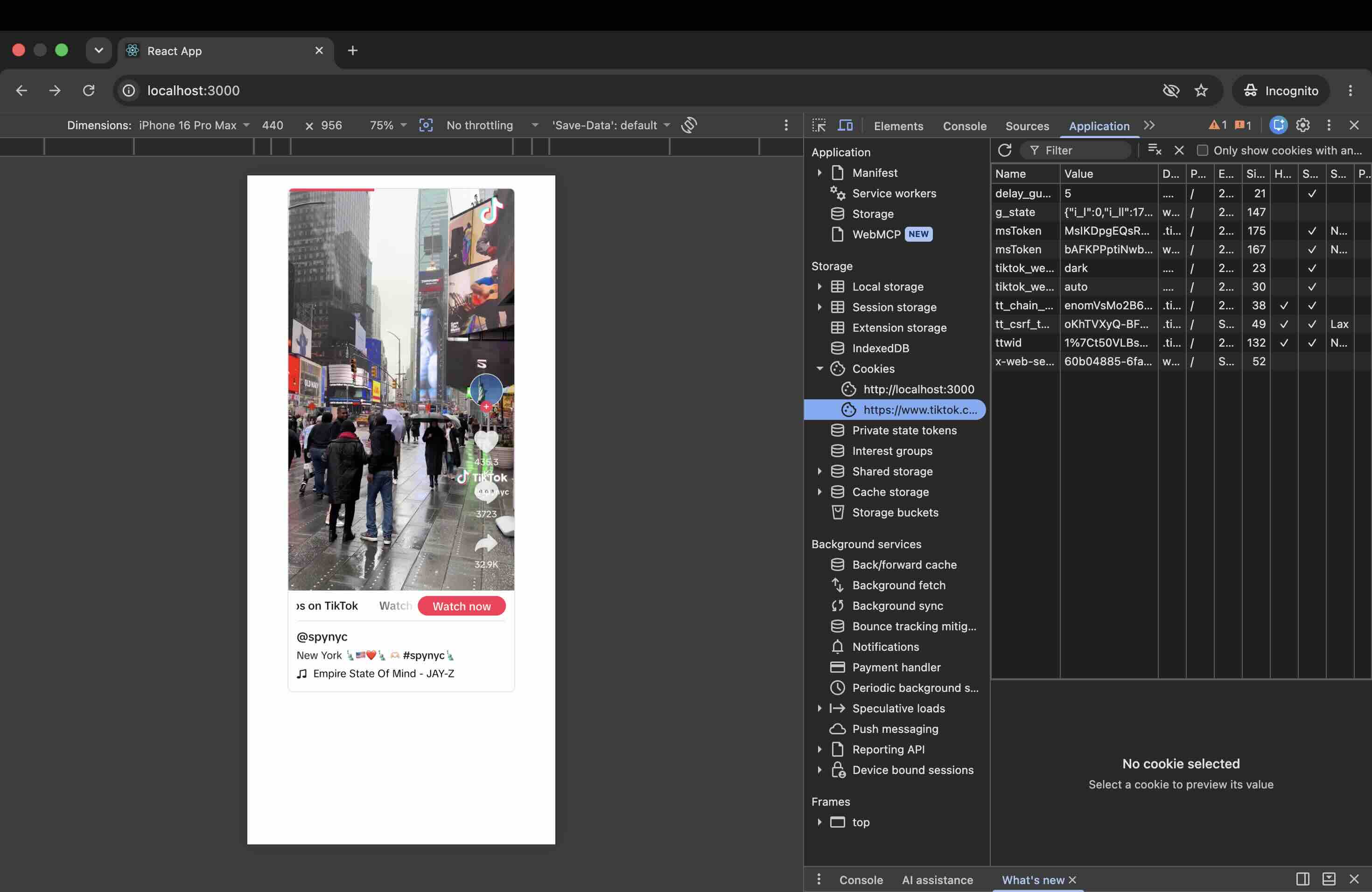
In the twelve-second headless runs, two cookies appeared with no interaction: ttwid and msToken, both on .tiktok.com. In a longer real-browser session the tiktok.com store held around ten entries, including ttwid, msToken twice, tt_csrf_token, tt_chain_token and an x-web-secsdk value.
Be careful who you let tell you they have solved this. Any widget that renders TikTok's player inherits TikTok's cookies, ours included. The difference a feed widget can make is when that happens, not whether. A CollectSocials TikTok card renders TikTok's cover image and a play button; the player, and therefore the cookies, load in the modal when a visitor clicks. That is a deferral to people who chose to watch, which is a real difference for a cookie banner, and it is not the same thing as never setting a cookie.
The Real Question: TikTok's Player, or Your Own Thumbnail
If you are comparing TikTok widgets, here is the one question that actually separates them, and it is upstream of every spec sheet: does the tool render TikTok's player, or its own thumbnail? That single decision drives page weight, cookies and layout stability all at once, and a raw file count will not reveal it. A widget built on TikTok's official embed inherits roughly forty of TikTok's own files without its authors writing a line of code, so counting files ranks vendors by that one choice rather than by their engineering.
| Renders TikTok's player | Renders its own thumbnail | |
|---|---|---|
| Playback | Autoplays, native TikTok controls | Cover image until clicked |
| Page cost on load | Megabytes, growing with dwell time | One image per tile |
| TikTok cookies | On page load | On click, for people who watch |
| Related videos from others | Shown by TikTok | Not present |
| Styling | TikTok's, fixed | Yours |
| Layout stability | The blockquote collapses into the player | The card is there from the first paint, never swapped |
Neither column is the right answer everywhere. If you are featuring one hero clip on a campaign page and you want it to play the way it plays in the app, TikTok's embed is the correct tool and you should use it. If you want a wall of recent videos that loads fast, matches your brand and does not advertise other creators, a thumbnail-first widget is the correct tool. The failure is picking the first and expecting the second.
One measured detail on that last row: on the official embed I recorded a Cumulative Layout Shift of 0.0437, traced to blockquote.tiktok-embed. The embed ships as a blockquote that collapses into the player once TikTok's script arrives, with no reserved height in between, so whatever sits underneath it moves. Our own card is drawn at first paint and never swapped for anything, so there is no collapse to absorb. In the sideways strips it also reserves the media box before the cover arrives; in a grid or a wall the card still grows to the cover's own height as it loads, which is the price of showing every cover at the shape it was filmed in.
One video, or the whole account
The animation is a schematic of the coverage difference, not of the loading order described above: a panel labelled Native Embed holds a single play button and reads 1 video, Static, while a panel labelled CollectSocials Gallery fills with six thumbnails under an Auto-updating badge. Its counter is decorative, and the published widget draws no view counts. The loading-order argument is the right-hand column of the table above; this is the argument about how many videos you can show at all.
Common TikTok Embed Mistakes
Stacking native embeds to fake a feed. The measurement above is what this costs. Three embeds, 236 requests and 8 MB in twelve seconds, before anyone clicks, and three sets of somebody else's recommended videos.
Forcing 9:16 video into a square grid. Vertical content in a layout built for photos produces crops that cut off faces. Use a layout that expects a tall tile.
Caching the oEmbed thumbnail URL. It is signed and it expires in about two days. Re-resolve it or mirror the image.
Assuming a cookie banner covers it. TikTok's embed sets its identifiers as the page loads, not when a visitor consents. If that matters for your jurisdiction, the embed needs to load after consent, or not at all.
Shopping for a TikTok hashtag wall. The API does not offer one. If you need hashtag-sourced UGC, that is an Instagram campaign.
Setting it and forgetting it. TikTok content dates faster than any other platform on your site. A wall that was current in March reads as abandoned by August.
Is a TikTok Feed Worth Adding?
If you post to TikTok regularly, yes, and mostly because the alternative is a static page that ages while your TikTok does not. The feed keeps itself current, and short-form video answers objections that copy cannot.
The thing to be deliberate about is which version of TikTok you are installing. The official embed is the real player and it is genuinely good at being one: it autoplays, it looks right, and for a single hero clip it is the correct choice. It also arrives with megabytes that grow with dwell time, cookies set before consent, and a panel recommending other people's videos to a visitor you worked hard to get. A thumbnail-first feed gives up the autoplay and keeps everything else. Pick per placement, not per platform.
Start Using CollectSocials Today
One curated feed from 10+ platforms: on your website in a single line of code, or up on the big screen at your event.
Sources
- TikTok for Developers: Embedding TikTok Videos (confirms the official embed covers individual videos only)
- TikTok for Developers: List Videos endpoint ("Default is 10. Maximum is 20.", and the
video.listscope) - Embed cost, cookie and layout-shift measurements in this article are my own, run 19 August 2026 against TikTok's live oEmbed output in Chromium and in Chrome DevTools. Method is described in full above so the numbers can be reproduced or disputed.