
This guide is about making deliberate decisions. Every placement recommendation here comes with a reason, and every "not here" comes with one too. No feed is right for every page. The right placement depends on what the page is trying to accomplish, where the visitor is in their decision journey, and what role the Instagram content is meant to play in that specific moment.
The Core Principle: Match the Feed's Job to the Page's Goal
Before placing an Instagram feed anywhere, answer one question: what is this page trying to get the visitor to do? Every page on your site has a primary goal — learn something, feel something, click something, buy something, contact someone. Your Instagram feed should either advance that goal or stay off the page entirely.
An Instagram feed can do several jobs depending on context: it can build trust (showing that real people use and love your product), create emotional connection (showing the human side of your brand), demonstrate freshness (showing you're active and present), and extend dwell time (giving visitors more to explore). None of these jobs are the same. The placement that works for trust-building is not always the placement that works for dwell time extension.
With that frame in mind, here is every meaningful placement scenario — the case for each, the case against, and the specific conditions under which each one makes sense.
The same feed in the right and wrong position
The animation puts an Instagram feed in several positions on a mock page and marks which ones work. The pattern it draws out is that the feed does best directly after the page has made its own point — below the hero, below the buy box — and worst when it interrupts a visitor who is partway through a decision.
Homepage: The Most Common Placement — Done Right and Done Wrong
The homepage is where most businesses first put their Instagram feed, and the results range from excellent to actively counterproductive depending on exactly where on the page it lands.
Where it works: the lower third
The lower third of your homepage — after your hero section, after your value proposition, after your key offerings or features — is the single best homepage placement for an Instagram feed in most cases. By the time a visitor reaches this point on the page, they've received the core message. They know who you are and what you offer. The Instagram feed now does its job: it makes you feel real. It shows the brand in motion. It's the difference between a brochure and evidence.
Frame this section with copy that signals intention rather than just promotion. "What We're Up To" or "From Our World" or "Our Community" outperforms "Follow Us on Instagram" because the framing tells visitors the content has been curated for them — not just cross-posted to fill space.
Where it goes wrong: above the fold
Putting an Instagram feed above the fold on your homepage — before the visitor has understood who you are — is one of the most common placement mistakes. The problem is sequencing. A wall of Instagram posts is visually compelling but communicatively weak. It doesn't tell a new visitor what you do, who you serve, or why they should stay. You're showing them texture before they have context, and they leave before they get to the context.
There is one exception: brands where the Instagram content itself is the message. Photographers, visual artists, and some lifestyle brands can lead with an Instagram feed because the aesthetic is the value proposition. If you can't say that about your brand with confidence, keep the feed below the fold.
Where it's usually wasted: the footer
A footer Instagram feed is the lowest-effort, lowest-impact placement available. Visitors who reach the footer of a homepage either found what they needed (and are about to leave satisfied) or didn't find it (and are leaving unsatisfied). In neither case is an Instagram feed going to meaningfully change the outcome. If you have the feed in your footer because it feels like a safe default, it's worth moving it somewhere it will actually do work.
Product Pages: The Highest-Conversion Placement Available
Product pages are where buying decisions are made. They're also where doubt is highest. The studio photography looks professional but controlled. The description was written by the brand. The pricing feels real but the value is still abstract. An Instagram feed that shows real people using the product in real contexts is the most credible thing you can add to a product page — more credible than a quote testimonial, more credible than a star rating, because it's visual and its provenance is visible.
The critical discipline here is curation. The feed on a product page should contain content specifically relevant to that product or closely related category. A generic stream of your recent Instagram posts — brand announcements, seasonal posts, off-topic content — undermines the social proof rather than strengthening it. Visitors are looking for evidence that the product works in a context like theirs. Give them that evidence specifically, or don't put a feed on the page at all.
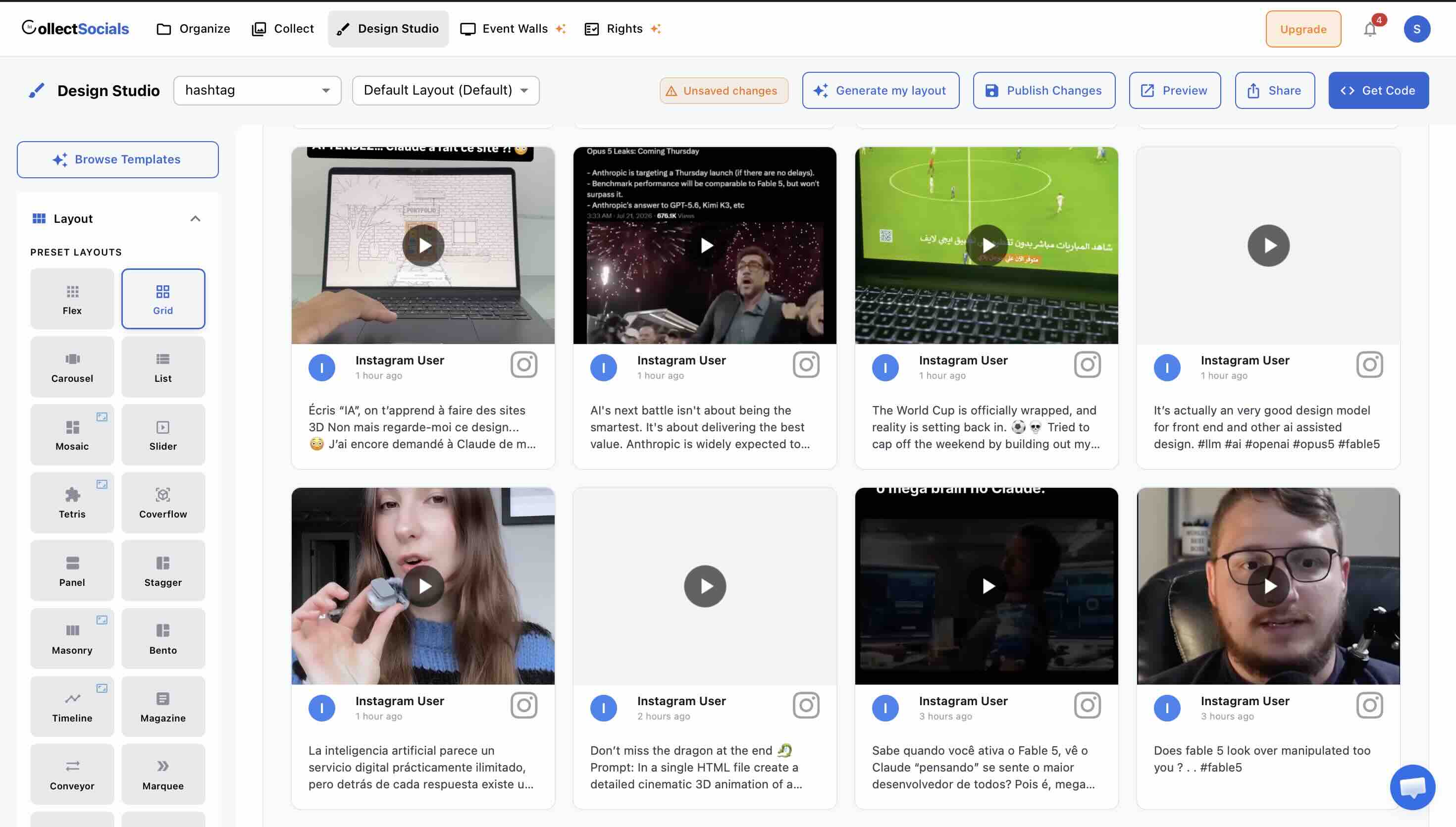
For layout, Carousel is the most natural fit for product pages because it's compact and non-distracting — it sits below the primary product content without competing with the buy button or the product description. Masonry works when the feed is a more prominent design element of the page and you have enough high-quality product-in-context photography to fill it well.
Placement within the product page: below the product description and above the reviews or FAQ section is the sweet spot. Too high on the page and it competes with the primary conversion elements. Too low and most visitors won't see it. For more on using Instagram feeds specifically to drive e-commerce conversion, see our dedicated guide on Instagram feeds for e-commerce.
About Page: The Most Underused High-Value Placement
The about page is one of the most visited pages on most websites, and one of the most underleveraged for social proof. People go to the about page when they're deciding whether to trust you — not what to buy, but whether to engage with you at all. That makes it a natural home for Instagram content that shows the human, real, behind-the-scenes side of your business.
The content that works best here is different from what works on a product page. On the about page, you're not trying to show product proof — you're trying to show people proof. Team photos, office moments, behind-the-scenes content, the day-to-day of how your business operates. This content is often underrepresented on about pages, which tend to skew toward polished copy and formal photography. An Instagram feed showing the reality of your team and culture is a counterweight to that formality.
Grid and Masonry work well here. You want the feed to feel like a genuine window into your world — not a tight selection of only your most polished posts. A slightly broader selection than you'd use on a product page is appropriate here. The goal is warmth and authenticity, not conversion optimization.
Contact and Inquiry Pages: The Conversion Reinforcer
Any page where you're asking a visitor to take an action — fill in a form, make an inquiry, book a consultation, request a quote — is a moment of commitment hesitation. The visitor has decided they're interested; they're now deciding whether they trust you enough to give you their information or their time.
A compact, high-quality Instagram feed near the inquiry form or booking widget provides exactly the reassurance that a hesitant contact-page visitor needs. It says: real business, active presence, other people have engaged with us and it was worth their time. The visual is doing the trust work that the form itself cannot do.
Keep it compact here — a three-to-six image Carousel or a small Grid. The primary action on this page is filling in the form. The Instagram feed is supporting context, not the main event. If it's too large, it becomes a distraction from the conversion action.
Blog and Content Pages: A Subtle but Effective Sidebar Play
Blog readers are a self-selected audience of people who already find your content interesting enough to read. They're warm. A compact Instagram feed in the sidebar of your blog — particularly a Carousel or List layout that doesn't dominate the sidebar — reaches exactly the right audience at exactly the right moment.
The goal on a blog sidebar is not conversion; it's connection. Visitors who like what they're reading and then see an active, visually appealing Instagram feed in the sidebar are likely to click through to follow. This is one of the cleanest pathways available for converting blog readers into social media followers.
What doesn't work: a large, attention-consuming feed layout in the middle of a blog post. Reading is a linear, focused experience. An interruptive feed in the middle of article content breaks that focus and typically drives the visitor off the page rather than deeper into it. Keep blog feeds in the sidebar or in a dedicated section at the bottom of the post, after the reader has finished.
Dedicated Gallery or Community Pages: When It's the Whole Point
Some brands — particularly those with active customer communities, strong UGC programs, or visual-first identities — benefit from a standalone page dedicated entirely to social content. A "Gallery," "Community," or "Moments" page where your best Instagram content lives in full, prominent display.
This works best when three conditions are met: you have consistently high-quality Instagram content (enough to fill a full page impressively), your customers create content that you want to showcase, and your brand is genuinely visual in nature. Lifestyle brands, restaurants, fashion and apparel brands, fitness businesses, travel companies, and food and beverage brands are natural candidates. Professional services firms and SaaS companies generally are not.
For this placement, Masonry or Mosaic layouts at full width create the strongest impact. You can afford to go larger and more expansive here because the feed is the page — not a supporting element on a page about something else. Mixing Instagram posts with Google Reviews in the same feed turns this page into a comprehensive social proof hub rather than just a visual gallery.
Where Not to Place Your Instagram Feed
The "where not to" guidance is as important as the placement recommendations above. These are the placements that look reasonable in theory and consistently underperform or actively hurt the user experience in practice.
Landing pages built for a single conversion
Dedicated landing pages — the ones tied to a specific ad campaign, product launch, or lead generation goal — are built around a single action. Every element on the page should serve that action. An Instagram feed on a landing page creates exit opportunities: it gives visitors something to look at that isn't the thing you're trying to get them to do. Conversion rate optimization research consistently shows that reducing navigation and exit options on landing pages increases conversions. An Instagram feed is an exit opportunity dressed as social proof.
The exception: if the landing page is for a brand-awareness campaign where Instagram content is central to the message (a UGC campaign, a visual product launch), the feed can be the landing page itself. But for most conversion-optimized landing pages — sign up, download, purchase — keep Instagram off the page entirely.
Pages already dense with competing visual content
If a page already has a lot of visual content — multiple image galleries, video embeds, carousels of product imagery — adding an Instagram feed makes the page visually overwhelming. Visual overload reduces the impact of every individual element, including the Instagram content you're adding. The brand that benefits most from an Instagram feed is not the one that has the most content on every page; it's the one that uses the feed purposefully on pages where it adds something that isn't already there.
Pages with slow load times you haven't addressed
If your page already loads slowly — above three seconds on mobile — adding another embedded widget, even a well-optimized one, is the wrong priority. Fix the underlying performance issues first. A slow page with an Instagram feed is worse than a slow page without one: it takes longer to load and then displays social proof that visitors may never reach because they left during the load time.
404 and error pages
This one comes up more often than you might expect, and it feels clever in concept — "let's make the 404 page more engaging with our Instagram feed." In practice, a visitor who has hit an error page needs to be redirected to working content as quickly as possible, not invited to browse Instagram posts. Keep error pages clean, helpful, and focused on navigation back to your site.
Layout and Theme: Matching the Feed to the Page Context
Placement is about location. But the layout and theme you choose for each placement matters almost as much. The same feed content can feel perfectly integrated or jarring depending on how it's presented relative to the surrounding page content.
Homepage lower-third sections work well with Masonry, Grid, or Marquee. Masonry creates visual energy and feels editorial. Grid creates order and professionalism. Marquee creates motion and draws the eye without requiring a large block of vertical space.
Product page feeds are almost always better in Carousel — compact, horizontal, non-intrusive. If you're making the Instagram section a bigger design moment on the product page, Mosaic works well for high-quality visual product content.
About page feeds benefit from Grid or Masonry, both of which give you a multi-image view that creates the sense of a real, active team rather than a single-post snapshot.
Contact and sidebar placements should use compact layouts — Carousel, List, or a small three-column Grid. These are supporting contexts; the layout should complement the primary page content, not compete with it.
For themes, the general principle is: match the surrounding page design. If your website is clean and minimal, use Minimal or Mono. If it's bold and expressive, Bold or Neon. If it's warm and lifestyle-forward, Pastel or Midnight. A jarring theme mismatch between your website's visual language and the Instagram widget is one of the most common reasons feeds feel "dropped in" rather than intentional.
The Single Most Useful Test: Ask What the Feed Is Replacing
Here's a practical test you can apply to any placement decision: if you put an Instagram feed on this page, what is it replacing or displacing? If the answer is "nothing — there's an empty section there already", that's a green light. If the answer is "white space that was giving the page breathing room," think carefully about whether the feed adds more than the breathing room did. If the answer is "a conversion element or important content," reconsider entirely.
The best Instagram feed placements don't feel like additions — they feel like they were always supposed to be there. That feeling comes from matching the feed's job to the page's goal, choosing the right layout for the context, and resisting the temptation to add social proof everywhere just because you can.
The Placement Decision That Is Also a Performance Decision
Everything above treats placement as an editorial question. There is one respect in which it is not, and it is worth understanding because it is the single mechanism behind most "this widget slowed my site down" complaints — about any widget, ours included.
Browsers measure Largest Contentful Paint: the moment the largest visible element in the first screenful finishes rendering. That element is usually an image. An Instagram feed is, by definition, a block of images.
This is not a property of any particular widget. It is how LCP is defined, and it applies identically to a hero image you host yourself. The reason it gets blamed on widgets is that a widget's images arrive later than yours do — your hero is in the HTML, the feed's images are only knowable after the feed responds.
The practical guidance is the same as the editorial guidance, which is a happy coincidence: the feed almost never belongs at the very top of a page. A homepage feed sits below the hero. A product page feed sits below the buy box. An about page feed sits below the opening paragraph. Every one of those placements is better editorially and neutral on LCP.
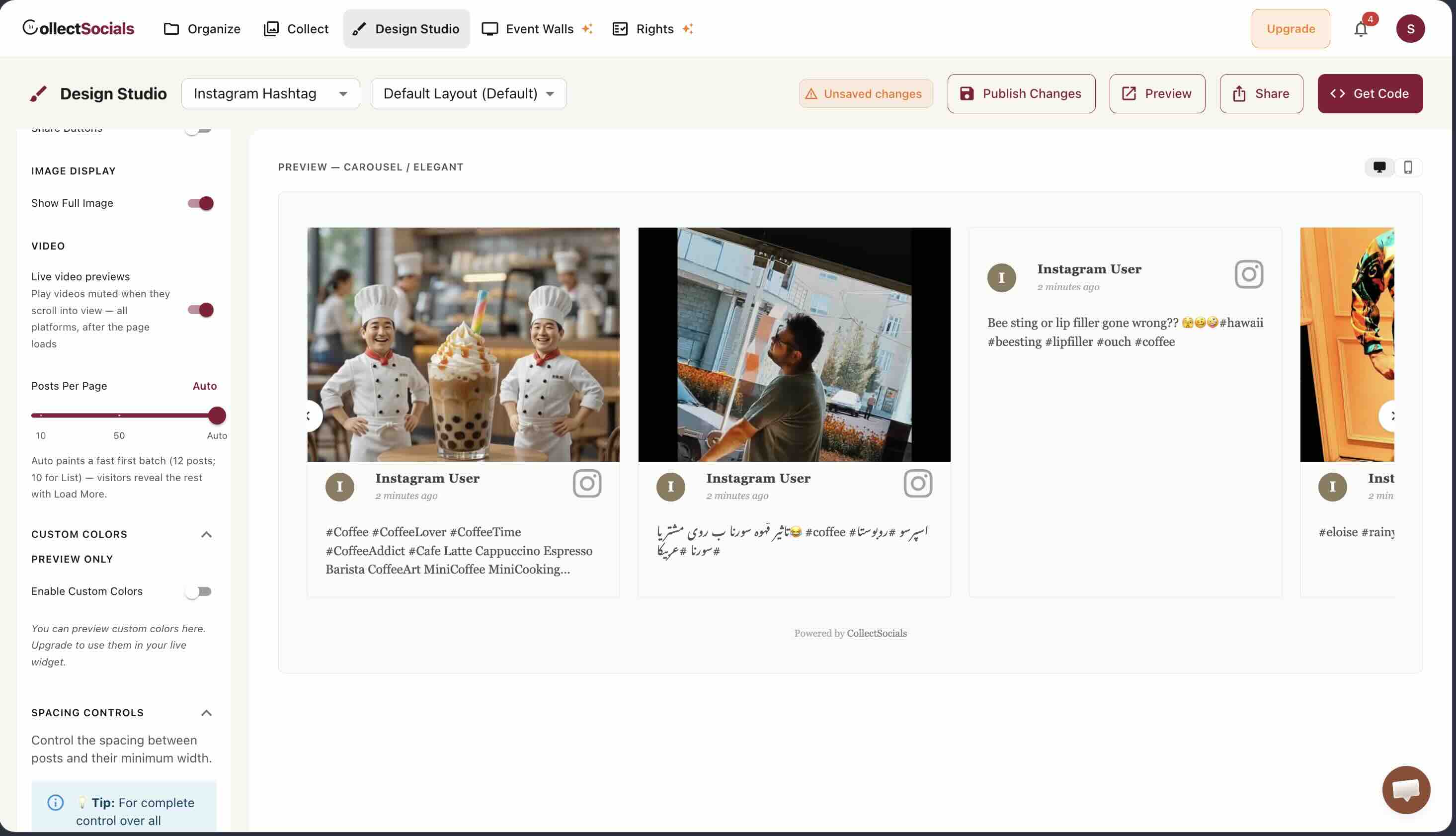
Two settings interact with this once you have chosen a position. How many posts load in the first batch determines how much the feed fetches before first paint, and whether video previews play live changes how much each card costs.
For more on what to put in your feed once you've decided where it goes, see our guide on how to curate your Instagram feed before embedding it. And for the technical setup for your specific platform, see our guides for WordPress, Wix, and Squarespace. For strategic advice on using Instagram specifically, read our complete guide to Instagram feeds on websites.
Start Using CollectSocials Today
One curated feed from 10+ platforms: on your website in a single line of code, or up on the big screen at your event.