Atlas & Pine2d
Kayak day in the lagoon.

486 comments · 3 shares
Like Comment Share
Connect your Facebook Page through Meta's official login, choose exactly which posts show, style the feed with 40 layouts and 16 themes, and paste one snippet into any site builder. Full width on any screen, no cookies set in your visitor's browser, and new posts arrive on their own.
7-day full trial, no credit card. The free plan stays free.
Kayak day in the lagoon.
 31
31 24
24Atlas & Pine is a demo Page we invented for this mockup. The card design is the widget's.
The first real question is "will it match my site", and answering it should not cost you an email address. Switch layouts, try themes, turn captions, dates, avatars and badges on and off, and watch a feed restyle as you click. Connecting your Page comes later, through Meta's official login.

Golden hour turned the whole line-up to bronze.

The canal does this every single night.

No footprints but ours.
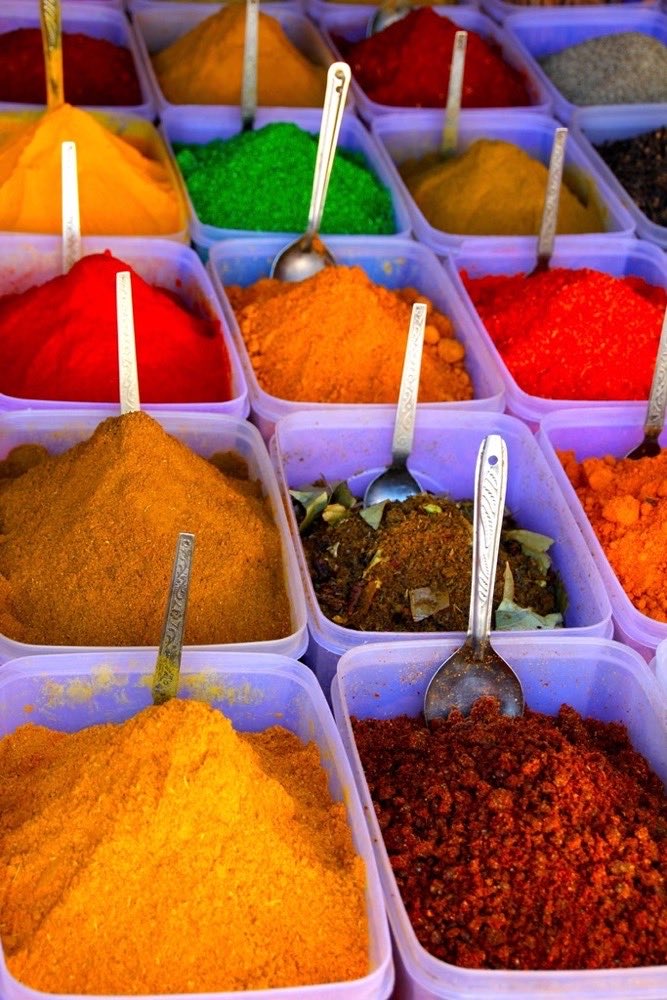
Bought half of this. Regret none of it.

Made the crest just before the sun did.

The avenue held its blossom one more week.
Grid. Even rows, every post the same size. The safe default for a page section.
Build this with your own feedA preview, not the live renderer: the theme colours are read from the product's own theme definitions, and the layout names are the real ones, but the shapes here are drawn for the page. The studio itself carries 40 layouts and 16 themes, a theme builder on every plan, and renders the actual widget as you edit. Atlas & Pine is a demo account and the photos are CC0 stand-ins.
Facebook's own Page Plugin stops early: 500px wide at most, five posts with their captions cut off behind See more, no say over fonts or colours, and six Facebook tracking cookies in your visitor's browser before anyone clicks anything. This widget fills the section, shows only what you approve, and sets no cookies at all. We measured both on the same blank page in June 2026, and the field test has the screenshots.
Found the postcard view.

Gold from edge to edge on the lake track.

The sky did this for twenty minutes.

The whole camp came down for this one.

Swim stop, blue hour at noon.

Green water under the headland.

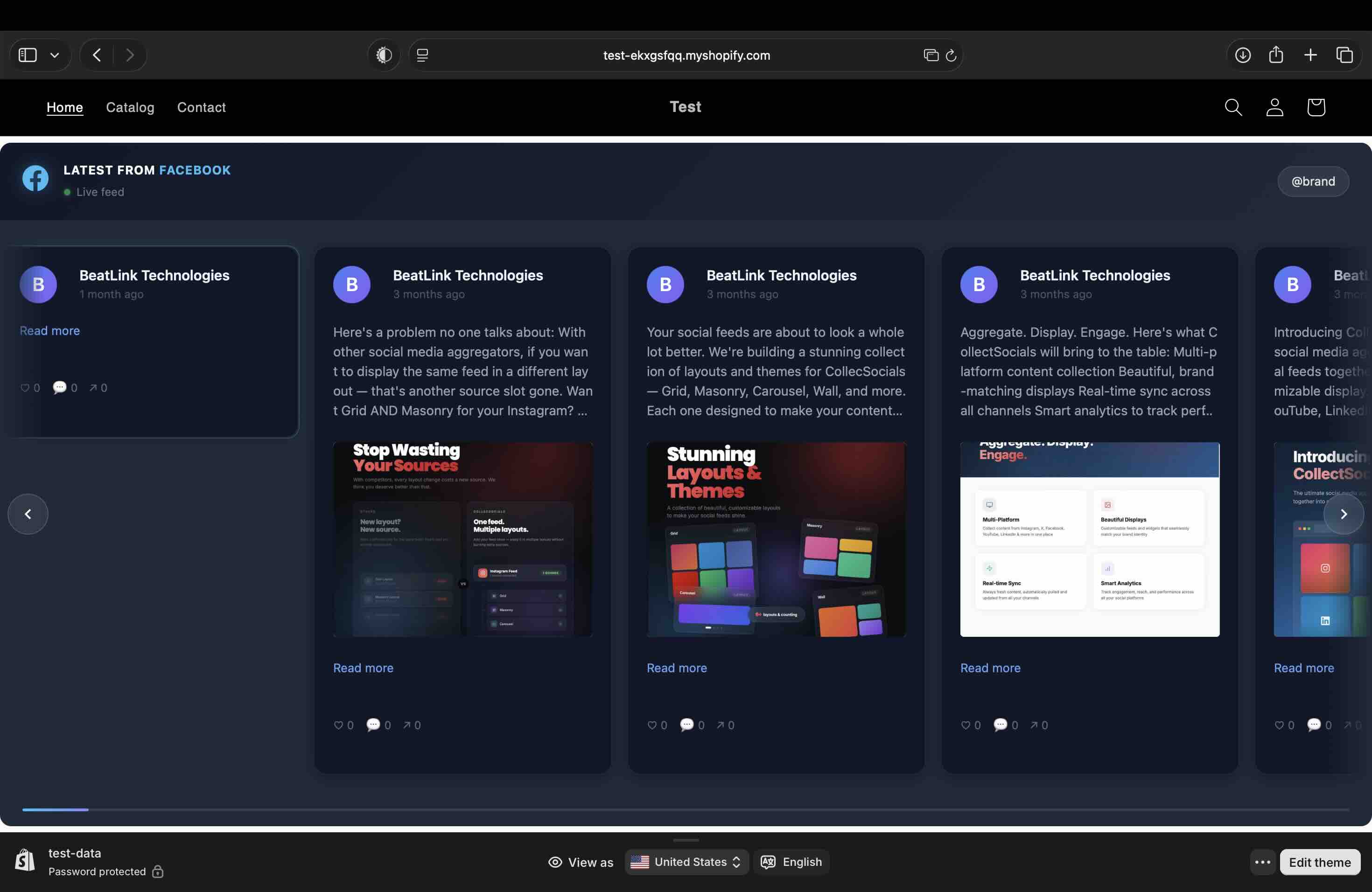
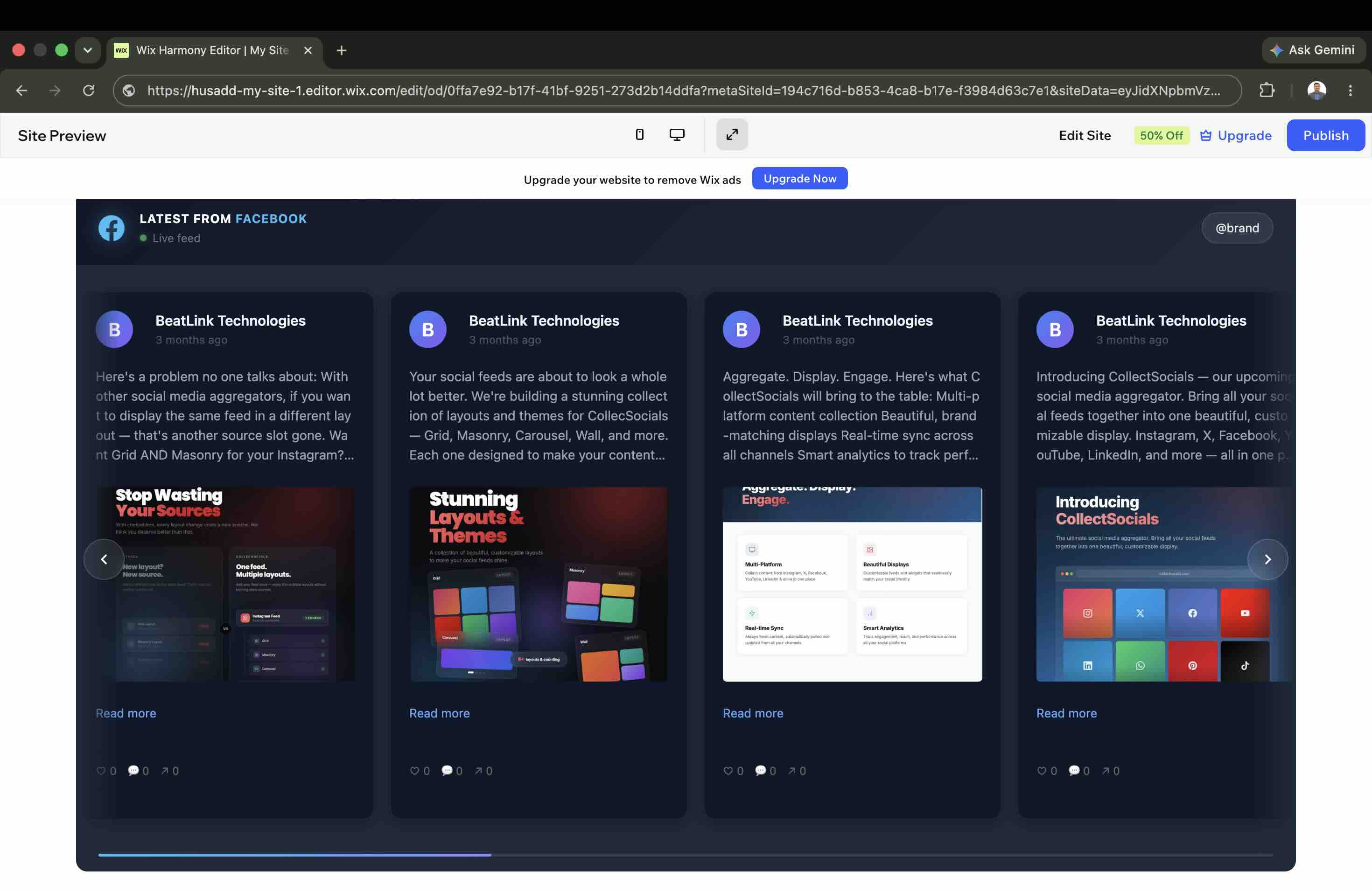
A script tag is not universally installable: some builders sandbox custom code, others strip it. So the embed dialog asks where you are installing and hands out the right snippet for that host. Here is the same Facebook feed on four of them.
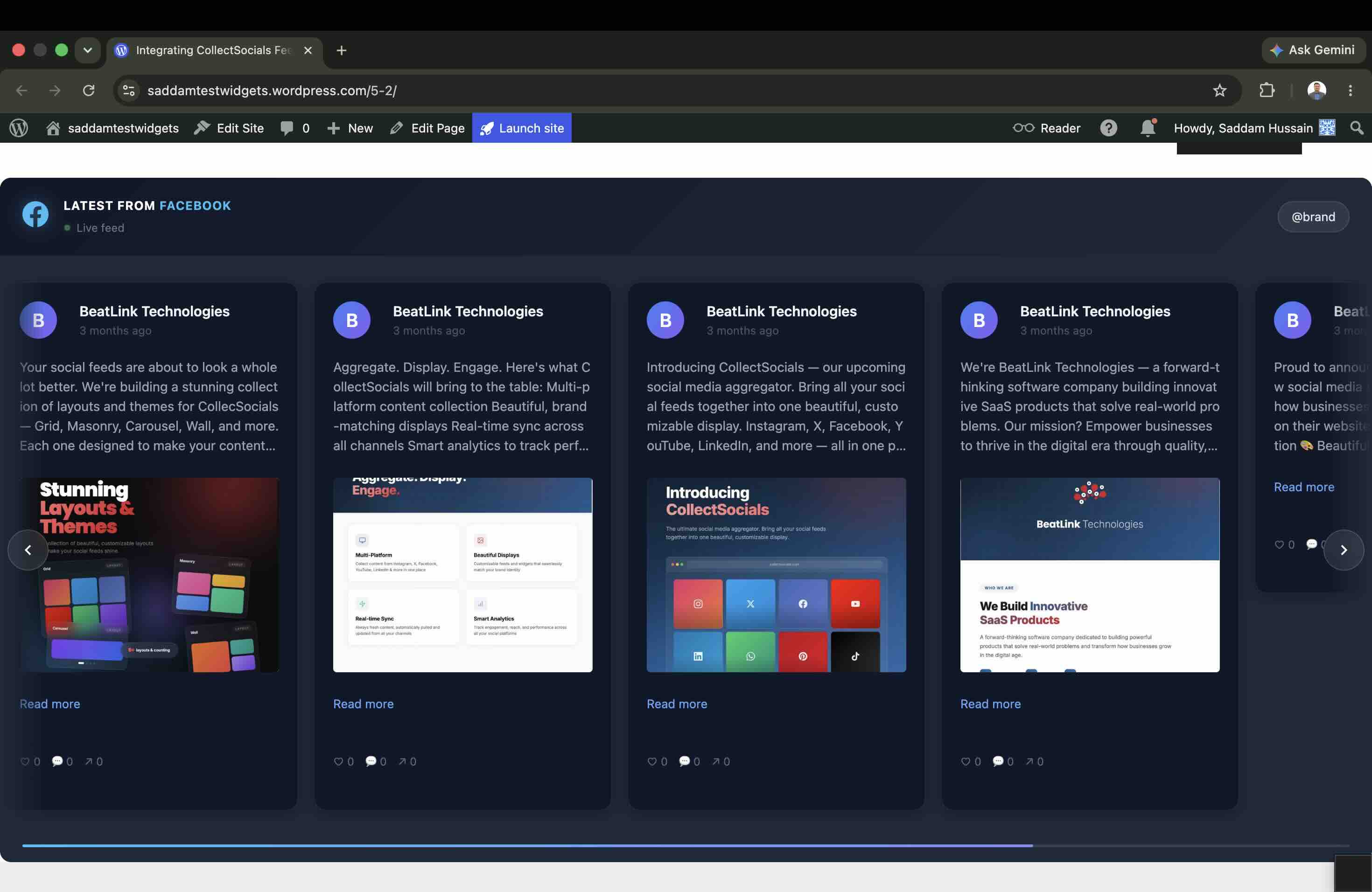
One script tag and one container div. The widget mounts directly in your page and renders inside a Shadow DOM, so its CSS and yours cannot interfere.
The same script with a page-width wrapper, because Shopify themes lay sections out with flexbox and would otherwise compress the container.
Both sandbox or strip custom scripts, so these get an iframe that resizes itself as content loads. No clipped feeds, no scrollbars.
Builders that cannot run scripts at all take a fixed-height frame by URL. Content scrolls inside it.
Four steps, in the order you meet them, each shown with what it actually produces. None of them needs a developer, and the pillar walks the same route with screenshots taken on a live account in June 2026.
Sign up free, create a feed, add Facebook as a source, and connect through Meta’s official OAuth flow. Then pick the Page. Personal profiles and groups expose no API access to any third-party tool, which is Meta’s rule rather than ours.
No credit cardMeta's own login and permission screen opens from here. We never see or store a password.
Imported posts land on the Collect page as cards with approve, pin and remove controls, and you can edit post text inline. Nothing reaches your visitors that you have not chosen to show them.
You hold the approve buttonKeyword rules and the AI content filter can screen posts before this queue ever shows them to you.
Pick from 40 layouts and 16 themes, toggle dates, avatars, badges and captions, and watch the live preview restyle as you click.
Real renderer in the previewThe preview in the studio is the real widget, so what you approve here is what ships.
Copy the snippet for your platform and paste it where the feed should appear. Plain HTML and WordPress get a script, Wix and Squarespace get a self-resizing iframe, Notion and Google Sites get a bare URL.
The dialog picks the right snippet<link rel="preload" as="fetch" …><div id="collectsocials-4f9c21a7"></div><script src="…/api/widget"data-feed-id="…" data-token="…"data-container="…" data-api-base="…"defer></script>Abridged: the dialog fills in your own ids and adds the feed-url attribute. Pick your platform there and the snippet changes shape to suit it.
Three things worth knowing before you sign up rather than after. None of them is a pricing decision on our side, and no vendor can lift them.
The Page Plugin renders inside an iframe your stylesheet cannot reach, which is the polite way of saying you get no say. Here you get 40 layouts, 16 themes, a theme builder that is free on every plan, and display toggles for dates, avatars, badges and captions.
A Page timeline carries things a website section should not: the expired event, the poll, the reply to one customer. Every imported post waits as a card: pin it, remove it, or edit its text inline. Keyword rules and an AI content filter can screen what comes in before you ever see it.
We do not publish speed-score leaderboards, because a widget's score depends on where it sits on the page and what the feed contains. What we publish instead is how the thing is built, which you can verify in your own browser in about a minute.
The whole integration is one script tag and one div. Deferred means it never blocks your page from rendering. No SDK, no fb-root element, no App ID.
The snippet preloads the feed request so posts and code arrive in parallel instead of one after the other.
The widget renders inside a Shadow DOM. Your stylesheets cannot break the feed, and the feed cannot break your page.
One feed can combine 10 platforms, so a Page post can sit beside an Instagram photo, a Google review and a YouTube video in the same section. Pairing Facebook with Instagram is the common case, and the Instagram feed widget page covers that side. Every platform is on the free plan except X (Twitter), which is premium for one reason: X charges for API access.
Try the full design studio for 7 days, no credit card. When the trial ends you keep a plan a live site can actually run on.
Your Page’s own posts: the text, the photos, the videos, and the reaction, comment and share counts they arrived with. The section keeps up with the Page instead of freezing at whatever you pasted. One limit worth knowing before you sign up is that this is Pages only. Personal profiles and groups are closed to every third-party tool, because Meta’s API does not expose them. If what you want is the paste-it-here steps for your particular site builder, they are in our June 2026 Page Plugin field test.
The usual cause: the Page belongs to a business portfolio in Meta Business Suite. Facebook leaves those Pages out of the list unless you also approve the business access it asks for while connecting, so approve everything offered on that screen rather than the Page permissions alone. If the list still comes back short, the Page picker has an option to update your Page selection, and using it leaves the sources and feeds you already built alone.
On your plan’s schedule, by itself: every 24 hours on the free plan, down to every five minutes on the top tier. New Page posts arrive without you doing anything. The embed snippet never changes as your content does, so there is nothing to re-paste and nothing to refresh by hand.
7 of the 40 layouts, every one of the 16 themes plus the theme builder, moderation, and a daily sync. Facebook itself is not a paid platform here: it sits on the free plan along with everything except X (Twitter). Free widgets carry a small CollectSocials credit link, which paid plans can remove. The 7-day trial opens the full design studio (every layout, plus the separate mobile design) and asks for no card.
No. It is a single deferred script and one container element, it renders inside a Shadow DOM, and in our June 2026 test it added no facebook.com cookie store and no cookies of its own. What we deliberately do not publish is a speed-score leaderboard, because a widget’s score moves with where it sits on the page and what the feed contains. That methodology decision, and the test data behind it, is in our side-by-side test of 8 Instagram feed widgets.
Yes. One feed can combine 10 platforms, so your latest Page post can sit beside an Instagram photo, a Google review and a YouTube video in one wall. Every platform is on the free plan except X (Twitter), which is premium for one reason: X charges for API access. If Instagram is the other half of your wall, it has a page of its own.
Connect your Facebook Page, curate what shows, pick a layout, paste one snippet. The 7-day trial covers the full design studio and asks for no card.
Works with WordPress, Shopify, Wix, Squarespace, Webflow, Notion and plain HTML.