
But established does not mean uncomplicated. EmbedSocial splits its core functionality across separate products, EmbedFeed for social feeds, EmbedReviews for review management, EmbedAlbum for photo galleries, EmbedStories for Instagram Stories, and FeedLink for link-in-bio pages. Each product has its own pricing, and if you want both social feeds and reviews, you are paying for two subscriptions or upgrading to an all-products bundle. This product fragmentation, combined with limited design customization on lower tiers and a free plan that users have called misleading, pushes many businesses to look for simpler alternatives.
This guide compares seven EmbedSocial alternatives for businesses that want social feeds, reviews, or both on their website, without navigating a maze of split products and escalating costs.
Unlike other "alternatives" articles, this one includes original test data, render architecture, CSS isolation results, and dollar-per-source pricing math. I tested EmbedSocial and six of the seven alternatives listed below on the same blank HTML page using the same methodology. (Full testing methodology is documented in our Instagram feed widget comparison. If you are still deciding whether you need a widget at all, start with how to embed an Instagram feed on your website.)
sync
How it works
What you're seeing: This animation demonstrates CollectSocials' core value proposition, eliminating the manual work of updating social content on your website. Instead of copying posts one by one or embedding individual platform widgets, you connect your accounts once and every new post automatically flows to your website in real-time.
The three-step process shown here (platform silo → automatic sync → website widget) replaces what would otherwise require constant manual updates or expensive custom development. This is why businesses choose aggregator tools: once configured, your website's social proof stays current without ongoing effort.
Why People Look for EmbedSocial Alternatives
EmbedSocial's G2 rating is strong, and its official API connections with Google, Instagram, and TikTok are genuine differentiators. But specific frustrations recur across reviews on G2, Trustpilot, WordPress.org, and competitor comparison sites. These are the concrete issues that drive users to explore alternatives.
Split products mean split billing. This is the most distinctive frustration with EmbedSocial. If you want to display an Instagram feed and Google Reviews on your website, you need EmbedFeed (starting at $29/mo for three sources) and EmbedReviews (starting at $29/mo for one source), two separate subscriptions totaling $58 per month for what most competitors deliver in a single plan. The all-products bundle brings this to $64 per month, which is better but still more expensive than alternatives that include both feeds and reviews by default. This product architecture makes direct price comparisons difficult, which is likely intentional but frustrating for buyers trying to evaluate options.
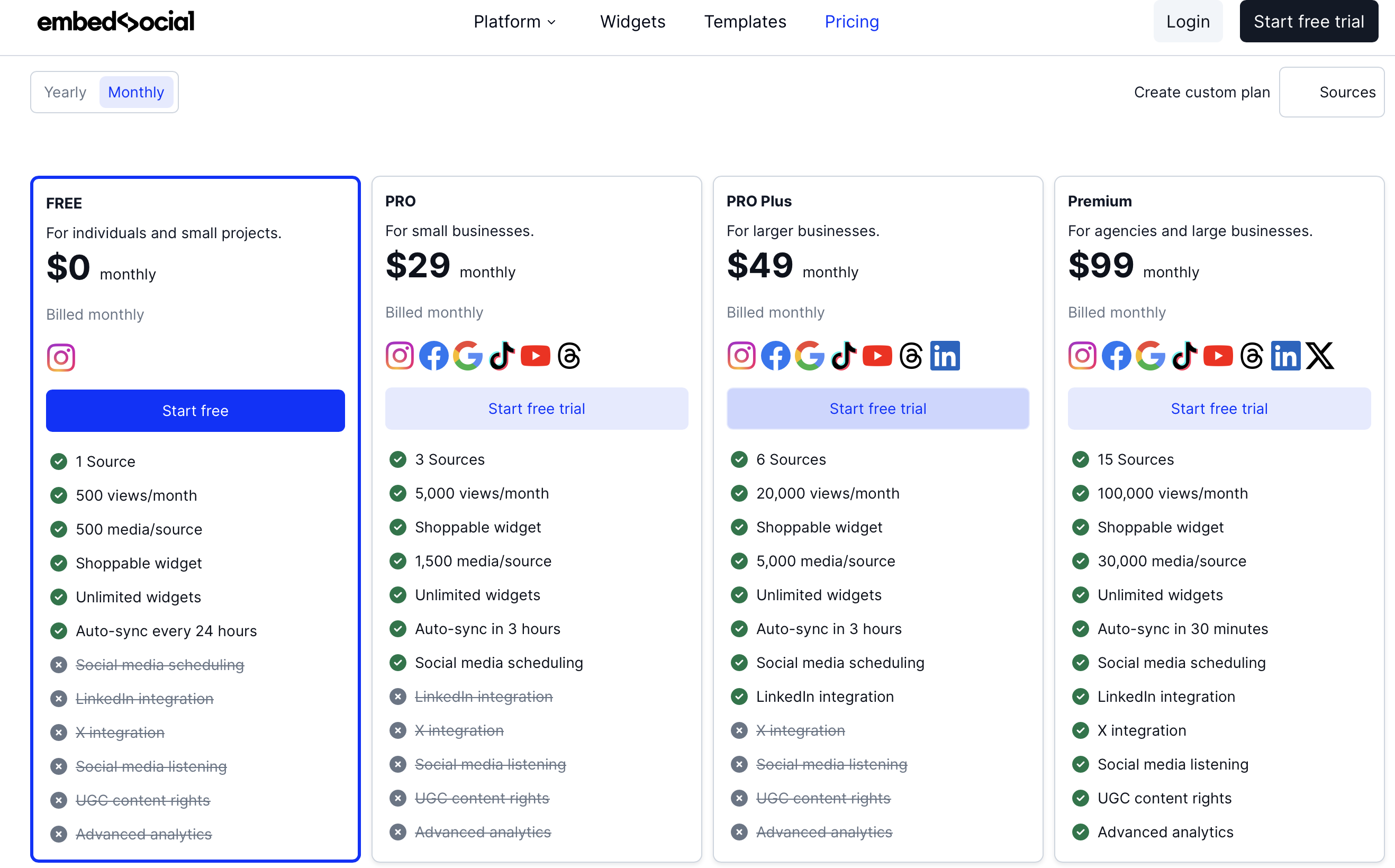
The free plan feels misleading. EmbedSocial advertises “Free Forever” plans for each product. However, users on Trustpilot and WordPress.org have noted that the free plans are so limited in sources, features, and settings that they function more as restricted demos than usable products. One Trustpilot reviewer commented that the “free forever” branding was misleading when the smallest usable option cost $19 per month. The free EmbedReviews plan does offer useful features like web collect forms and custom reviews, but the free EmbedFeed plan is heavily constrained.
Customization is limited without CSS knowledge. EmbedSocial offers seventy-six widget types and various layout options, but reviewers consistently note that achieving a polished look that matches your website requires custom CSS. The Premium plan includes an AI CSS generator, but this is gated behind the highest tier. Free-plan users explicitly express frustration with limited design flexibility. Multiple competitor comparisons note that widgets do not always render well on mobile without manual adjustments.
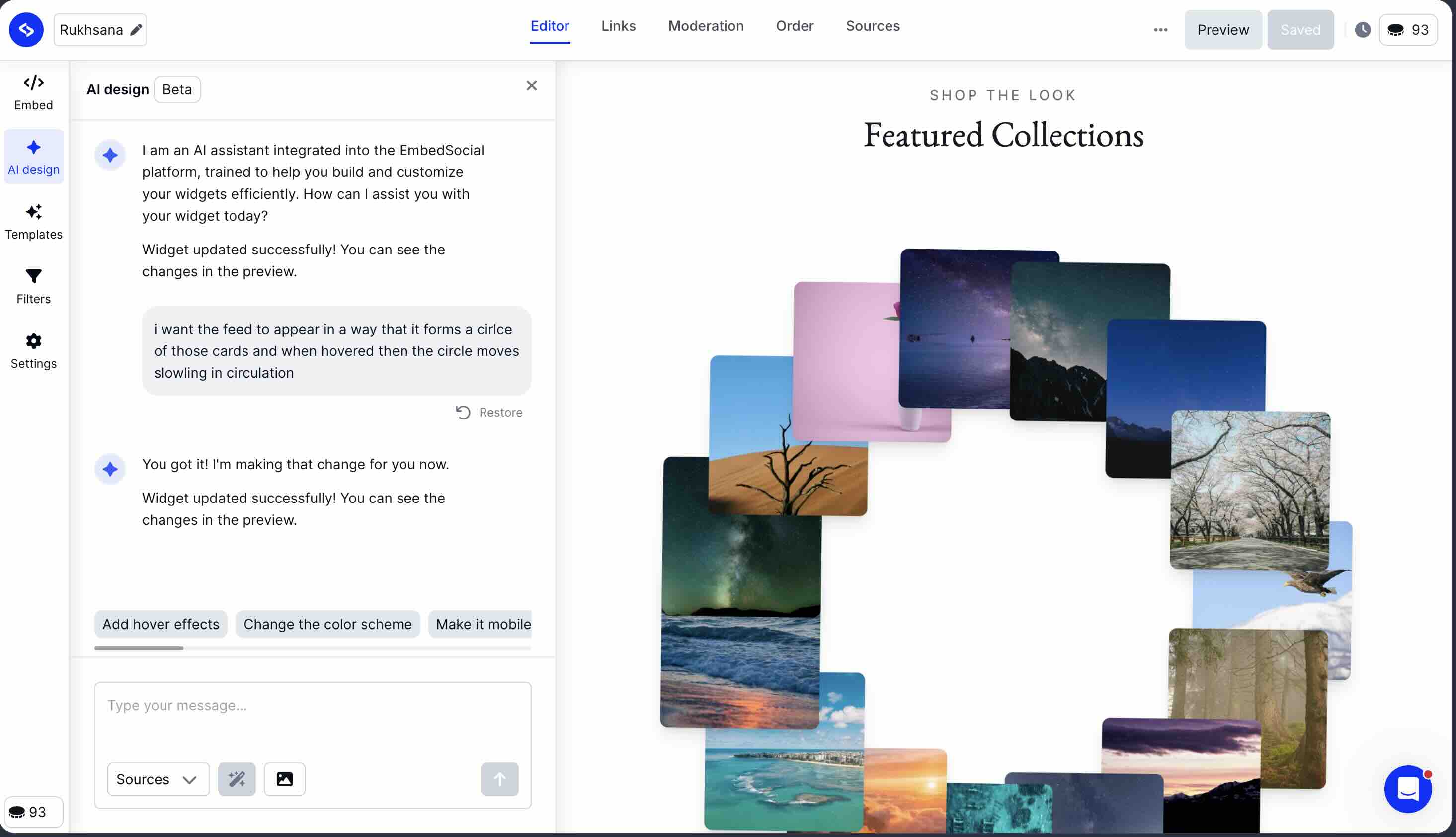
The AI widget designer does something nothing else on this list does. I tested it: you describe a layout in plain language and it generates that layout, rather than applying a preset. No other tool in this guide accepts a text prompt as design input. If you are willing to iterate with it, it is a route to a custom look without writing CSS.
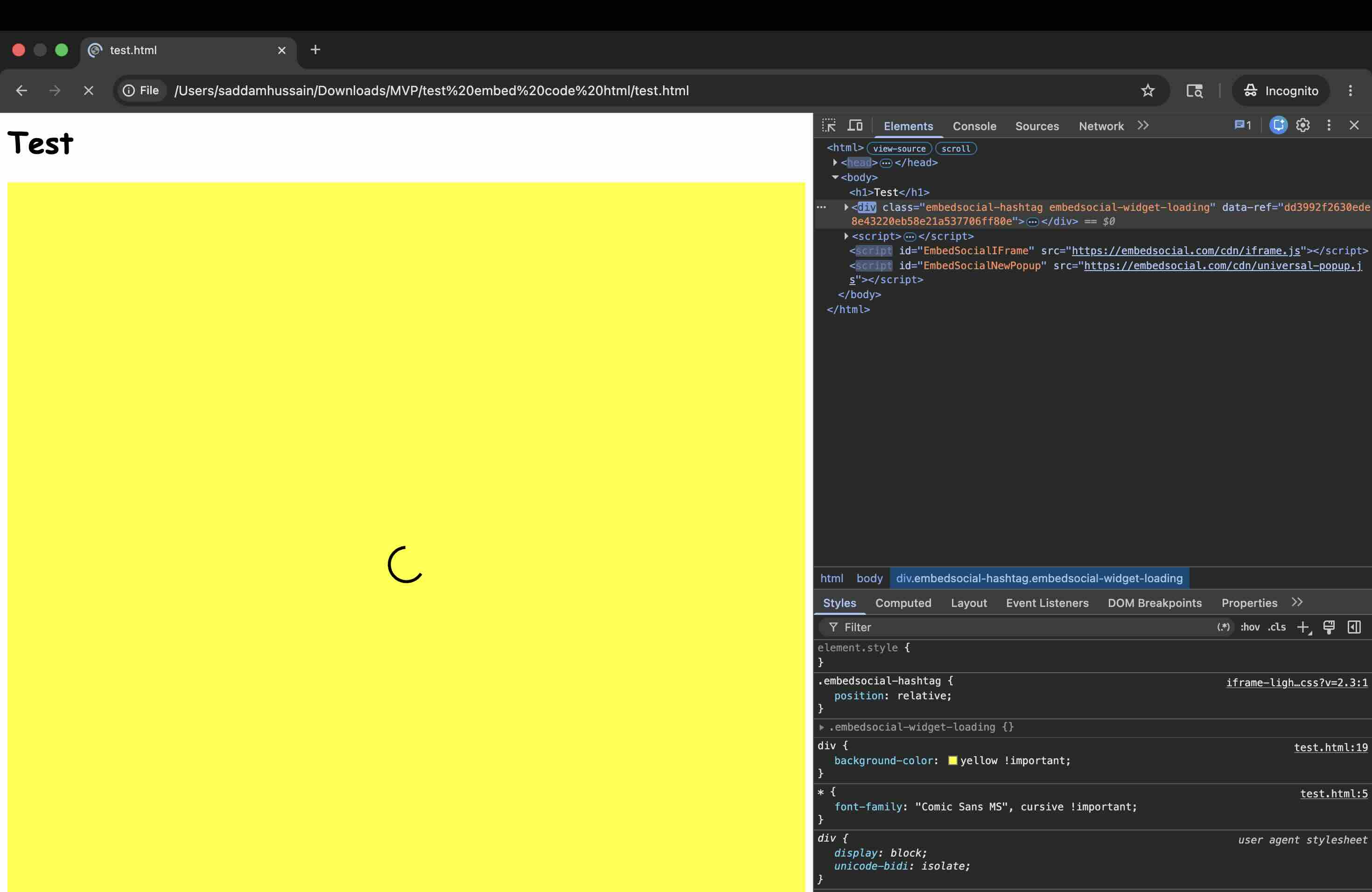
CSS isolation is strong, with one caveat. I ran EmbedSocial through our aggressive CSS leak test, injecting Comic Sans fonts, yellow backgrounds, and red image borders into the host page to see if the widget would break. EmbedSocial's direct iframe embed passed perfectly, zero style bleed in either direction. The JavaScript embed (their standard option) also uses an iframe internally, but during the loading phase before the iframe injects, the wrapper div in your page DOM is briefly exposed. Our test CSS turned this area yellow for roughly 0.5-2 seconds while the script loaded. Once the widget rendered, it was fully protected. This is better than tools with zero isolation (Elfsight, Curator.io default embeds), but not as clean as Shadow DOM or a direct iframe from the first frame.
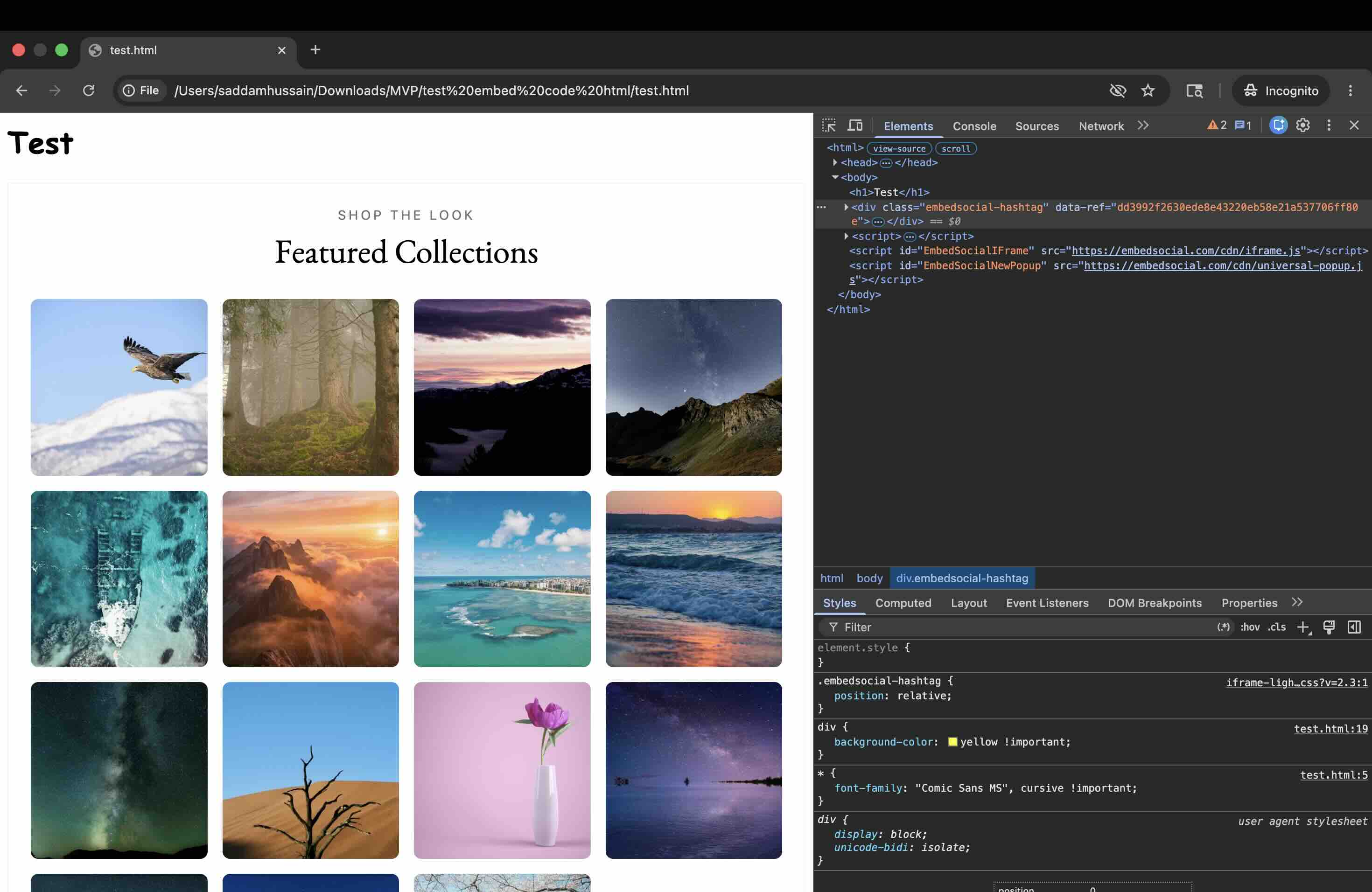
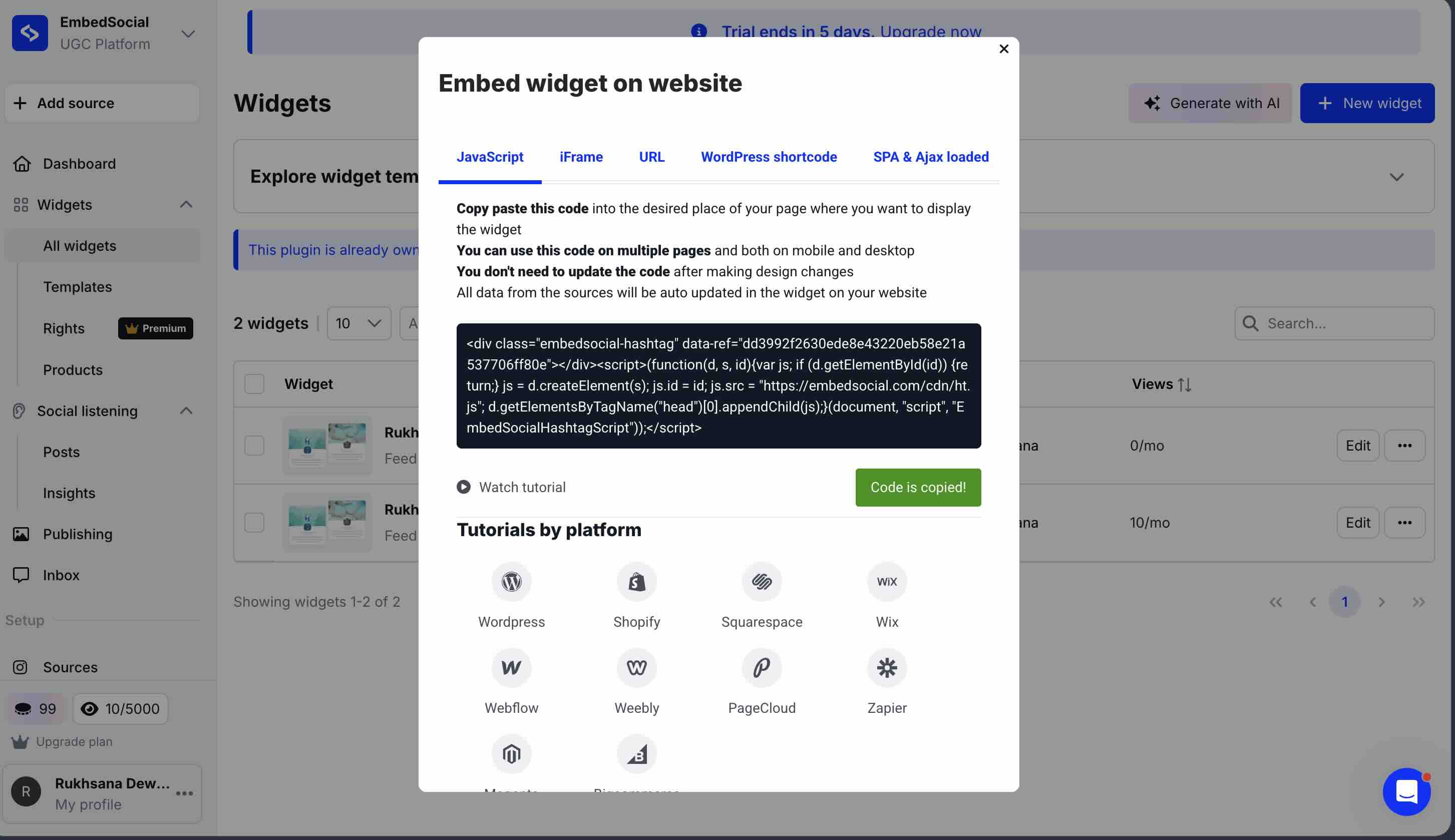
The render architecture keeps its work off your main thread. EmbedSocial renders inside a cross-origin iframe, so its subresources do not execute on your page the way a script embed's do. It serves WebP images and reserves space for the widget, so the page does not reflow as the feed arrives. That is a property of the architecture rather than a benchmark, which means it holds whatever you put in the feed. If you are considering switching away from EmbedSocial, page speed is unlikely to be the reason.
Source limits feel restrictive for the price. EmbedFeed Pro gives you three sources for $29 per month with 5,000 page views. For context, CollectSocials Pro offers five sources, unlimited feeds, and 30,000 views for the same $29 per month. Taggbox Starter gives two feeds and 10,000 views for $19. Curator.io Pro provides five sources and 15,000 views for $25. At $29 per month, EmbedSocial's entry-level paid plan is the most expensive per source among major competitors and offers the fewest page views.
Documentation gaps make troubleshooting difficult. EmbedSocial's help center covers common setup scenarios, but reviewers note that comprehensive documentation for edge cases is lacking. When integration issues arise, particularly with less common CMS platforms or custom-built websites, users report difficulty finding solutions independently. The platform supports phone and online support, but self-service troubleshooting could be stronger.
API limitations from social platforms affect reliability. This is not unique to EmbedSocial, but worth noting: the platform has limitations pulling content from certain platforms due to closed APIs (LinkedIn is notably restricted across all aggregator tools). EmbedSocial's official Google, Instagram, and TikTok integrations are strengths, but users expecting seamless aggregation from every platform may encounter restrictions that are not immediately obvious from the marketing.
These frustrations are context-dependent. For agencies managing review portfolios across dozens of client locations, EmbedSocial's depth is valuable. But for small businesses that want social feeds and reviews on their website without a complex product matrix, simpler alternatives exist.
Why this matters
The hidden cost of manual updates: Without automation, keeping social content fresh on your website requires someone to regularly log in, copy new posts, format them for web, upload images, and update your site. For a business posting daily across three platforms, that's 90+ manual updates per month.
CollectSocials replaces this entire workflow with a one-time setup. Connect your accounts, configure your display preferences, and you're done. New content appears automatically, images are optimized for web display, and your social proof stays current without anyone touching it. This is the fundamental efficiency that justifies the cost of any aggregator tool.
How the Alternatives Perform: Our Test Results
I installed EmbedSocial and five of the alternatives listed below on the same blank HTML test page, recorded how it renders and how many files it loads, and tested CSS isolation. This lets you see exactly how EmbedSocial is built against the tools you'd be switching to. (Full methodology documented in our Instagram feed widget comparison.)
How Each Widget Renders
| Widget | Render method | Files loaded | Style isolation |
|---|---|---|---|
| EmbedSocial | Cross-origin iframe | 10 | Iframe (full) |
| CollectSocials | Script embed | 1 | Shadow DOM |
| Flockler | Script embed | 2 | None (iframe optional) |
| Curator.io | Script embed | 4 | None |
| Juicer.io | Script embed | 2 | None |
| Taggbox/Tagembed | Script embed | 22 | None (iframe optional) |
| Walls.io | Cross-origin iframe | 11 | Iframe (full) |
| Elfsight | Script embed | 2 | None |
CSS Isolation
| Widget | Isolation Method | Page CSS Breaks Widget? | Widget CSS Leaks Out? |
|---|---|---|---|
| EmbedSocial (direct iframe) | Iframe | No ✓ | No ✓ |
| EmbedSocial (JS embed) | Iframe (JS-injected) | During load only ✗ | Minor ✗ (wrapper div) |
| CollectSocials | Shadow DOM | No ✓ | No ✓ |
| Walls.io | Iframe | No ✓ | No ✓ |
| Flockler (iframe) | Iframe (optional) | No ✓ | No ✓ |
| Curator.io | None (global CSS) | Yes ✗ | Yes ✗ |
| Juicer.io (default) | None (global CSS) | Yes ✗ | Yes ✗ |
| Elfsight | None (global CSS) | Yes ✗ | Yes ✗ |
Dollar-Per-Source Pricing
| Tool | Plan | Sources | Price | $/Source |
|---|---|---|---|---|
| EmbedSocial | Pro | 3 | $29/mo | $9.67 |
| EmbedSocial | Pro Plus | 6 | $49/mo | $8.17 |
| EmbedSocial | Premium | 15 | $99/mo | $6.60 |
| CollectSocials | Pro | 5 | $29/mo | $5.80 |
| CollectSocials | Business | 15 | $59/mo | $3.93 |
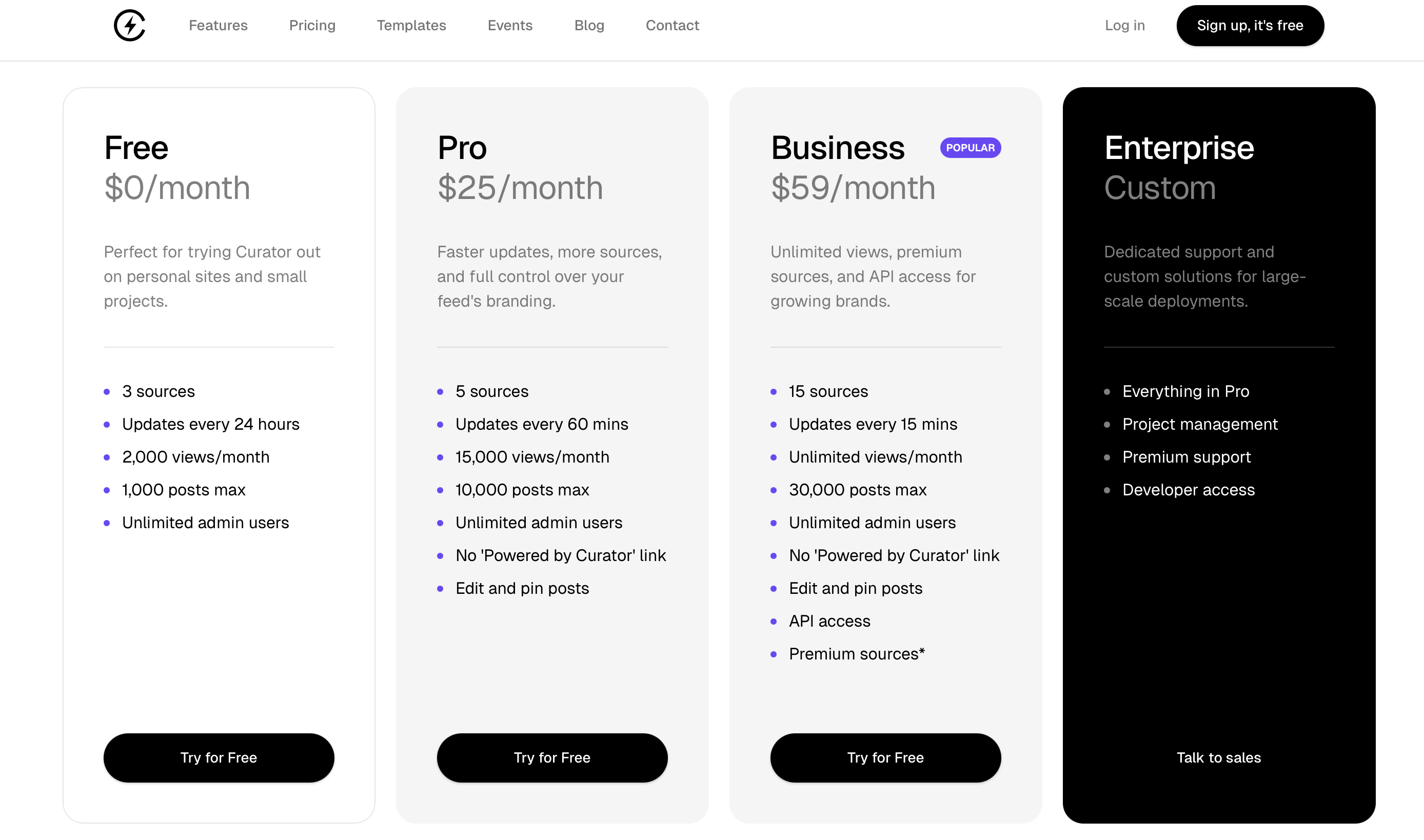
| Curator.io | Pro | 5 | $25/mo | $5.00 |
| Flockler | Basic | 8 | $129/mo | $16.13 |
| Juicer.io | Starter | 5 | $25/mo | $5.00 |
We Ran EmbedSocial's UGC Rights Flow End to End
Rights management is the one EmbedSocial capability you cannot evaluate from a pricing page, so on 17 July 2026 I took a seven-day trial and ran the whole flow on live Instagram accounts, holding both sides of it: the brand account that sends the permission request, and the creator account that answers it. Owning both sides is what makes the test worth publishing, because it lets you do the one thing no vendor demo will show you, which is change your mind after you have already said yes.
Two gates before you can use it at all. On the plan table we captured that day, priced in euros, rights management was listed only on Premium (€80 per month, 15 sources, the same plan the dollar table above shows at $99) and Enterprise; the Pro (€24) and Pro Plus (€40) tiers below it do not include it. Inside the product there is a second gate: the rights table stays locked until you have connected an Instagram hashtag or mentions source, because those are the post types the feature operates on. No per-request quota appeared anywhere in the trial.
That is the number worth holding onto, because it is the sharpest price comparison in this article. Getting a creator's permission recorded is the top plan on EmbedSocial. On CollectSocials it is on every plan, including the free one, at five requests a month on Free and Pro and uncapped from Business, so the tier that carries it costs nothing.
The request is a comment, and the comment is the contract. You pick an ingested post, choose which of your connected Instagram accounts sends the request, choose “Post comment” or “Send direct message,” and edit two fields: an approve hashtag, which defaults to #yesagree, and a message template. The creator grants permission by replying in public with that hashtag and @mentioning your brand account. When they do, the row turns green and stores three values: the reply text, the approval date and the request date. A Message settings tab holding the default hashtag and the template is the entire configuration surface. At no point is the creator shown terms. Not a page, not a link, not a sentence of legal text.
Sending it is not an API call. Onboarding asks you to install a Chrome extension and to be signed in to your Instagram business account. Clicking “Request rights” opens the Instagram post in a browser tab, posts the comment through Instagram's own web interface as your account, and returns to the dashboard with a success toast. I watched that happen twice, and twice is not a figure of speech: clicking the button a second time posted the same comment a second time on a real creator's post.
Then the test that needed both accounts. I approved a request from the creator side and watched the row go green. Then, on Instagram, I deleted the approval comment, which is the most ordinary thing a creator who changes their mind can do. Back in the dashboard the row still read Approved, and there is no revoked state in the product for it to move to. The full write-up of that experiment, with the screenshots, is in our UGC rights consent and deletion test.
One more thing the trial showed. An approved row's action becomes Repost, which opens a publishing composer for a Post, Reel or Story. Our attempt returned a green banner reading “Your post is published and visible to your followers!” In the same minute an email arrived titled “Publishing your instagram post has failed,” and no post ever appeared on Instagram. Production bugs happen to everyone, so this is not the point of the section, but it belongs in it: a green confirmation is not the same thing as a record.
And one answer worth having in writing if you are planning to put public hashtag content on a screen. Asked directly whether images are moderated, their own support assistant told us: “we don't have automatic AI image moderation (like detecting unsafe or inappropriate images)… ✅ AI moderation for text/captions ❌ No AI moderation for images themselves.” What is offered instead is AI Relevance Scoring: a prompt you write, a score from 1 to 100 per post and an auto-approve threshold, metered at one credit per post with a buy-credits upsell.
What that changed on our side
A CollectSocials rights request is a link rather than a comment. The creator opens a neutral page, sees the actual versioned terms, and approves with one tap: no exact hashtag to get right, no mention to remember, and nothing scripted onto anyone's Instagram session. What gets stored is the terms version and a hash of that text, a server-side timestamp, a hashed IP, the user agent and a snapshot of the post, written to an append-only log where a status change adds a row rather than overwriting one. The creator is emailed a copy of what they agreed to, which puts a contemporaneous record in a mailbox we cannot edit. Withdrawal is a first-class state on the same link they approved on, so consent can be taken back and the record will say so. Rights and consent tracking are on every CollectSocials plan, including free.
The one thing we deliberately did not copy is the repost button. Republishing a creator's media to your own account means writing to the platform on your behalf, and we have told the platforms our integration reads and does not write. That is a standing decision, not a gap waiting to be filled. The payoff of an approved right in our product is a feed filter that shows approved content only, with a rights chip on each post.
1. CollectSocials: Unified Feeds and Reviews in One Plan
Best for: Businesses that want social media feeds and Google Reviews in a single product with professional design quality and straightforward pricing.
CollectSocials turns one curated feed of posts, reviews and video from ten platforms into both a widget on your website and a full-screen wall the whole room can post to, with consent recorded and provable on every post. It supports Google Reviews, YouTube, X/Twitter, TikTok, Instagram, Pinterest, RSS feeds, Vimeo, Tumblr, and Facebook today. LinkedIn is not live yet. Where EmbedSocial splits social feeds and reviews into separate products, CollectSocials includes both in every plan, including the free tier.
Where CollectSocials wins
Social feeds and Google Reviews in one product, one price. This directly solves EmbedSocial's core structural issue. On CollectSocials, connecting your Instagram account and your Google Business profile are both just “sources” in the same plan. No separate subscriptions, no bundle upsell, no product switching. CollectSocials Pro at $29 per month with five sources covers what would require EmbedFeed Pro ($29/mo, 3 sources) plus EmbedReviews Pro ($29/mo, 1 source) on EmbedSocial, that is $29 versus $58 for comparable functionality.
What you're seeing
40 layouts × 16 themes = 640 design combinations , all available without writing CSS. This animation cycles through different layout styles (Grid, Masonry, Carousel, List, Mosaic, Marquee) paired with professionally designed themes (Minimal, Bold, Glass, Elegant, Neon).
The key differentiator here versus EmbedSocial: these combinations produce polished, production-ready results out of the box. No custom CSS required, no design tweaking, no mobile rendering issues. Select a layout, pick a theme, adjust display settings (avatar, date, rating visibility), and you have a professional widget that matches your brand. This is what “design quality eliminates the need for custom CSS” actually means in practice.
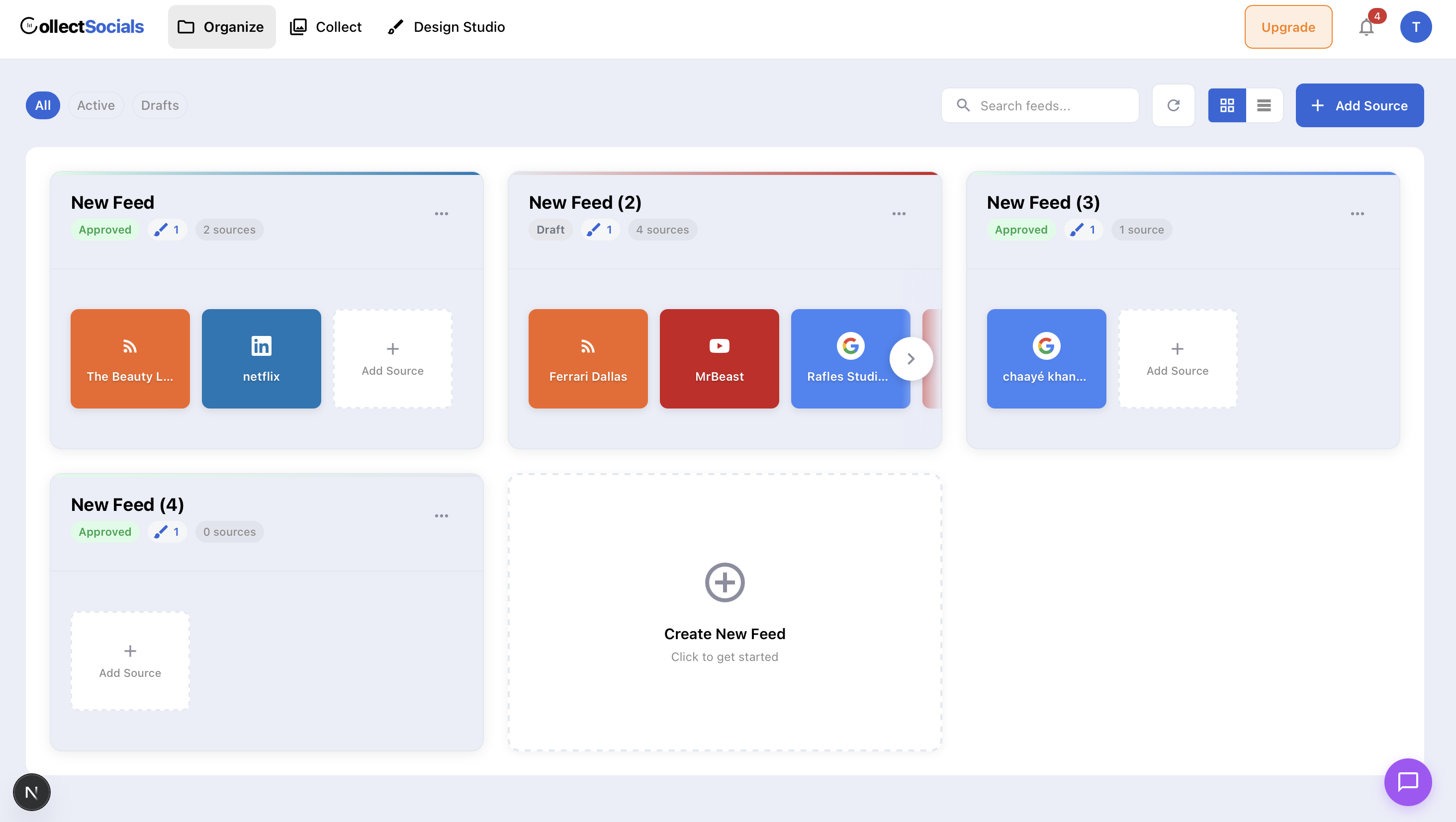
Design quality eliminates the need for custom CSS. CollectSocials offers forty layouts (Grid, Masonry, Carousel, List, Mosaic, Slider, Marquee, Compact, Tetris, Stack, Coverflow, Panel, Stagger and Layers among them) paired with sixteen themes including Minimal, Bold, Elegant, Glass, Neon, Brutalist and Midnight. Every combination produces a polished, modern result out of the box. For EmbedSocial users frustrated by limited default templates and CSS requirements for visual refinement, this is the most significant upgrade.
The free plan is genuinely production-ready. CollectSocials' free plan includes one connected source, unlimited feeds, and 2,000 monthly page views with seven layouts and all 16 themes. Every new account starts with a 7-day trial that opens three sources and the full design studio, all 40 layouts plus the custom card builder, so you can design the whole widget before deciding. When the trial ends the oldest source stays live (X sources need a paid plan after the trial) and the rest pause with their posts kept. The Pro plan at $29 per month unlocks all 40 layouts, five sources, 30,000 page views, a separate mobile layout, and removes CollectSocials branding. Keyword and profanity filters, all 16 themes and the theme builder, custom colours and fonts and caption editing are not tiered at all: they run on the free plan. UGC rights and consent tracking runs on the free plan too, at five requests a month on Free and Pro and uncapped from Business. Pinning a post to the top is the one curation control that is paid, and the 7-day trial includes it. For a practical walkthrough, see our guide on embedding social feeds on any website.
Unlimited feeds on every plan. EmbedFeed's Pro plan gives you fifteen widgets (feeds) across three sources. CollectSocials imposes no feed limit at all, create as many as you need. Show your Instagram in a Carousel on the homepage, Google Reviews in a Grid on the testimonials page, and YouTube in a Mosaic on the blog sidebar, all without worrying about widget caps.
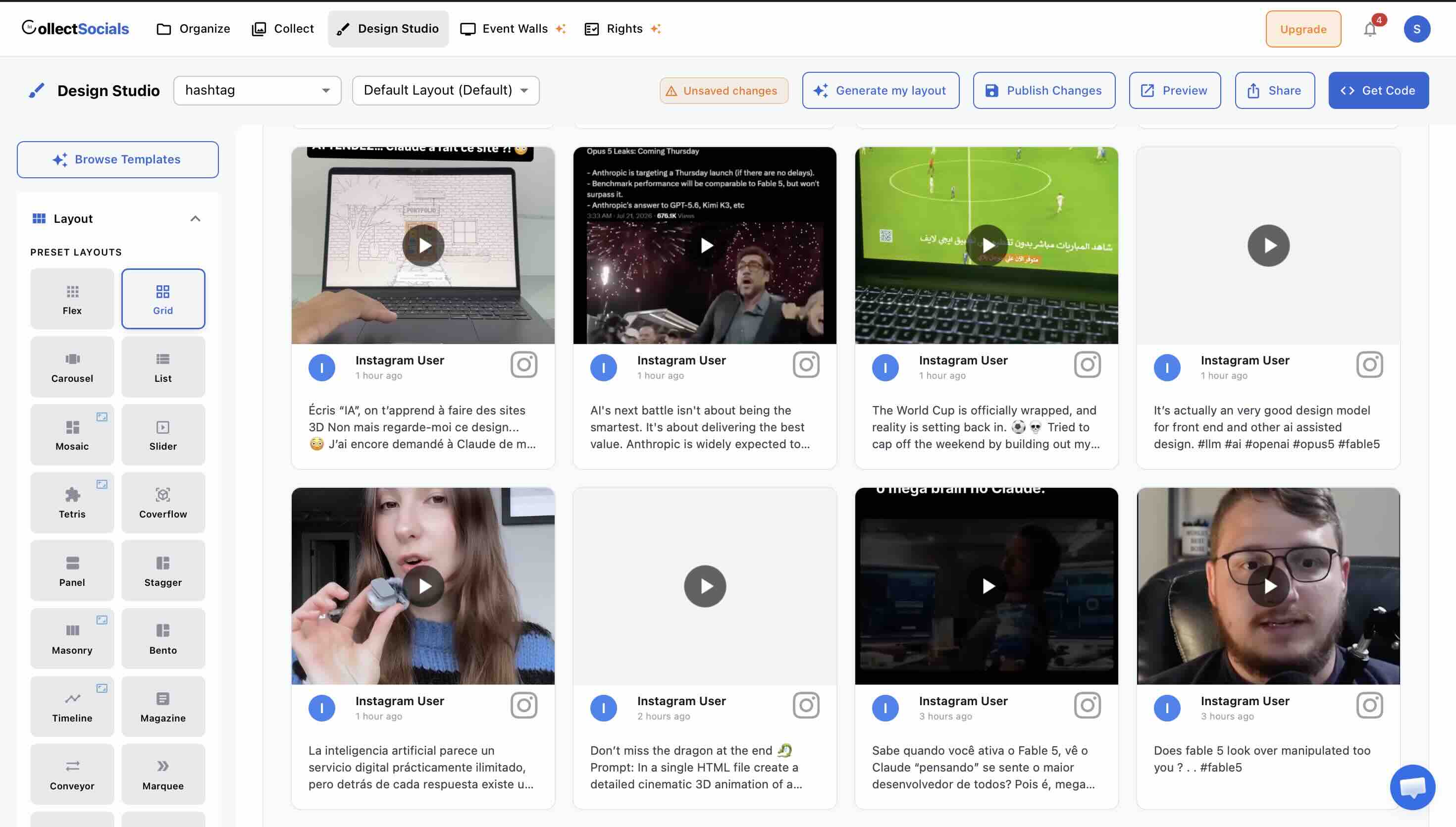
Multiple layouts per source. Displaying the same Google Reviews in different formats on different pages does not require creating separate sources or widgets. Apply a Carousel layout on one page and a List layout on another, all drawing from the same source connection. EmbedSocial supports cloning widgets to achieve this, but each clone counts toward your widget limit.
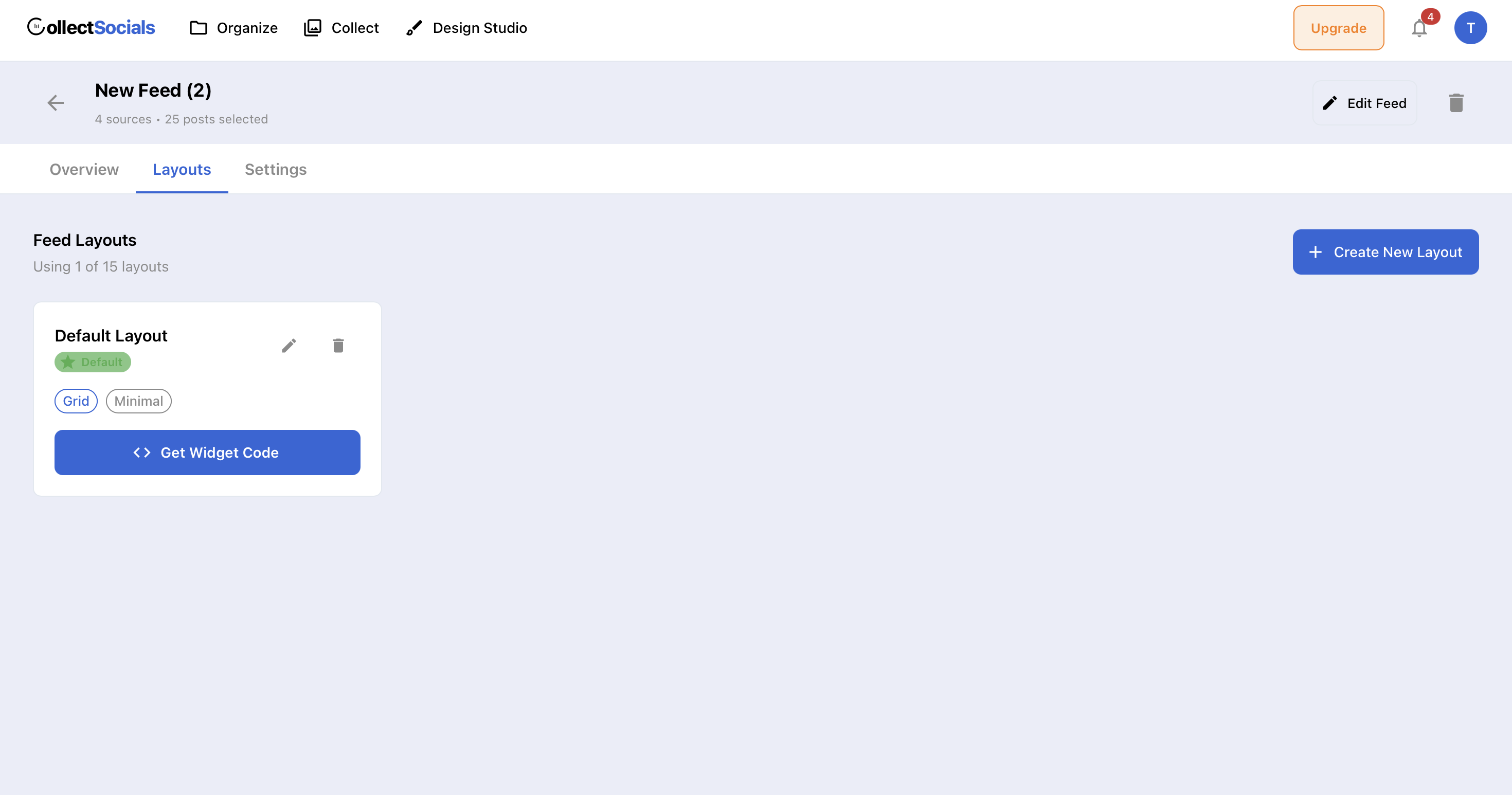
Shadow DOM isolation. The embed renders inside a Shadow DOM, keeping all CSS completely isolated from your website's styles. No conflicts, no mobile rendering issues. This directly addresses the mobile display problems that some EmbedSocial users report. See our guide to embedding feeds without plugins for platform-specific instructions.
The same feed also runs a live event wall. This is the part most comparisons miss, so it is worth stating plainly. On the $59 Business plan the feed you built for your website can be thrown onto a venue screen, where eleven wall modes are rendered by the screen page itself, so the website widget never loads on the TV. You pair the screen by scanning a QR code, pairing codes expire after fifteen minutes, and nobody signs into an account on the venue machine. Anyone in the room can scan the code on the screen and send a photo, a message or a question from their phone, with no login, no app and no social account. The phone opens a camera booth with a three-second countdown and a front-or-back flip, or the guest can pick a photo from the gallery. A name and a consent tick are both required, and both are enforced on the server, not just in the form. Attendees vote in live multiple-choice polls from the same page, one vote per device, and the results render as animated bars on the big screen. A rotating sponsor strip carries up to eight sponsors, and sponsor cards can be woven into the post rotation after every few posts. Attendee submissions land in a human moderation queue before they reach the wall, and that queue is the whole control: no automatic image filter screens them on any plan. The honest gaps: no branded frame or sticker composited onto an attendee's own photo, no emoji reactions, no named signage or event-platform integrations, and no per-event pass, though every team's first event runs free: a one-time 24-hour go-live window on a free account with no credit card, so a one-off event can be run without buying one. Full detail is on our social wall for events page.
Why curation matters
Automation without oversight = risk. While automatic syncing saves time, you don't want every post appearing on your website without review. This animation shows CollectSocials' moderation workflow: posts sync from your platforms into a staging area where you can approve, hide, or permanently remove content before it goes live.
The instant sync to your website means changes are immediate, approve a post and it appears within seconds; hide something off-brand and it disappears just as fast. This combination of automation (posts flow in automatically) plus control (you decide what displays) gives you the efficiency of aggregation with the quality control of manual curation.
Where to keep in mind
CollectSocials does not offer EmbedSocial's depth in review management: no proactive review solicitation via email or QR code, no AI reply suggestions, no multi-location review management dashboards. If your business model centers on actively collecting and responding to reviews across many locations (think: restaurant chains, hotel groups, dental practices with multiple offices), EmbedReviews ships those workflows and CollectSocials does not: we display reviews, we do not collect them. What CollectSocials does do is treat Google Reviews as a first-class source on every plan including free, which is the part EmbedSocial puts behind a second subscription.
Pricing
- Free: 1 source, unlimited feeds, 7 layouts, all 16 themes, 2,000 page views, $0/mo (7-day trial opens 3 sources and the full design studio)
- Pro: 5 sources, unlimited feeds, 30,000 page views, $29/mo
- Business: 15 sources, unlimited feeds, unlimited page views, $59/mo
- Annual billing is two months free: $290 a year on Pro, $590 on Business
2. Taggbox/Tagembed: Best Full UGC Platform With Shoppable Commerce
Best for: E-commerce brands that need shoppable galleries, UGC rights management, and campaign analytics alongside social feeds and reviews. For a deeper comparison, see our Taggbox alternatives guide.
Taggbox is Tagembed's sister product under the same parent company. The 2026 merger pulled both brands closer. Taggbox is built around campaign work rather than a single embed: shoppable product tagging, rights-request workflows and campaign analytics sit alongside the feed itself. Taggbox supports fifteen-plus social platforms and nine review sites including Google, Facebook, Yelp, Airbnb, Amazon, Tripadvisor, Etsy, and Booking.com. Where EmbedSocial focuses primarily on display and review management, Taggbox extends into shoppable UGC, rights management, social publishing, and email campaign integration. It represents a step up in functionality and complexity.
Where Taggbox works well
Review platform breadth is the standout versus EmbedSocial. Taggbox supports nine review platforms on all plans (including the free tier), compared to EmbedReviews which requires a separate subscription. Shoppable galleries let you tag products in UGC posts, turning social proof into direct conversions. AI moderation is available on the Advance plan at $99 per month (versus EmbedSocial's Premium at $99). The all-in-one subscription model, while imperfect with its Widget vs. Display split, is less fragmented than EmbedSocial's five-product architecture.
Where it falls short
Taggbox has its own complexity issues: Widget and Display are priced separately, the free plan allows only 500 views with four-day refresh rates, and the backend learning curve is steep for simple use cases. The Starter plan at $19 per month gives you two feeds and 10,000 views with two-hour refresh, more views than EmbedFeed Pro but fewer sources. Design templates are decent but often need CSS refinement for a polished look. If your primary need is clean website embedding rather than UGC campaign management, Taggbox brings more tool than you need.
Pricing
Free: 1 feed, 500 views, 4-day refresh, $0/mo. Starter: 2 feeds, 10K views, $19/mo. Growth: 4 feeds, 50K views, auto-mod, $39/mo. Advance: 10 feeds, 1M views, AI mod, $99/mo. Display and UGC Suite priced separately.
3. Curator.io: Best Free Plan With Broadest Platform Coverage
Best for: Teams that need a free plan covering all major social platforms without the source and platform restrictions that EmbedSocial's free tier imposes. See our Curator.io alternatives guide for more detail.
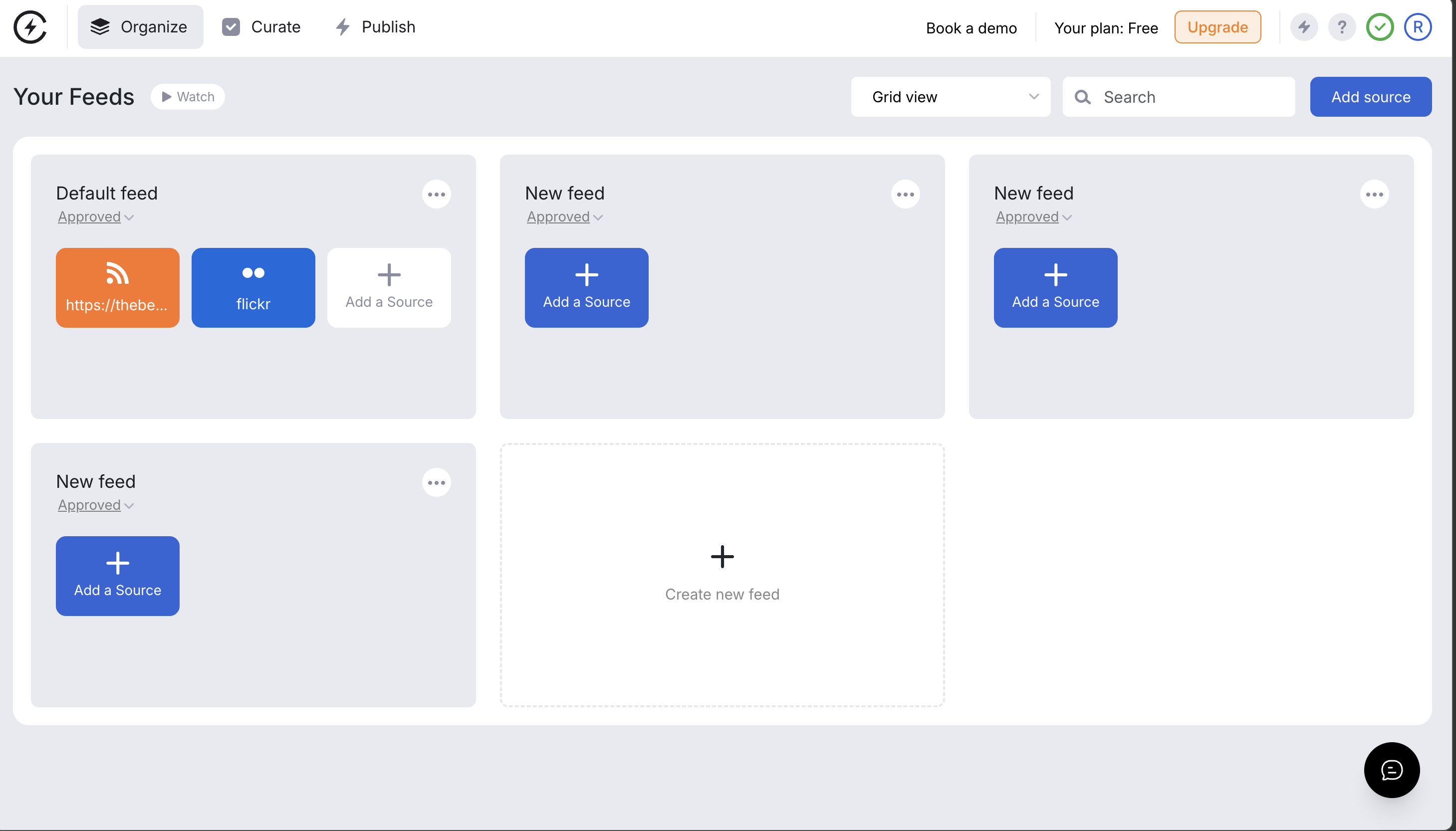
Curator.io supports twelve-plus content sources, Instagram, Facebook, YouTube, X/Twitter, TikTok, LinkedIn, Pinterest, Tumblr, RSS, and more, with all platforms available on the free plan. Where EmbedSocial's free tiers limit you to specific features within specific products, Curator.io's free plan gives you three sources across every supported platform with minimal branding.
Where Curator.io works well
The free plan is the most permissive in terms of platform coverage. If you need to aggregate from TikTok, Pinterest, or LinkedIn alongside your main accounts, Curator.io supports all of them on the free tier. Paid plans start at $25 per month for five sources and 15,000 views. The platform has a long track record and proven reliability. Custom CSS is available on all paid plans.
Where it falls short
Curator.io does not offer review aggregation at all, no Google Reviews, no Yelp, no Facebook Reviews. If reviews are part of your strategy, Curator.io leaves that gap entirely. Design templates are functional but dated compared to newer tools. Like EmbedSocial, achieving a modern look requires CSS work. The Business plan at $59 for fifteen sources is priced level with CollectSocials' comparable tier, which carries the same fifteen sources and unlimited page views, plus UGC rights and consent tracking that Curator.io sells as a separate rights-management add-on.
Pricing
Free: 3 sources, all platforms, minimal branding, $0/mo. Professional: 5 sources, 15K views, $25/mo. Business: 15 sources, $59/mo. Enterprise: custom.
4. Elfsight: Best Single-Widget Solution at the Lowest Price
Best for: Website owners who need exactly one social feed or one review widget and want the cheapest path to a polished result. For a deeper comparison, see our complete Elfsight alternatives guide.
Elfsight is a marketplace of eighty-plus website widgets. Its Social Feed and Google Reviews widgets are among the most popular. Each widget is configured through an online visual builder and embeds via a single HTML snippet, no plugins, no accounts to manage within multiple products.
Where Elfsight works well
Per-widget pricing makes Elfsight the cheapest option for single-use needs. A Google Reviews widget or Social Feed widget starts at $6 per month on the Basic plan (three widgets, 5,000 views). Compare that to EmbedReviews Pro at $29 per month for one source. If all you need is a Google Reviews carousel on your homepage, Elfsight delivers it at one-fifth the price. The visual configurator is intuitive, and G2 reviewers consistently highlight ease of use. Five social feed layouts (Grid, Masonry, List, Slider, Carousel) with dark and light modes look clean without customization.
Where it falls short
Elfsight is a widget tool, not a platform. There is no unified dashboard for managing social feeds and reviews together, no content moderation system, no analytics beyond basic view tracking, and no way to combine social posts and reviews in a single feed. If you need a social feed widget and a review widget, you are purchasing and managing them separately within Elfsight's marketplace, a different kind of product fragmentation. The free plan caps at 200 views per month, and exceeding your view limit deactivates the widget entirely.
Pricing
Free: 1 widget, 200 views/mo. Basic: 3 widgets, 5K views, $6/mo. Pro: 9 widgets, 50K views, $12/mo. Premium: 21 widgets, 150K views, $24/mo.
5. Juicer.io: Best for Affordable Multi-Source Aggregation
Best for: Small businesses, bloggers, and agencies that want to aggregate content from ten-plus social platforms without paying enterprise prices. For a deeper comparison, see our Juicer.io alternatives guide.
Juicer.io has positioned itself as the value-priced alternative in the general aggregation space. It supports fifteen-plus platforms, offers a free plan with one source, and works out at $5 per source on its entry plans. For brands that do not need EmbedSocial's depth in review management but want broad platform coverage and a clean interface, Juicer.io hits a reasonable price-to-features ratio.
Where Juicer.io works well
The per-source pricing is refreshingly transparent. Unlike EmbedSocial's split products, Juicer.io lets you add sources à la carte on lower plans, which works well for businesses that do not fit neatly into any pre-defined feed bucket. Paid plans include unlimited website embeds, so one source can appear on as many pages as you like. Lite at $15 per month covers three sources and removes Juicer branding; Starter at $25 covers five on an hourly refresh.
Where it falls short
The free plan is one source, one feed, a 24-hour refresh and Juicer branding inside the feed, which our Juicer.io teardown screenshots. Even the hourly refresh on paid plans feels dated compared to EmbedSocial's thirty-minute auto-sync. Design templates are basic, customization requires CSS, and the out-of-the-box themes have not kept pace with modern design trends. Some historical user reviews flag browser compatibility issues, particularly with script blocking by ad filters. Analytics are thin compared to Taggbox or EmbedSocial. Juicer.io does not offer review aggregation, no Google Reviews, no Yelp, no multi-location review management.
Pricing
Free: 1 source, 1 feed, 24h refresh, branded, $0/mo. Lite: 3 sources, $15/mo. Starter: 5 sources, $25/mo. Pro: 30 sources, $99/mo. Unlimited website embeds on paid plans.
6. Flockler: Best for Multi-Channel Publishing Across Web, Email, and Signage
Best for: Enterprise brands and agencies that need to publish social content across websites, email newsletters, event screens, and digital signage from a single subscription.
Flockler is an enterprise-focused aggregator supporting Instagram, Facebook, YouTube, X/Twitter, TikTok, LinkedIn, Pinterest, Tumblr, and RSS. Its value proposition is multi-channel output: connect a source once, then display it across your website, embed it in Mailchimp or Klaviyo emails, show it on event screens, and push it to digital signage, all from one dashboard.
Where Flockler works well
Unlimited layouts per source is powerful and directly superior to EmbedSocial's widget-based model. Every plan includes unlimited users, no per-seat charges, no team access limitations that EmbedSocial users on lower plans report as frustrating. Tag- based content filtering lets you route specific posts to specific destinations. The single subscription covers everything EmbedSocial splits across five products. Automatic responsive layouts adapt cleanly across devices without the mobile rendering issues some EmbedSocial users report.
Where it falls short
Flockler does not offer Google Reviews or any review aggregation, the same gap as Curator.io. If review management is part of your strategy, Flockler does not address it. Pricing starts at $129 per month for the Basic plan, making it several times more expensive than most alternatives on this list. Only a fourteen-day trial is available with no ongoing free plan. Design templates are clean but not as visually diverse as CollectSocials' library.
Pricing
Basic: $129/mo (8 feeds). Business: $229/mo (15 feeds). Pro: $379/mo (30 feeds). Premium: custom pricing. All plans include unlimited layouts and users.
7. Walls.io: Best for Live Events and Interactive Displays
Best for: Event marketers who need premium live social walls with interactive audience engagement, polls, photo booths, and direct content submissions. For a detailed comparison, see our Walls.io alternatives guide.
Walls.io supports fourteen social platforms, direct content uploads, live polls, photo booths, QR-code audience participation, and GDPR and CCPA compliance controls, and it is packaged and priced for time-boxed events rather than an always-on website embed. EmbedSocial's own product line has no live event display in it: its five products cover feeds, reviews, albums, stories and link-in-bio pages. That is not true of every tool here, so it is worth stating rather than assuming. CollectSocials runs event walls on the $59 Business plan, off the same feed that drives the website widget, with attendee posting, an in-browser camera booth, live polls, a moderation queue and QR pair-to-TV.
Where Walls.io works well
Walls.io is built for the large, staffed, time-boxed event: real-time polls, photo booths, QR-code audience participation, moderation tooling sized for high-volume live streams, and accessibility documented against WCAG 2.1. If the wall is a main-stage element at a conference of several thousand people, that is the depth the price buys. The overlapping ground is wider than most comparisons suggest, though: CollectSocials covers attendee posting without an account, a camera booth, live polls, screen pairing, a moderation queue and sponsor overlays on a $59 plan that also runs your website widget. What it does not cover at all is branded photo frames, emoji reactions, named signage integrations or a per-event pass. On that last one, every team's first event runs free through a one-time 24-hour go-live window on a free account with no credit card, so a single event can be run without buying a pass at all.
Where it falls short
Plans start at $270 per month (or $215/mo billed annually). For website-only use cases, this is impossible to justify. Walls.io is not designed for review management, Google Reviews embedding, or the kind of social proof display that EmbedSocial specializes in. It belongs in this comparison only because some EmbedSocial users also manage event displays and may find Walls.io addresses that need better than trying to stretch EmbedSocial into event contexts.
Pricing
Plans start at $270/mo (or $215/mo billed annually with 20% savings). Event passes from $270 (one-time for 30 days). Enterprise pricing available.
8. Onstipe: Cheapest Aggregation, With No Review Sources
Best for: Organizations on the tightest budgets that need social aggregation and do not need reviews at all. For a deeper comparison, see our complete Onstipe alternatives guide.
Onstipe is the price leader in this category, with subscriptions from around $8 per month and event day passes from $29 per day. It covers nine platforms including Facebook, Instagram, X/Twitter, LinkedIn, YouTube, Vimeo, Flickr, Tumblr and RSS, with both website embedding and screen output. It sits in this comparison as the floor on price rather than as an EmbedSocial replacement, because on the axis EmbedSocial is actually built for it scores zero: no Google Reviews, no Yelp, no review management of any kind. It was not part of the hands-on render testing above, so it carries no file count or isolation result here.
Where Onstipe works well
If cost is the constraint that decides this, nothing here is cheaper. Combo plans cover website embedding and event displays in one subscription rather than two products, which is the same complaint EmbedSocial buyers have about EmbedFeed and EmbedReviews. The day pass suits a single event where a subscription makes no sense, though it is worth comparing against a free option first: CollectSocials runs every team's first event free through a one-time 24-hour go-live window, on a free account with no credit card. PayPal-only checkout also makes it reachable in regions where card penetration is lower.
Where it falls short
No Google Reviews support at all, which for most EmbedSocial buyers ends the conversation. The free plan carries ads inside your feed, 500 page views and Onstipe branding, with only Facebook and Instagram connected. X/Twitter needs the Plus plan at around $25 per month, LinkedIn has no auto-updates on any plan, refresh runs from 24 hours on free to 15 minutes at the top, and templates are generic where EmbedSocial's review widgets are polished.
Pricing
Free: 2 sources (Facebook and Instagram only), 500 views, ads, $0/mo. Nano: 2 sources, 10K views, about $8/mo. Starter: 4 sources, about $15/mo. Plus: 6 sources with X/Twitter, about $25/mo. Economy: 10 sources, about $39/mo. Event day passes from $29/day.
Quick Comparison Table
| Tool | Reviews Support | Starting Price | CSS Isolation | Best For |
|---|---|---|---|---|
| EmbedSocial | Google, FB, Yelp (separate product) | $29/mo | Iframe ✓ (JS embed: partial) | Review collection and management |
| CollectSocials | Google Reviews included | $29/mo | Shadow DOM ✓ | One feed driving both a website widget and a live event wall |
| Taggbox/Tagembed | 9 review platforms | $19/mo | Iframe (optional) | Budget CMS integration (merged 2026) |
| Curator.io | None | $25/mo | None ✗ | Platform variety, lightweight |
| Elfsight | Google Reviews widget | $6/mo | None ✗ | Single-widget, lowest cost |
| Juicer.io | None | $15/mo | Iframe (optional) | Affordable multi-source aggregation |
| Flockler | None | $129/mo | Iframe (optional) | Multi-channel publishing |
| Walls.io | None | $270/mo | Iframe ✓ | Live events, digital signage |
| Onstipe | None | $8/mo | Not tested | Lowest entry price, event day passes |
How to Choose the Right EmbedSocial Alternative
Your choice depends on which EmbedSocial limitation matters most to your specific situation. Here is a decision framework. If you are new to social aggregation, our complete aggregation guide for small businesses covers the fundamentals.
If you want social feeds and reviews in one plan with great design, consider CollectSocials. It directly addresses EmbedSocial's split-product problem. Google Reviews and social feeds live in the same subscription, the free plan works in production, and the design library offers more out-of-the-box layout and theme combinations than other tools on this list. Pro is $29 per month, the same as EmbedFeed Pro, and at that matched price you get more sources (five vs. three), six times the page views (30K vs. 5K), and unlimited feeds compared to EmbedFeed Pro alone, before even accounting for the separate EmbedReviews cost.
If you need deep review management across many locations, stay with EmbedSocial. No alternative on this list replicates EmbedSocial's review solicitation tools, AI reply suggestions, multi-location management dashboards, and schema markup integration. Our testing also confirmed that EmbedSocial's iframe gives it strong layout stability. The condition is specific, though: you are actively collecting new reviews and replying to them across multiple Google Business profiles and Facebook pages, and that workflow is the job you are hiring the tool for. Every other tool here, ours included, displays reviews it did not collect. If collection is the job, the second subscription is what you are buying and it has no substitute on this list.
If you need shoppable UGC and campaign analytics, choose Taggbox. Taggbox goes beyond EmbedSocial in e-commerce functionality with shoppable galleries and multi-channel campaign distribution. Rights management is on its list too, on one of the paid tiers, but that is not a reason to pick it over CollectSocials, where consent tracking is on every plan including free. If your goal is to turn customer photos into product listings rather than just display them, Taggbox is the right move.
If you need the cheapest possible single widget, choose Elfsight. At $6 per month for a Google Reviews widget or a Social Feed widget, Elfsight costs about a fifth of EmbedReviews Pro. For a single homepage widget, it delivers a polished result at the lowest price on the market.
If you need broad source coverage on a strict budget without reviews, choose Juicer.io. Juicer.io's per-source pricing is transparent at $5 a source: $15 for three, $25 for five, with unlimited embeds on both. While it doesn't support review aggregation and requires CSS for polished design, it delivers reliable multi-platform social aggregation at a lower cost than EmbedFeed Pro. Accept slower refresh rates and plain design.
If you publish across web, email, and screens, choose Flockler. Flockler's single subscription covers every channel. The trade-off is no review support and significantly higher pricing, but for multi-channel distribution needs, it is genuinely more efficient than juggling EmbedSocial products.
If you need all platforms on a free plan, choose Curator.io. Three sources across every supported platform with no platform gating. Unlike EmbedSocial's restricted free tier, Curator.io lets you aggregate from TikTok, LinkedIn, Pinterest, and all major networks immediately.
The Bottom Line
EmbedSocial is built around a job most aggregators do not attempt: collecting new reviews, not only displaying them. Its official API integrations with Google, Instagram and TikTok, its solicitation tools and its multi-location dashboards exist because that job needs them, and its G2 reviews come from the customers doing it.
Our testing also shows the architecture is sound: a cross-origin iframe that keeps the widget's work off your main thread, with full CSS isolation once it has loaded. The reasons to switch are not about performance. They are about pricing and product structure. CollectSocials includes Google Reviews in every plan at $5.80 per source on Pro or $3.93 on Business versus EmbedSocial's $9.67 per source (feeds only), which is 40 to 59 percent less per source with both feeds and reviews included, and it was the only widget in this test that isolates its markup in a Shadow DOM. The same feed also drives a full-screen event wall on the Business plan, with no second product and no second subscription, which matters if you run conferences, launches or trade shows alongside the website. If the broadest free platform coverage is the deciding factor, Curator.io connects the longest list of sources on a free plan.
For the larger segment of users who want social feeds and reviews on their website without navigating split products and escalating costs, the alternatives in this guide deliver more value at lower prices. Try CollectSocials free and see the difference for yourself.
Start Using CollectSocials Today
One curated feed from 10+ platforms: on your website in a single line of code, or up on the big screen at your event.